Which jobs in a window company can software do?
Most of the tools pitched to window companies do one of seven jobs. The useful question isn't which tool is cleverest. It's which job is costing you sales this month, and whether a tool does it better than the person doing it now, or better than nobody, which is who answers the phone at 7 p.m. while you're at a kitchen table across town.
The examples in the table are there to show what each kind of tool does, as its maker or the cited source describes it. We haven't tested them in a window company, and none of them is a recommendation.
Seven jobs software can do in a window company, and what a person should still own
Replying to new leads
- What the software does
- Sends a text or email the moment a web form comes in, and alerts whoever is on leads
- Examples
- Your CRM or form tool, set up once; the routine is in speed to lead for window companies
- Keep a person on
- The call. A text buys you a few minutes; a person books the visit
Answering the phone
- What the software does
- Picks up when nobody can, takes the details, books a time or passes the call on
- Examples
- Answering services and answering software sold to home service companies
- Keep a person on
- Price questions, complaints, and anyone who asks for a person
Showing the look
- What the software does
- Puts new windows, siding or a roof on a photo of the house
- Examples
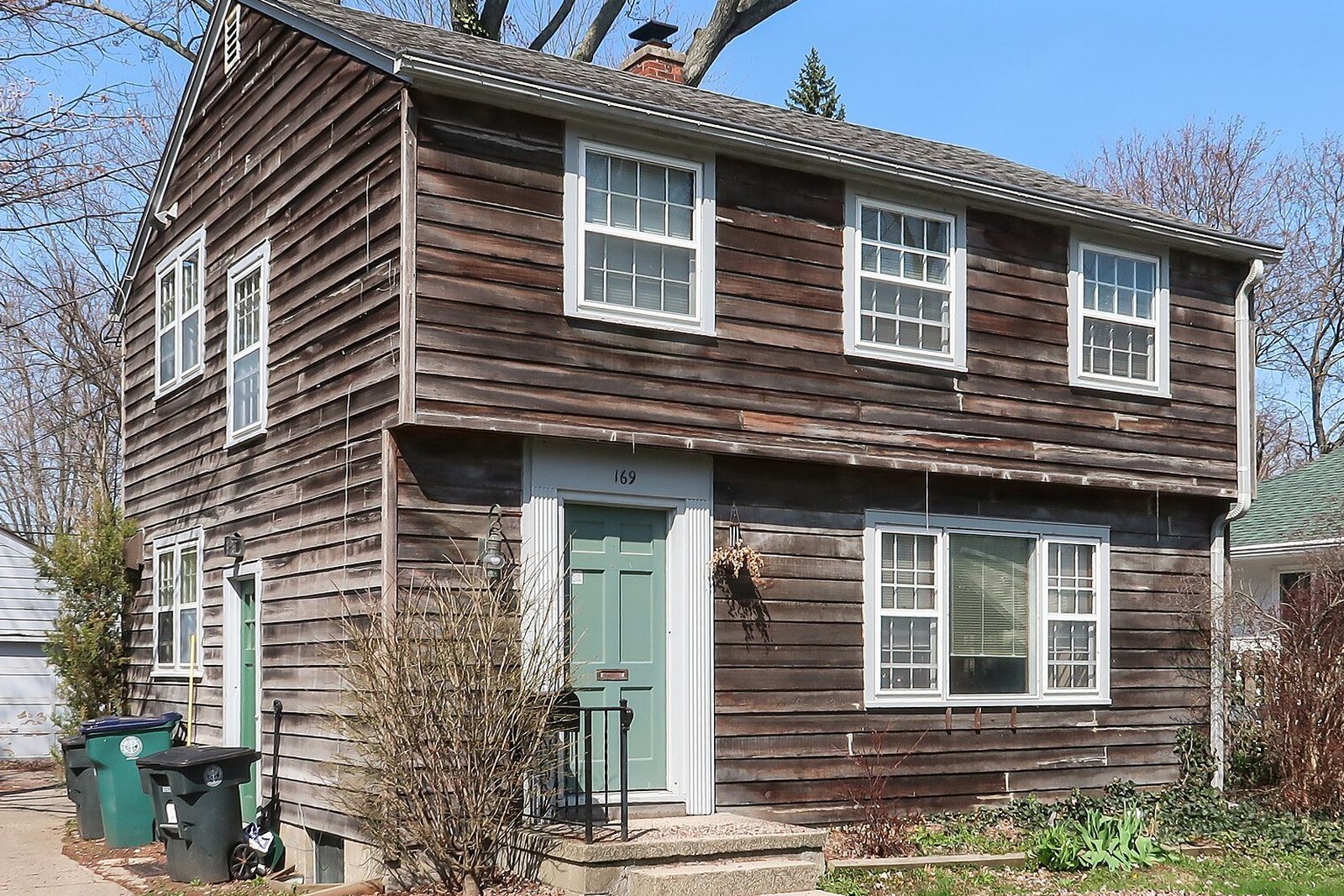
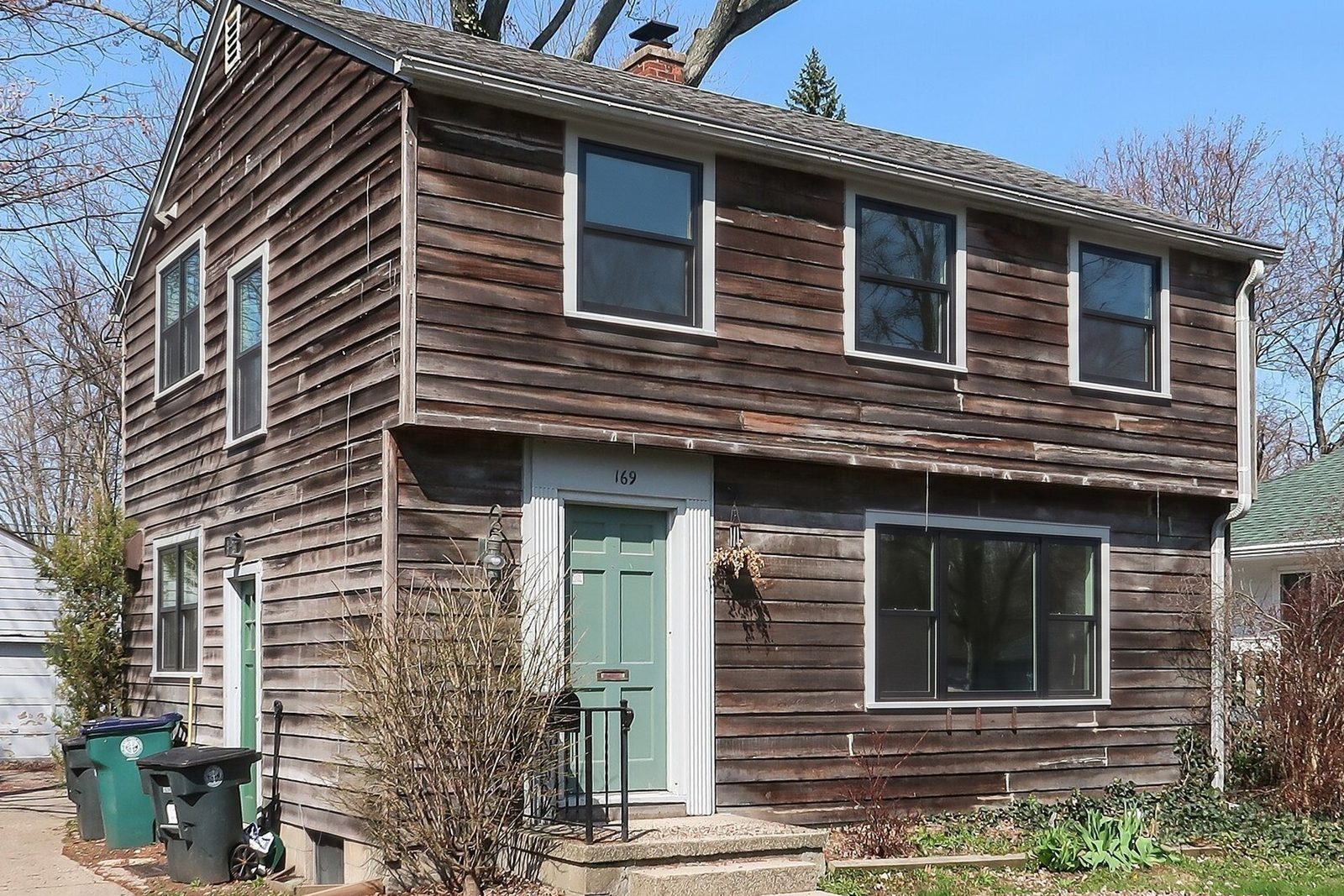
- Hover Instant Design makes a design from a single photo of a home2; Renoworks Pro finds the roof, siding, windows and doors in a photo with no manual masking3; WindowRender changes the frame material, color and grilles on one photo in 30 seconds
- Keep a person on
- The real color sample before you order
Measuring
Building the quote
- What the software does
- Prices the job from your catalog, options and labor, often with a proposal to sign
- Examples
- Hover says its 2026 platform adds estimating and proposals with e-signature6; Renoworks says its Instant Estimator shows design options and pricing together during the visit7
- Keep a person on
- The price check before anything goes to the homeowner
Coaching from recorded visits
- What the software does
- Records and transcribes sales conversations so a manager can review them
- Examples
- Rilla, which analyzes recorded sales conversations, said in a 2023 article for HVAC contractors that top performers in the conversations it analyzed talk less than the team average8
- Keep a person on
- Consent to record, and the coaching itself
Writing
- What the software does
- Drafts follow-up texts, emails, ads, review replies and job posts from a few notes
- Examples
- ChatGPT and other chat assistants
- Keep a person on
- Every fact, price and claim in the version that goes out
| Job | What the software does | Examples | Keep a person on |
|---|---|---|---|
| Replying to new leads | Sends a text or email the moment a web form comes in, and alerts whoever is on leads | Your CRM or form tool, set up once; the routine is in speed to lead for window companies | The call. A text buys you a few minutes; a person books the visit |
| Answering the phone | Picks up when nobody can, takes the details, books a time or passes the call on | Answering services and answering software sold to home service companies | Price questions, complaints, and anyone who asks for a person |
| Showing the look | Puts new windows, siding or a roof on a photo of the house | Hover Instant Design makes a design from a single photo of a home2; Renoworks Pro finds the roof, siding, windows and doors in a photo with no manual masking3; WindowRender changes the frame material, color and grilles on one photo in 30 seconds | The real color sample before you order |
| Measuring | Works out sizes from photos or aerial images | Hover builds a measured 3D model from smartphone photos4; ProVia says its Pro Visualizer measures exterior walls and openings from the property address5 | The final measure of every opening before you order |
| Building the quote | Prices the job from your catalog, options and labor, often with a proposal to sign | Hover says its 2026 platform adds estimating and proposals with e-signature6; Renoworks says its Instant Estimator shows design options and pricing together during the visit7 | The price check before anything goes to the homeowner |
| Coaching from recorded visits | Records and transcribes sales conversations so a manager can review them | Rilla, which analyzes recorded sales conversations, said in a 2023 article for HVAC contractors that top performers in the conversations it analyzed talk less than the team average8 | Consent to record, and the coaching itself |
| Writing | Drafts follow-up texts, emails, ads, review replies and job posts from a few notes | ChatGPT and other chat assistants | Every fact, price and claim in the version that goes out |
Should a window company use answering software or a virtual receptionist?
It's worth a test if calls go to voicemail while you're on appointments, which for a small window company is most evenings. A homeowner who reaches voicemail can call the next company on their list just as easily, and the studies on how fast replies need to be are in speed to lead.
Set it up like a new setter, not a gadget. Give it a short script, the towns you serve, the hours you book, and one rule for price questions: no prices on the phone, a free visit instead. How to say that well is in window appointment setting. Then call it yourself a dozen times, as a confused caller, an angry customer and someone with a warranty problem, before a real homeowner does.
Two legal points before you switch it on. Answering software usually records or transcribes calls, and some states need every party's consent to record a conversation, with rules that vary by state and sometimes within one9, so have it say at the start that the call is recorded. And if the same tool will place calls to leads on its own, the FCC confirmed in 2024 that computer-generated voices count as an "artificial voice" under the Telephone Consumer Protection Act, so those calls need the person's prior express consent unless an exemption applies10. This is general information, not legal advice: check your state's rules and ask your lawyer.
What answering software should say
Thanks for calling [Company]. You've reached our automated assistant, and this call is recorded. I can book a free in-home estimate or take a message for the team. Which would help?
To book: Which windows are you thinking about replacing, and about how many? What's the address? Can everyone who'll make the decision be home for the visit?
If they ask for a price: Every house is different, so we give exact prices in writing after we've seen the windows. I can book that visit now. What day works best?
If they're upset, ask for a person, or call about a past job: I'll have [Name] call you back today. What's the best number and time to reach you?
Have it say it's automated. Test every branch yourself before the first real call.
Which ChatGPT prompts help with window sales?
A chat assistant gives you a fast first draft, not a salesperson. These prompts work in ChatGPT or any similar assistant. Fill in the brackets, read what comes back, and fix it before it reaches a homeowner.
Leave out what you wouldn't write on a postcard. Full names, phone numbers, addresses and financing details don't need to go in for any of these. For what to do with the drafts, see how to follow up window sales and window sales objections.
Prompts to copy
Follow-up text: Write a short text from [your name] at [company] to a homeowner I met tonight about replacing [number] windows. They liked [look] and are still deciding between [option A] and [option B]. Friendly, no pressure, no discount, under 300 characters, and end with one easy question.
Objection prep: I sell replacement windows in the home. A homeowner said "[objection]". Give me three questions that find out what's really behind it, then a short, honest answer for each likely reason. No pressure tactics and no made-up deadlines.
Plain-English quote: Rewrite this quote summary so a homeowner can follow it in one read. Don't change any product, number or term, and list anything that looks unclear or missing: [paste the summary].
Review reply: Write a reply to this Google review of my window company, under 60 words, that thanks them and mentions [a detail from their job]. Don't offer anything in return for reviews: [paste the review].
Ad check: List every claim in this ad that I'd need proof for, such as energy savings, prices, dates, "best" or "lowest", and say what proof each one needs: [paste the ad].
Job post: Write a job post for an in-home window sales rep in [city]. Pay is [pay plan]. Say what a normal week looks like, where the leads come from, and what we expect in the first 90 days. Plain words, no hype.
Check every number, name and claim before you send anything it writes.
How should you show a homeowner a computer-made picture?
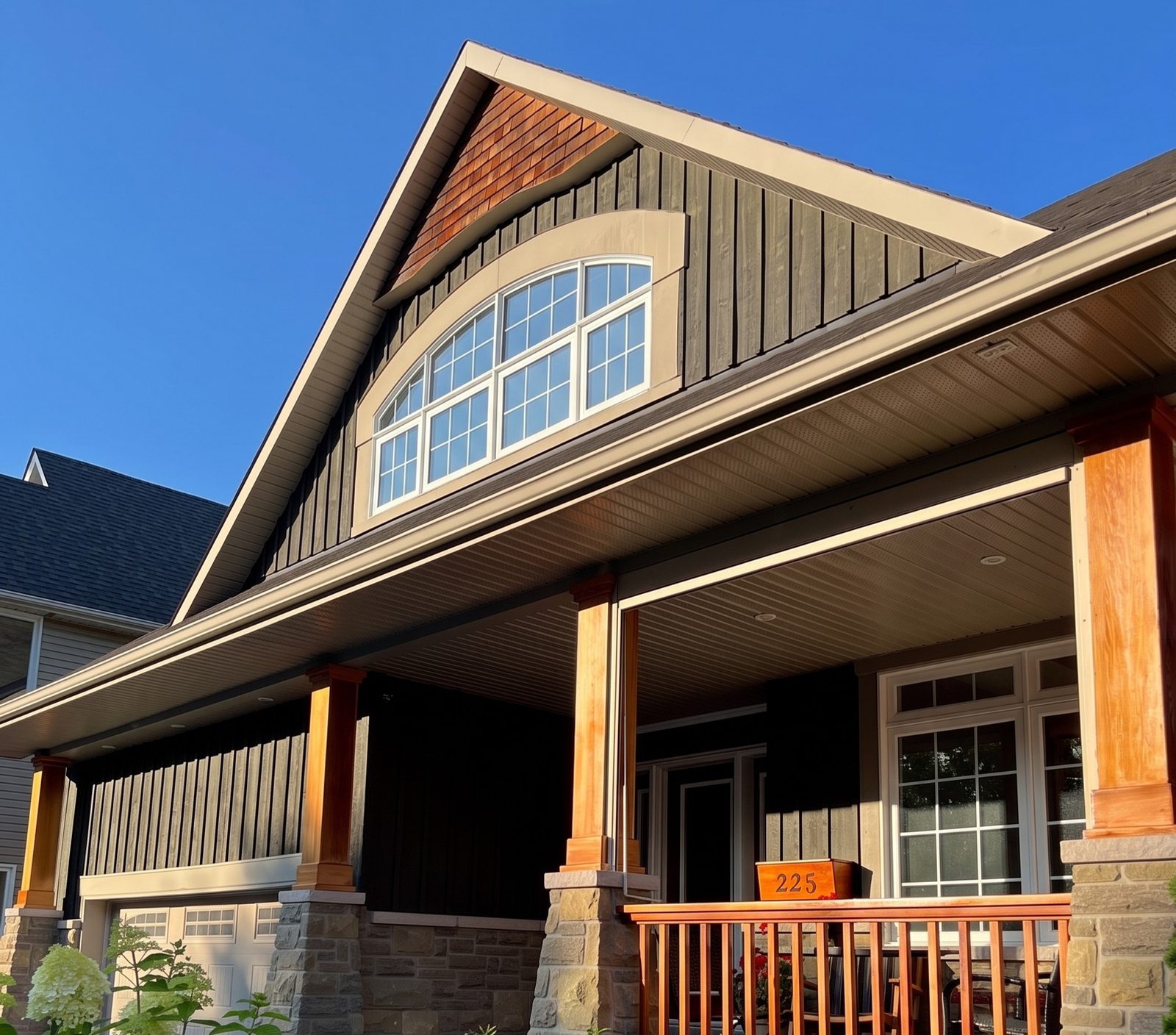
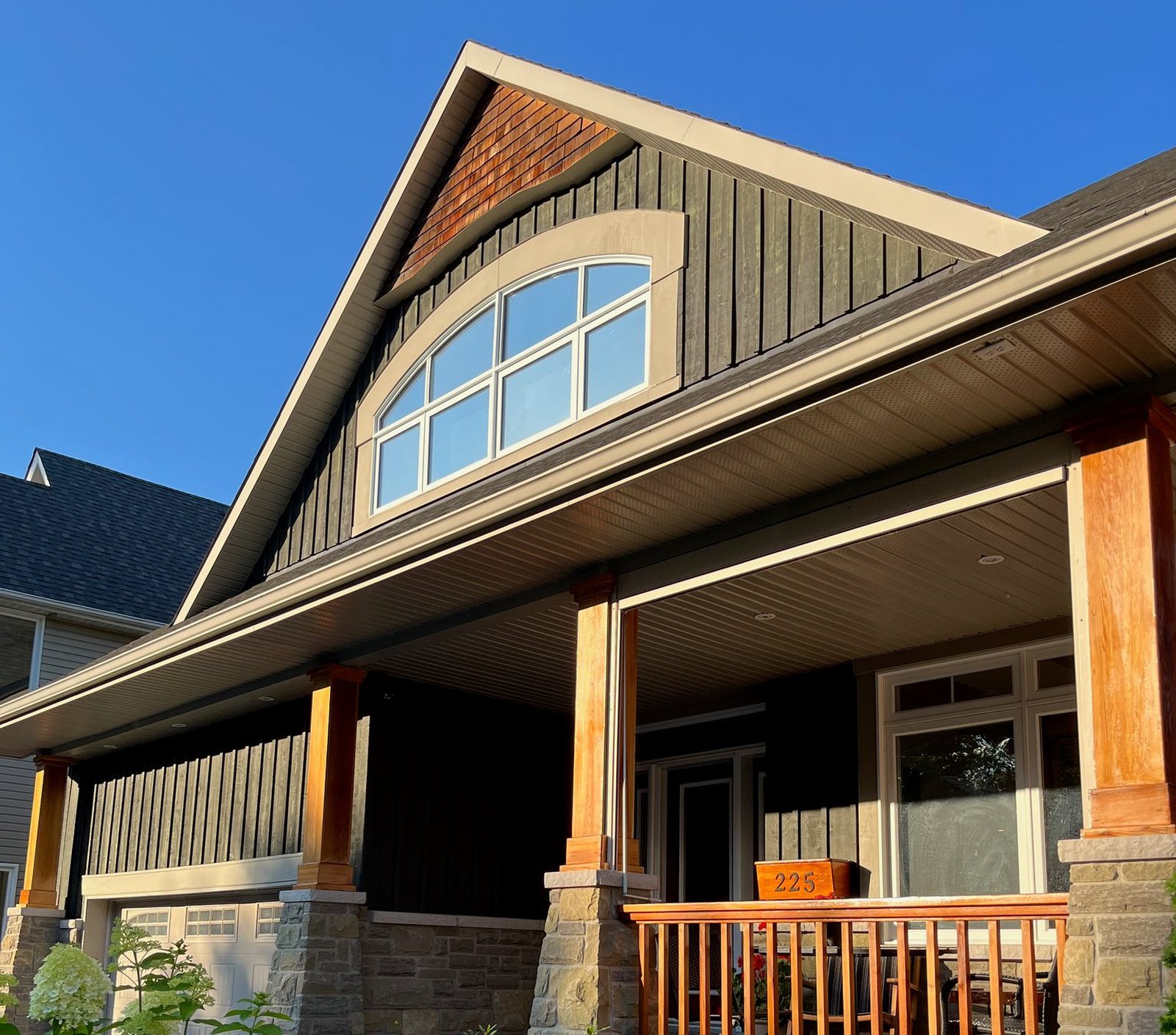
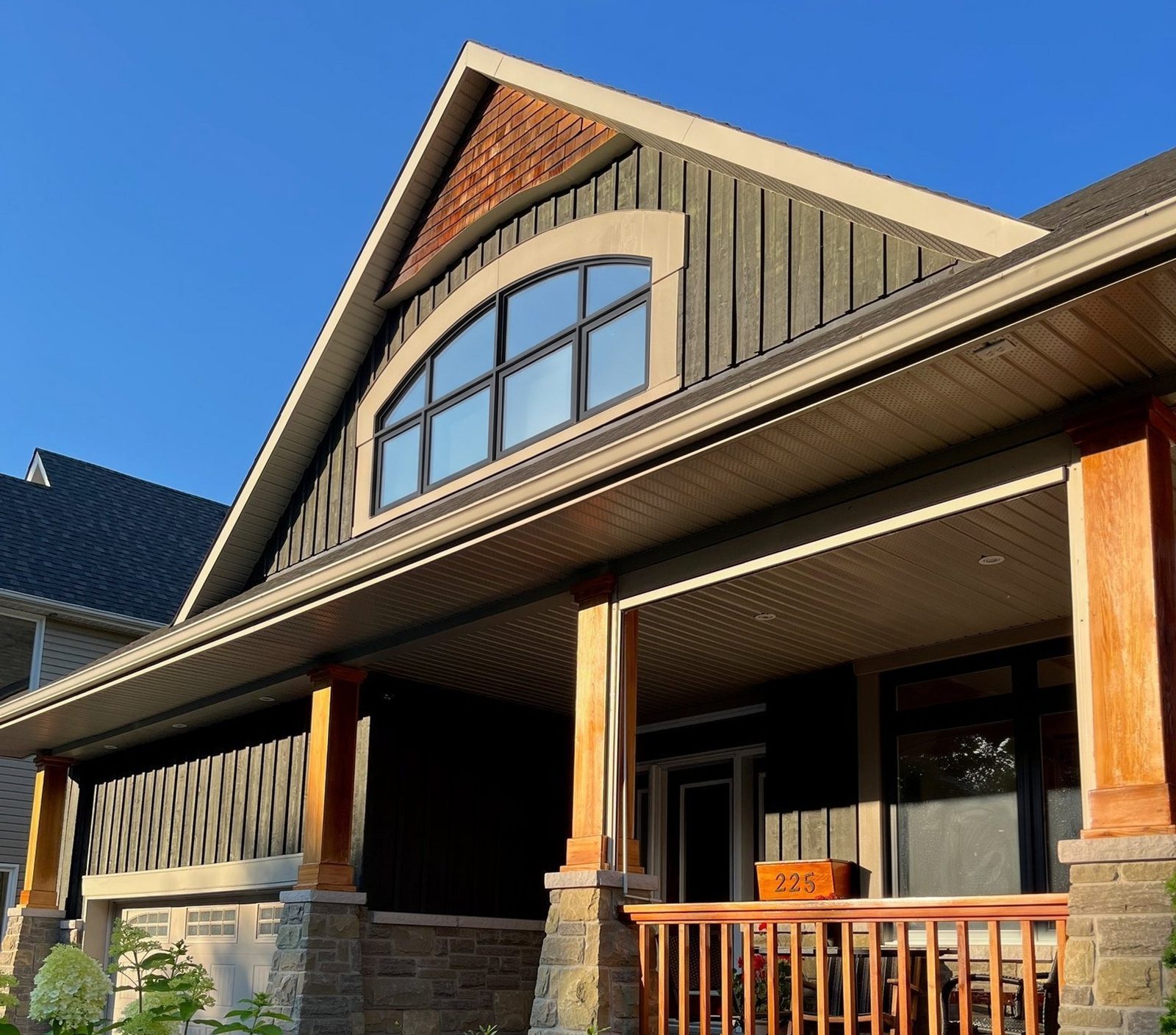
A picture of their own house is the most persuasive thing you'll put on the table, so present it honestly: a preview of the look, not a photo of a finished job and not the spec. Every pair on this site is labelled the same way: Photo on the real picture, Render on ours.
Screens shift color. Marvin, for one, says finish samples shown on screen are approximate and to see real samples at a dealer11. So say it at the table: "This is a render to show you the look. We'll confirm the color with a real sample before we order."
Whether a general chat assistant can do this job for you is its own question.
Can software measure the windows and build the quote?
It can get you most of the way, and both jobs have their own guides. Photo and aerial measuring gives you working sizes without a ladder, and Hover markets its window and door measurements as a way to cut return trips to the house12. Still measure every opening yourself before you order: a custom window made to the wrong size can't go back. The apps are compared in measure windows from photos.
Quoting software turns those sizes and your price book into a written quote with options and a signature line. That's covered in window estimating software. Keeping the lead, the visit, the quote and the follow-up in one record is the job of a CRM: see best CRM for window and door companies.
What should a window company never hand over to software?
- Energy savings claims. The FTC says ad claims must be truthful and backed by evidence13, and in 2012 it settled with five replacement window sellers over deceptive energy efficiency and savings claims14. If a drafted ad promises a number on the energy bill, cut it unless you can prove it. More in window energy savings claims.
- Reviews. The FTC said in 2024 that its rule on fake reviews bars creating or selling reviews in the name of someone who doesn't exist, including ones generated by software, or by someone who never used the business, and that it can seek civil penalties15. Use software to draft replies to real reviews, never to write the reviews. Getting real ones is covered in window company reviews.
- Texts and calls it sends on its own. Consent rules cover autodialed texts1 and calls made with computer-generated voices10. Keep consent records and honor STOP right away. General information, not legal advice: check your state's rules with your lawyer.
- Deadlines and pressure. Don't let an automated sequence invent "price ends Friday" messages. The FTC lists pressure for an immediate decision among the warning signs of a home improvement scam16.
- Prices and promises. Anything with a number, a date or a warranty in it goes out only after a person has read it.
- The sale itself. Homeowners let a person into their house, not a tool. Software can prepare you and follow up for you, but the walk-through, the questions and the ask are yours.
How do you test a new tool without wasting a month?
Pick one job, one tool and one number, and run it for four weeks. Write the number down before you start, so you're comparing against last month and not against a feeling. If the vendor wants a year's contract before you can test it, ask for a shorter trial or a way out if it doesn't work.
How to track close rate and the rest of these numbers is in window sales metrics.
A four-week test, by job
Replying to new leads
- The number to track
- Minutes from form to first call, by lead source
- Keep it if
- The time drops and more leads turn into booked visits
Answering the phone
- The number to track
- Calls answered outside office hours, and visits booked from them
- Keep it if
- It books visits you used to miss, without upset callers asking for you the next day
Showing the look
- The number to track
- How often reps render at the table, and close rate on visits with a render against visits without
- Keep it if
- Reps use it without being told to
Measuring
- The number to track
- Return trips, and remakes from measuring mistakes
- Keep it if
- Trips go down and remakes don't go up
Building the quote
- The number to track
- Time from the end of the visit to a quote ready to sign
- Keep it if
- Quotes go out faster with fewer corrections
Writing
- The number to track
- Time spent on texts, emails and ads each week
- Keep it if
- You spend less time and still read every draft before it goes out
| Job | The number to track | Keep it if |
|---|---|---|
| Replying to new leads | Minutes from form to first call, by lead source | The time drops and more leads turn into booked visits |
| Answering the phone | Calls answered outside office hours, and visits booked from them | It books visits you used to miss, without upset callers asking for you the next day |
| Showing the look | How often reps render at the table, and close rate on visits with a render against visits without | Reps use it without being told to |
| Measuring | Return trips, and remakes from measuring mistakes | Trips go down and remakes don't go up |
| Building the quote | Time from the end of the visit to a quote ready to sign | Quotes go out faster with fewer corrections |
| Writing | Time spent on texts, emails and ads each week | You spend less time and still read every draft before it goes out |
Where the render fits
Of the seven jobs above, showing the look is the one that happens with the homeowner watching. At the table, after you've walked the house and before the price, take one photo of the front or of the room they care about, pick the frame material, color and grilles you're quoting, and show them the render 30 seconds later. Each window keeps its current style, so what they see is their own windows in the new look.
Then let the rest of your software carry it. Attach the render to the lead in your CRM, send it in the follow-up text that evening, and put it in the proposal next to the price. If a new lead texts you a photo of their house before the visit, a render of it makes your first reply about their house, not your company.