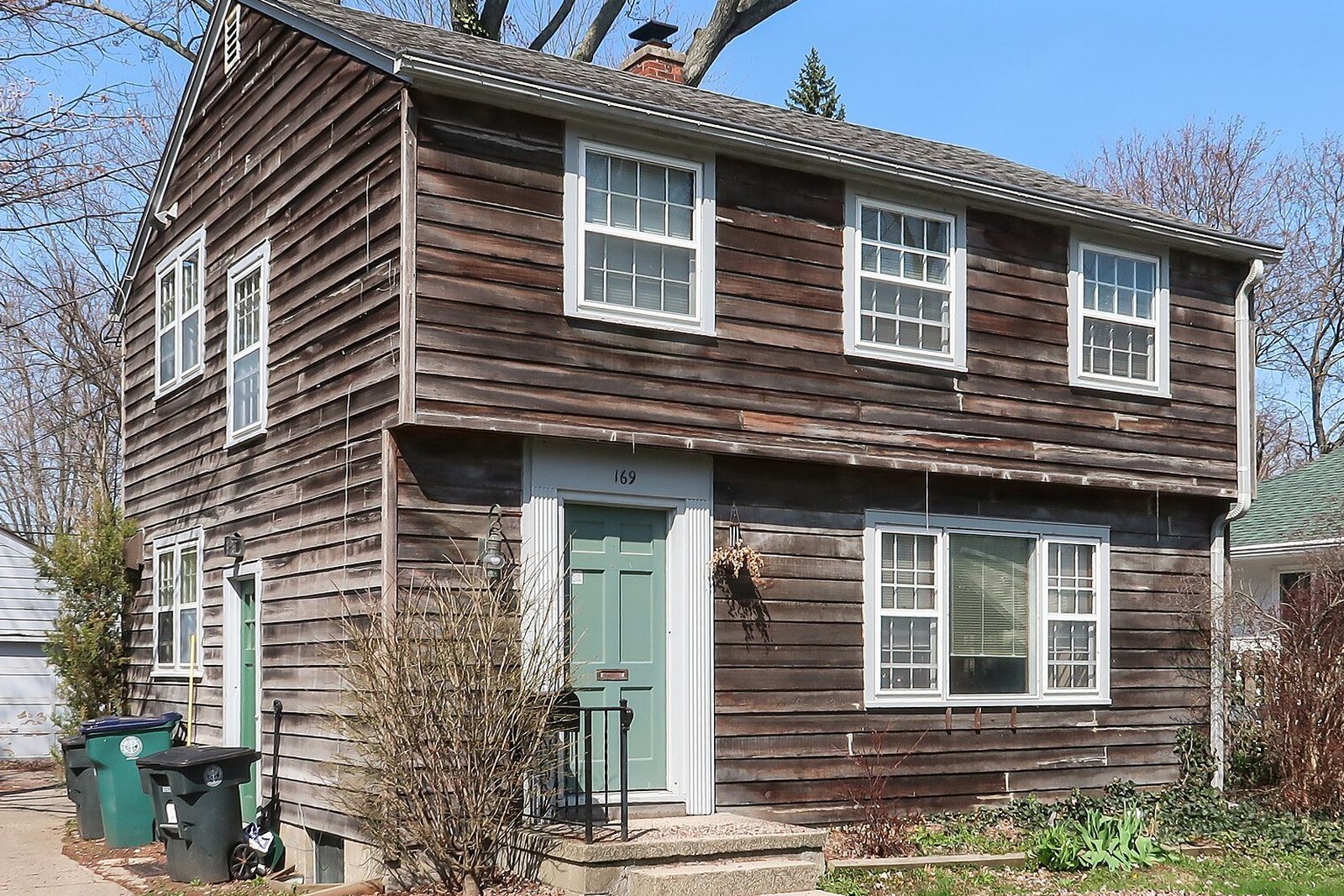
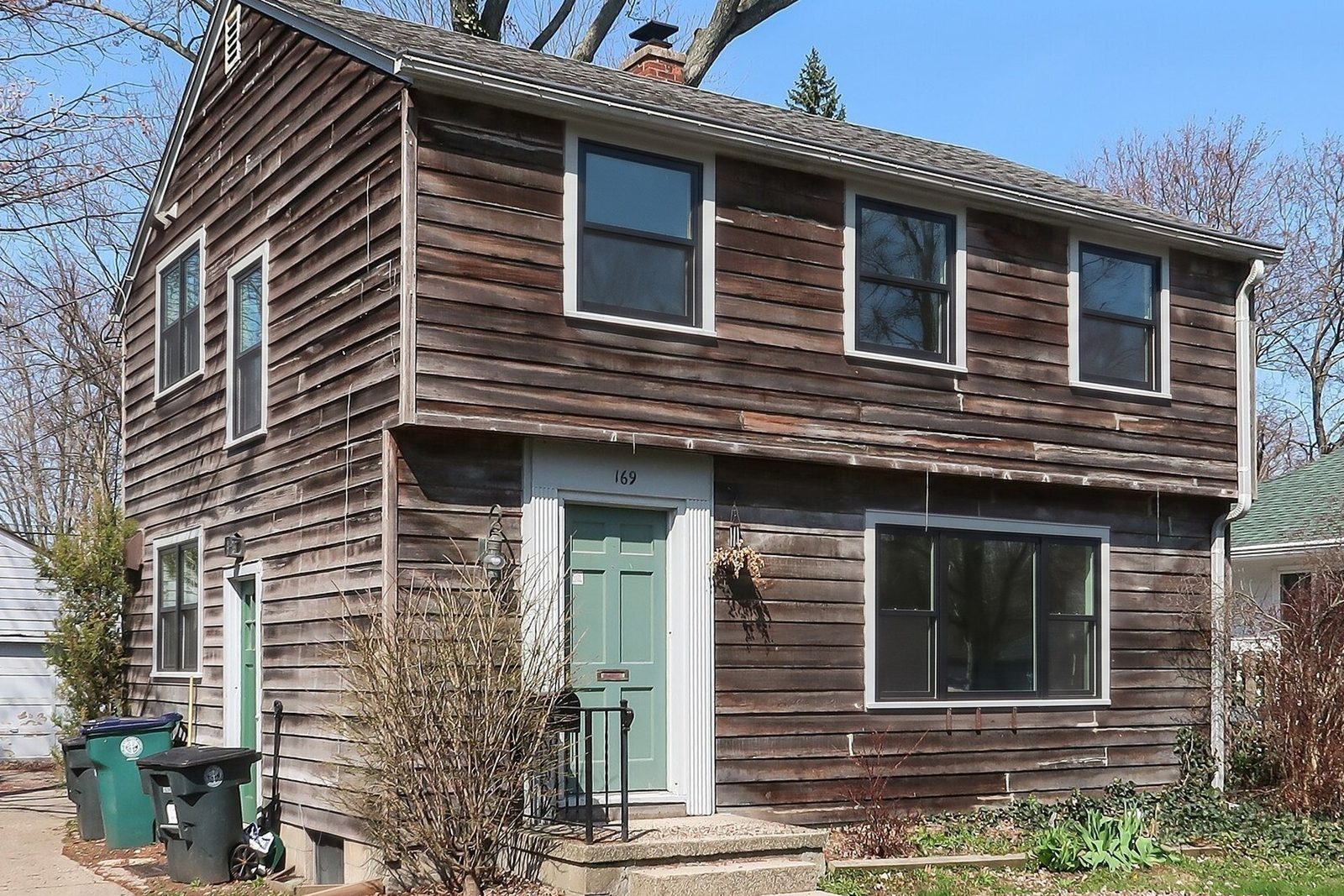
Why WindowRender for the sales visit?
- One photo. You don't walk the whole house with the phone before you can show anything.
- It is built around the window order: frame material, color and grilles, picked the way you'd write them on a quote.
- It works inside. Photograph the kitchen or the living room and show the new frames from where the family sits.
- A finished render in 30 seconds, while you're still at the table.
- Prices on the website, a free first render with no account, and $1 for the first month of Starter for new accounts.
What does Hover do that WindowRender doesn't?
- Measurements. Hover builds a measured 3D model from your photos1, and Hover markets window and door measurements taken from it5. WindowRender doesn't measure anything.
- The rest of the exterior. On the Hover model you can switch the roof and siding as well as the windows1.
- Estimates and proposals. Hover says its January 2026 platform runs estimating and homeowner proposals with e-signature from the same model2.
- A tool for your website. Hover Design Embed puts a Hover design tool on a contractor's site to collect homeowner leads6.
How does each one make the picture?
Hover's main workflow applies products to the 3D model it builds from your photos1. Its Instant Design feature, launched in February 2025, instead makes a design from a single photo of the home4.
WindowRender is built to change only the windows on the photo you give it. The house, the light, the camera angle, the shutters and the landscaping are meant to stay as they are, and each window keeps its opening. Every pair on this site is one we checked against its photo, window by window, before it went up.
You pick the frame material, color and grilles, and every window keeps the style it has now. Changing the style itself, say from double-hung to casement, isn't offered yet. The result is a render, a preview of the look, not a measured drawing.
Which should a window company choose?
Pick by the job you need done
Measure windows from photos instead of a tape
- Use
- Hover, which markets window measurements from its model5
Quote siding and roofing on the same job
- Use
- Hover1
Turn measurements into an estimate and a signed proposal
- Use
- Hover, which says its platform does this2
Show black versus white frames on the customer's own front tonight
- Use
- WindowRender
Show grids or no grids, inside and outside
- Use
- WindowRender
Give a rep something to use on the first visit with no setup
- Use
- WindowRender
| If you need to | Use |
|---|---|
| Measure windows from photos instead of a tape | Hover, which markets window measurements from its model5 |
| Quote siding and roofing on the same job | Hover1 |
| Turn measurements into an estimate and a signed proposal | Hover, which says its platform does this2 |
| Show black versus white frames on the customer's own front tonight | WindowRender |
| Show grids or no grids, inside and outside | WindowRender |
| Give a rep something to use on the first visit with no setup | WindowRender |
Can you use Hover and WindowRender on the same job?
Yes. They barely overlap. Measure with Hover if that's what you use today; when you sit down with the homeowner, take one photo of the front and one of the room they care about and render the windows you're quoting. The render goes in the follow-up text and next to the price in your proposal.
How much do Hover and WindowRender cost?
Hover lists its plans on its own pricing page. We haven't been able to check them ourselves, so we don't quote a Hover price here; look there before you decide.
WindowRender's Starter plan is $97 a month for 50 renders, Growth is $297 for 500 and Professional is $497 for 1,000. Your first render is free without an account, a free account adds 3 more, and the first month of Starter is $1 for new accounts. Cancel anytime.