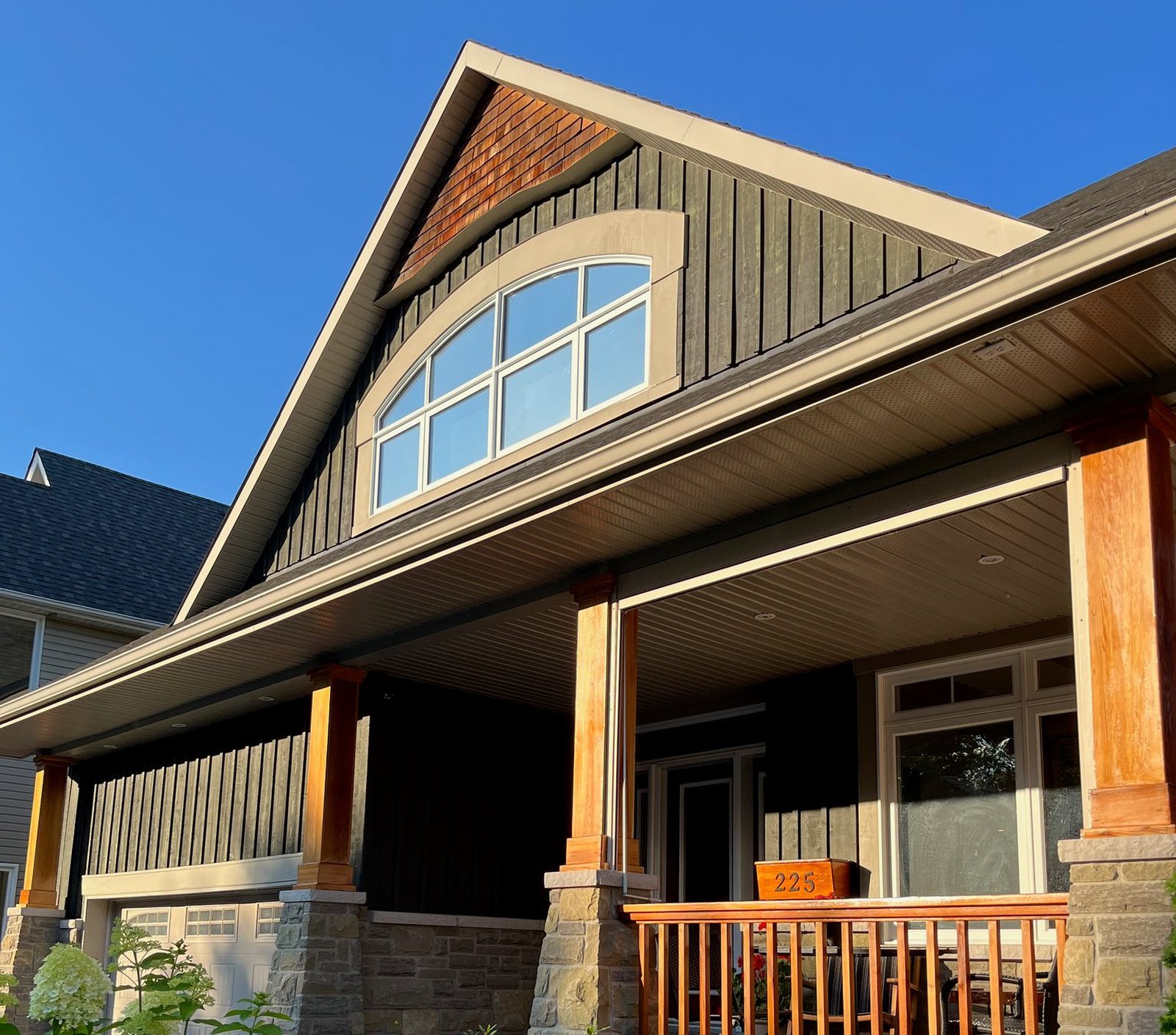
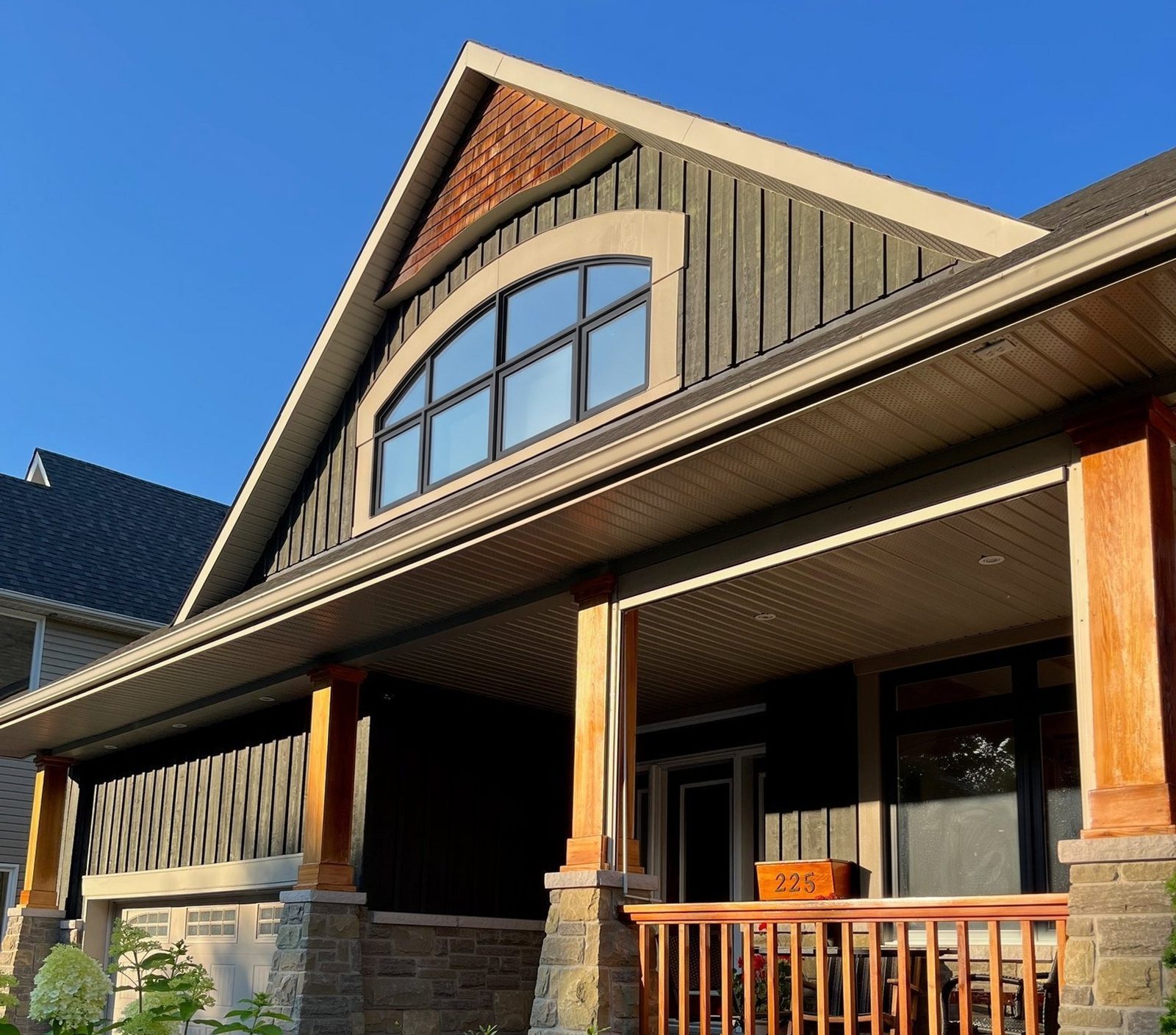
Why pick WindowRender over the Alside Visualizer for a window sale?
- Every line on your price sheet. Alside's tool shows Alside products1. If you quote Alside next to another maker's windows, WindowRender shows both looks on the same photo, one render each.
- No photo prep at the table. Alside's guide walks you through straightening, cropping and scaling the picture and brushing over the parts to change1, and Alside says newer versions do more of that preparation for you2. WindowRender has no preparation step: take the photo, pick the frame, render.
- Rooms as well as the street view. Photograph the kitchen or the bedroom the homeowner keeps mentioning and show the new frames from where they sit.
- A finished render in 30 seconds, while you are still at the table, and a picture you can text the same evening.
- It sticks to the window order. You pick frame material, color and grilles, the same things you write on the quote, and the rest of the house is meant to stay as it is.
How does the Alside Visualizer work?
Alside's guide gives three starting points: upload a photo of the house, pick a sample image from Alside's library, or hand the job to Alside's design services1. With your own photo, Grid straightens it, Crop centers the house, Adjust Look fixes brightness and contrast, and Set Scale asks for the real size of something in the shot, such as the front door1. The Magic Brush then marks the windows and siding you want to change1.
Alside says the newer Renoworks technology prepares an uploaded photo automatically2, and that a homeowner can click something like the front door to try other styles, then share the design with the manufacturer, dealer or retailer in a few clicks2.
Alside's page for contractors suggests photographing the home, uploading it to the Visualizer and designing it with the homeowner in real time5. When the whole job is Alside, siding included, that fits. The gap is the rest of your price sheet: the Visualizer shows Alside products1, so the other maker's windows you're quoting next to Alside can't go on the same house.
What does Alside offer that WindowRender doesn't?
- Siding and the rest of the exterior. The Alside Visualizer works on siding as well as windows1. WindowRender changes the windows only.
- Alside's exact products. Every option in Alside's tool is an Alside product1. WindowRender's Alside-named colors are close matches, so the real sample still settles the order.
- Measurements. Alside says Visualizer 3D, its tool for contractors, can source measurements without a trip to the house3. WindowRender doesn't measure anything.
- A free tool for homeowners. Alside calls the Visualizer free1, and a homeowner without a good photo can start from a sample image1.
- A design service. If the homeowner wants someone else to put the design together, Alside's guide points them to its design services1.
What about Alside 3D Pro and Visualizer 3D?
On its page for professionals, Alside says it partners with Renoworks for its visualization programs and describes Visualizer 3D, a contractor tool it says can source measurements without visiting the home3. We found no Alside page for a product called 3D Pro. If that's the name you heard, ask your Alside representative which tool they mean, what it costs and how you get access.
Alside's Design and Measurement Tools page also lists Hover, which makes measured 3D models of homes from smartphone photos5. How Hover compares is in WindowRender vs Hover, and the trade-offs of taking sizes from pictures are in measuring windows from photos.
A measuring tool tells you what to order. It doesn't show the homeowner what their house will look like with the new frames, which is the job a render does.
How would an Alside dealer use both?
One Alside window job, and which tool does what
Before the appointment
- Tool
- The Alside Visualizer on Alside's site
- What it's for
- The homeowner plays with Alside colors and siding on a sample house or their own photo1
Measuring
- Tool
- Your tape, or a measuring tool; Alside says Visualizer 3D can measure without a visit3
- What it's for
- Getting sizes right for the order
At the table
- Tool
- WindowRender
- What it's for
- The customer's own front and the room they care about, in the frame color you're quoting and the one they're unsure about, side by side
The follow-up text
- Tool
- WindowRender
- What it's for
- The same render sent with the quote that evening, so whoever missed the visit sees it too
Before they sign
- Tool
- A real Alside sample
- What it's for
- The actual color and finish in their hand, because a render is a preview, not the product
| Step | Tool | What it's for |
|---|---|---|
| Before the appointment | The Alside Visualizer on Alside's site | The homeowner plays with Alside colors and siding on a sample house or their own photo1 |
| Measuring | Your tape, or a measuring tool; Alside says Visualizer 3D can measure without a visit3 | Getting sizes right for the order |
| At the table | WindowRender | The customer's own front and the room they care about, in the frame color you're quoting and the one they're unsure about, side by side |
| The follow-up text | WindowRender | The same render sent with the quote that evening, so whoever missed the visit sees it too |
| Before they sign | A real Alside sample | The actual color and finish in their hand, because a render is a preview, not the product |
What to say when you quote Alside next to another line
You've looked at the Alside window and the other line we carry. Let me take one photo of the front from the street, and in about 30 seconds you'll see each of them on your own house.
This is the Alside one in the white you liked, and this is the other line in almond. Same photo, only the frames change. Which one looks right on your house?
Keep in mind this is a render: it shows the look, not the exact finish. Here are the real samples of both, so let's hold them up by a window before you choose.
Example words for a rep. Swap in the lines and colors you actually quote.
How much do the Alside Visualizer and WindowRender cost?
Alside calls its Visualizer free1. We found no published price for Visualizer 3D, so ask your Alside representative.
WindowRender's first render costs nothing and needs no account, and a free account adds 3 more with no card. After that, Starter is $97 a month for 50 renders, Growth is $297 for 500 and Professional is $497 for 1,000. The first month of Starter is $1 for new accounts.