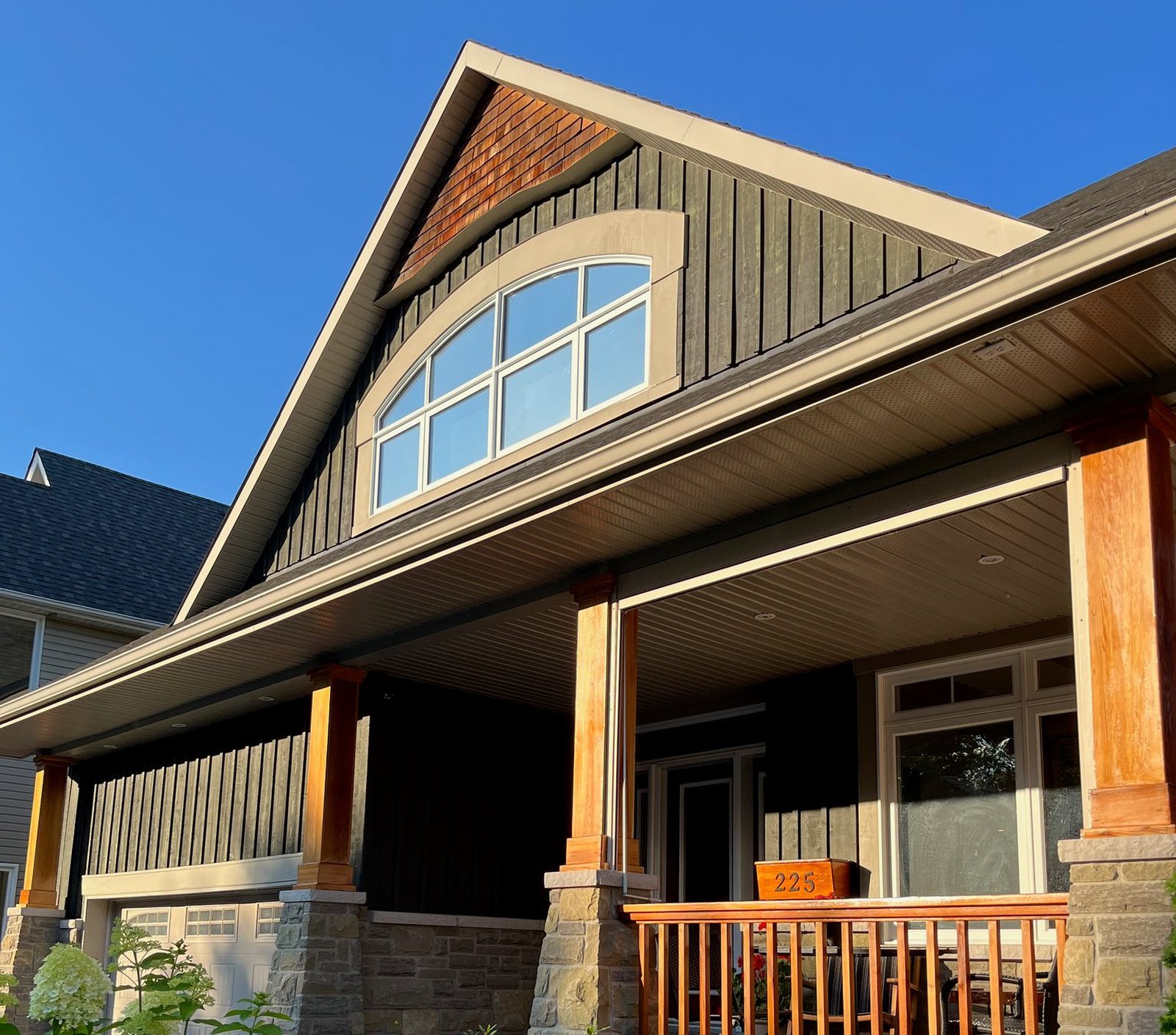
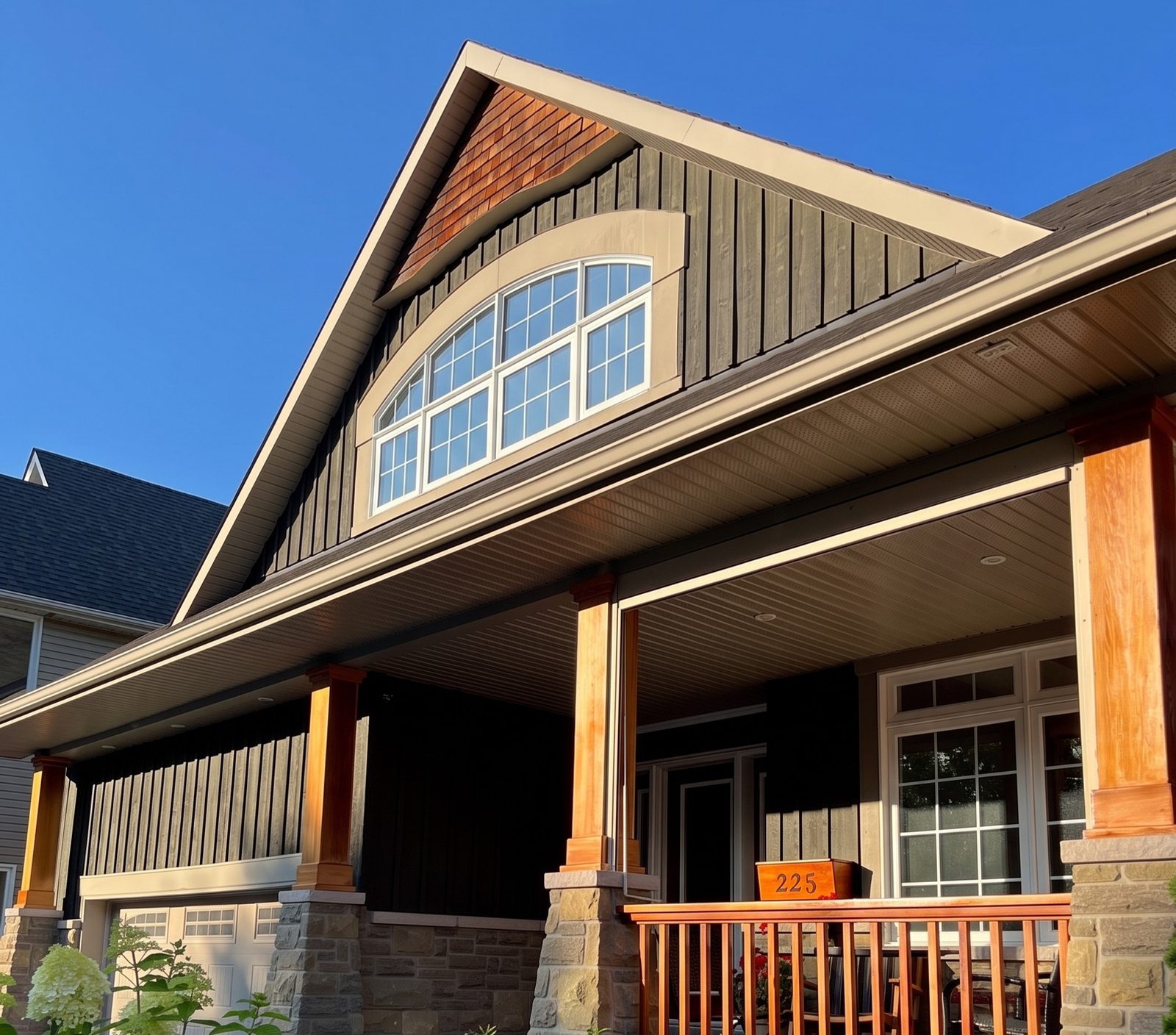
When is WindowRender the better pick?
- You sell more than ProVia. One tool shows a ProVia color and another maker's look on the same photo, so the homeowner compares like with like.
- You want the picture during the visit, made from the photo you just took, with their own trees, shutters and porch still in it.
- The homeowner cares about a room. A photo of the kitchen or the living room renders the same way as the front of the house.
- Your rep needs it today. There's no dealer setup: sign up, take the photo, render.
- You want to try three or four looks while they watch. Each one takes 30 seconds from the same photo.
What do ProVia's tools do that WindowRender doesn't?
- Change the window style. Green Builder Media's review found the free Visualizer can swap a casement for a double-hung or choose an arched shape1. WindowRender keeps each window's current style for now.
- Show the rest of the exterior. ProVia says its Visualizer covers door and window configurations, siding styles and shades, stone profiles and grout colors, and metal roofing3. WindowRender changes the windows and nothing else.
- Measure without a visit. ProVia says Pro Visualizer starts from the address and gives measurements of exterior walls, openings and roofing without anyone going to the home2.
- Design before you arrive. ProVia says dealers can build and save a design before the meeting, change it with the homeowner in person or remotely, and get project reports with property labels and waste estimates2.
- Cost nothing. The ProVia Visualizer is free1. WindowRender is free for the first 4 renders, then paid.
- Quote ProVia doors. Paradigm says ProVia dealers can turn quotes from the entryLINK door configurator into e-signed proposals and contracts in Paradigm Vendo4.
What's the difference between the ProVia Visualizer and Pro Visualizer?
They're two tools for two jobs. The ProVia Visualizer is the free one: upload a photo or pick a stock home and try ProVia window and door styles and colors1. For a dealer, the point is that some homeowners arrive having used it. ProVia says homeowners can save their choices on its website along with a preferred ProVia dealer's contact details5. Ask what they saved and start from that look.
Pro Visualizer is the dealer tool. ProVia describes it as a 3D exterior measurement, design and reporting tool built on EagleView aerial images, made for in-home and remote sales2. It begins with an address, not a photo, ProVia says2. That makes it an office tool as much as a table tool: you can measure and design before you knock.
Both show ProVia products. That's the right choice when ProVia is all you sell. When you quote several brands, or the visit is about one room, you need a tool that works on any photo with any brand's look, which is the job WindowRender does.
Which tool should a ProVia dealer use, and when?
Pick by the moment in the sale
The homeowner is browsing before they call you
- Use
- ProVia Visualizer
Estimating from the office before the visit
- Use
- Pro Visualizer
- Why
- ProVia says it measures walls, openings and roofing from the address2
Quoting an entry door
- Use
- entryLINK, through Vendo if you use it
- Why
- Paradigm says the quote can become a proposal the customer signs electronically4
At the kitchen table, settling black or white
- Use
- WindowRender
- Why
- A render of the photo you just took, in 30 seconds
The homeowner wants to see the inside
- Use
- WindowRender
- Why
- A photo of the room renders like the front of the house
Comparing ProVia with another line you sell
- Use
- WindowRender
- Why
- Both looks on the same photo
They want a different window style
- Use
- The ProVia Visualizer or a real sample
- Why
- WindowRender keeps each window's style for now
| Moment | Use | Why |
|---|---|---|
| The homeowner is browsing before they call you | ProVia Visualizer | It's free1, and ProVia says saved choices can include a preferred dealer's contact details5 |
| Estimating from the office before the visit | Pro Visualizer | ProVia says it measures walls, openings and roofing from the address2 |
| Quoting an entry door | entryLINK, through Vendo if you use it | Paradigm says the quote can become a proposal the customer signs electronically4 |
| At the kitchen table, settling black or white | WindowRender | A render of the photo you just took, in 30 seconds |
| The homeowner wants to see the inside | WindowRender | A photo of the room renders like the front of the house |
| Comparing ProVia with another line you sell | WindowRender | Both looks on the same photo |
| They want a different window style | The ProVia Visualizer or a real sample | WindowRender keeps each window's style for now |
What photo should you take for a render?
The photo decides the result in any of these tools. Outside, stand across the street, square to the front, in daylight, with the whole house in the frame. Inside, stand where the family sits and get the whole window in. Send the original photo, not a screenshot. The full checklist is in how to photograph a house for a window quote.
How much do ProVia's visualizers and WindowRender cost?
The ProVia Visualizer costs nothing1. We found no published price for Pro Visualizer, so ask your ProVia rep whether it comes with your dealer account.
WindowRender has three monthly plans: 50 renders for $97 on Starter, 500 for $297 on Growth, and 1,000 for $497 on Professional. Try it first: one render needs no account, and a free account with no card adds 3 more. New accounts pay $1 for their first month of Starter.