When is WindowRender the better pick?
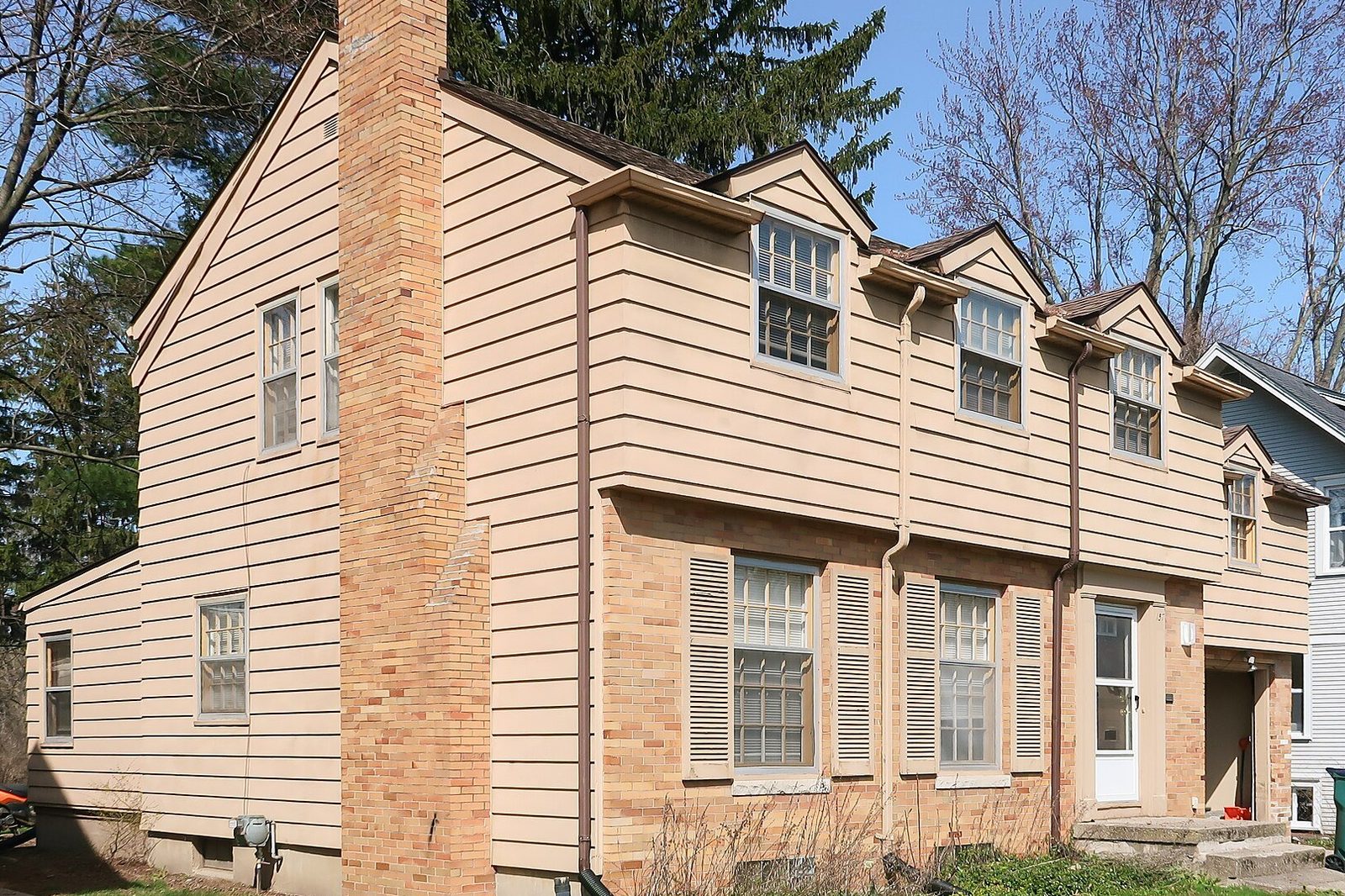
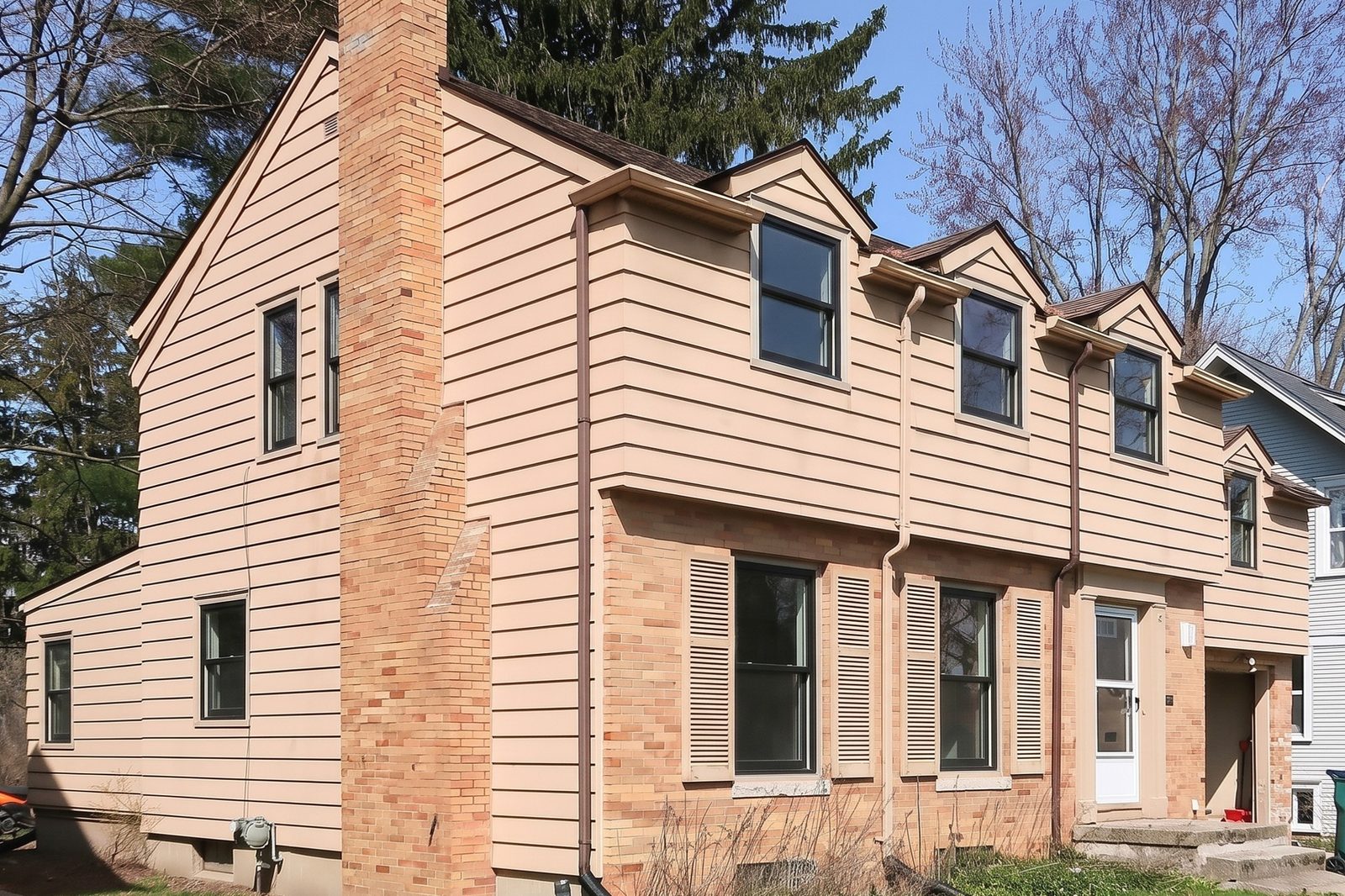
- It does one job, the one you need at the table: the customer's own house with the new windows, in 30 seconds.
- No library to set up and no measurement report to order. Pick the frame, color and grilles and render.
- Inside photos work the same way as outside ones, so you can show the kitchen as well as the street view.
- You can sign up and use it today, with prices on the website and a free first render.
What does Renoworks do that WindowRender doesn't?
Renoworks covers the whole outside of the house. Renoworks Pro detects the roof, siding, windows and doors in a photo without manual masking, builds 3D models from a measurement report, and loads products from manufacturer libraries1. A 2023 trade article put the number of libraries above 3504. If you sell siding, roofing and doors as well as windows, that breadth matters.
Renoworks also sells to the manufacturers themselves. In October 2025 it said it had launched eight new branded visualizers for building-product makers and distributors, with more signed3, and in September 2025 it announced LeadPOD, which captures and qualifies homeowner design activity6.
Which window brands' visualizers run on Renoworks?
Two you may already know. The Alside Visualizer is powered by Renoworks: Alside's own guide has you straighten and crop your photo, set a scale from a known size such as the front door, and mark the windows and siding with a Magic Brush2, and Alside says the newer version prepares the photo for you7. Infinity from Marvin added Renoworks auto-recognition to its visualizer in October 20198.
If you sell one of those brands, the maker's own visualizer shows their products on their site. When you sell more than one line, or want the picture during the visit rather than after, see the manufacturer window visualizers comparison.
How fast is each one?
Renoworks said in 2023 that its second-generation recognition model cut the time to find the surfaces in a photo from about 45 seconds to 10 to 15 seconds9. That's the step before you choose products, not a finished design.
A WindowRender render takes about 30 seconds from the moment you tap render to the finished picture, with the new frame, color and grilles already applied.
How much do Renoworks and WindowRender cost?
Renoworks prices its plans per business, and we haven't been able to check a current price, so we don't quote one. Ask Renoworks for a quote.
WindowRender publishes its prices: Starter is $97 a month, Growth $297 and Professional $497. The first render is free with no account, 3 more come with a free account, and the first month of Starter is $1 for new accounts.
Can a dealer use both?
Yes. A manufacturer's Renoworks-built visualizer on the maker's website can warm up a homeowner before you ever call. WindowRender is for the visit itself and the follow-up: a photo you took that afternoon, rendered with the line and color you're quoting, sent to them that evening.