Do you need to download a window visualizer app?
Not for WindowRender. Open windowrender.com in Safari or Chrome and sign in; the same account works on your phone, your iPad and the office laptop. There is no app store listing to find, no update to install the night before an appointment, and nothing to install on a new rep's phone. Sign in on each device the day before your first appointment, so you're never waiting on a sign-in email at the kitchen table.
If you want it one tap away, put it on your home screen like an app. On an iPhone or iPad, open the site in Safari, tap Share, then Add to Home Screen; Apple notes the icon only appears on the device where you add it1. On Android, open the site in Chrome, tap the More menu, then Add to home screen and Create shortcut2.
How does it work on a phone at the appointment?
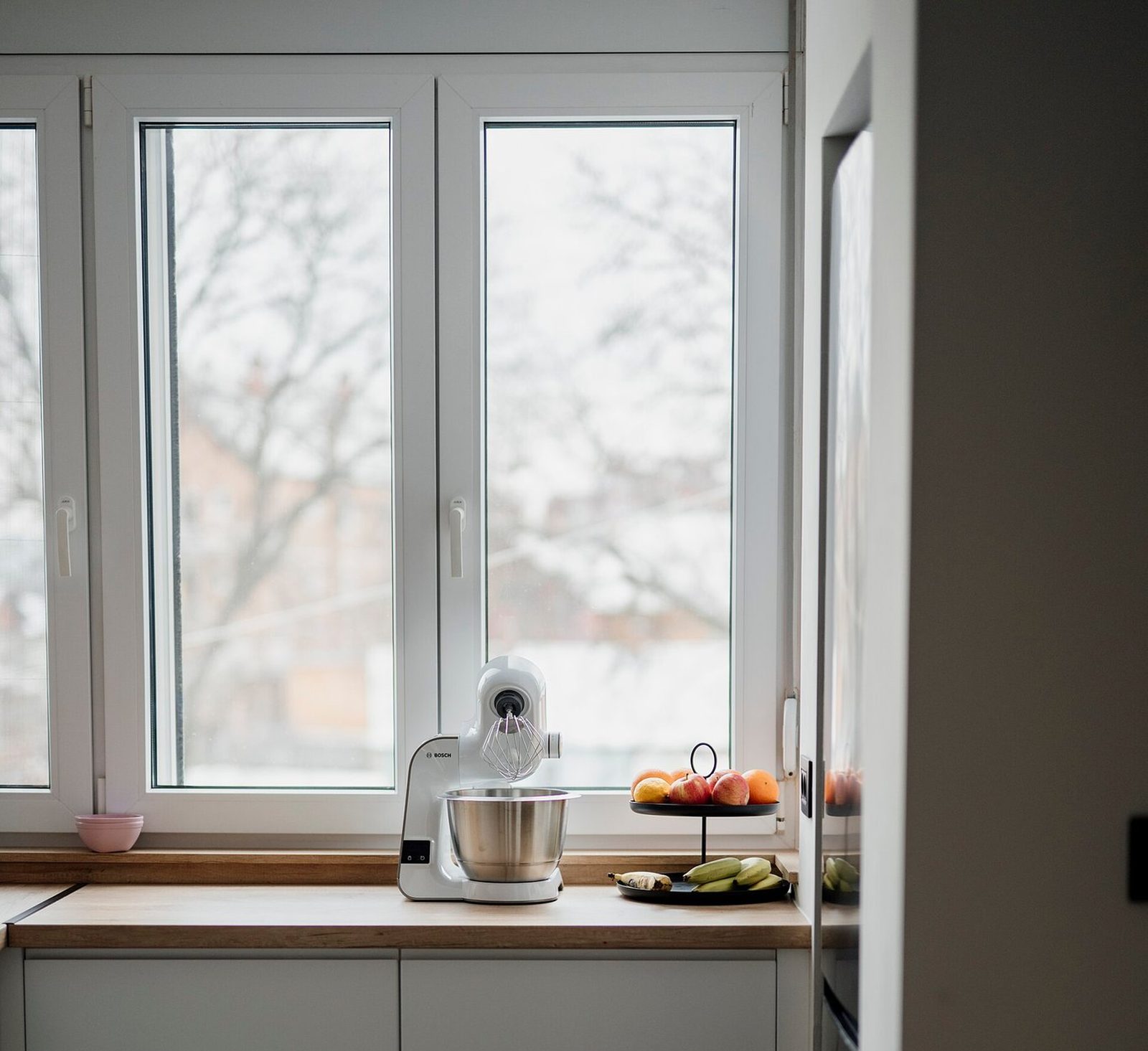
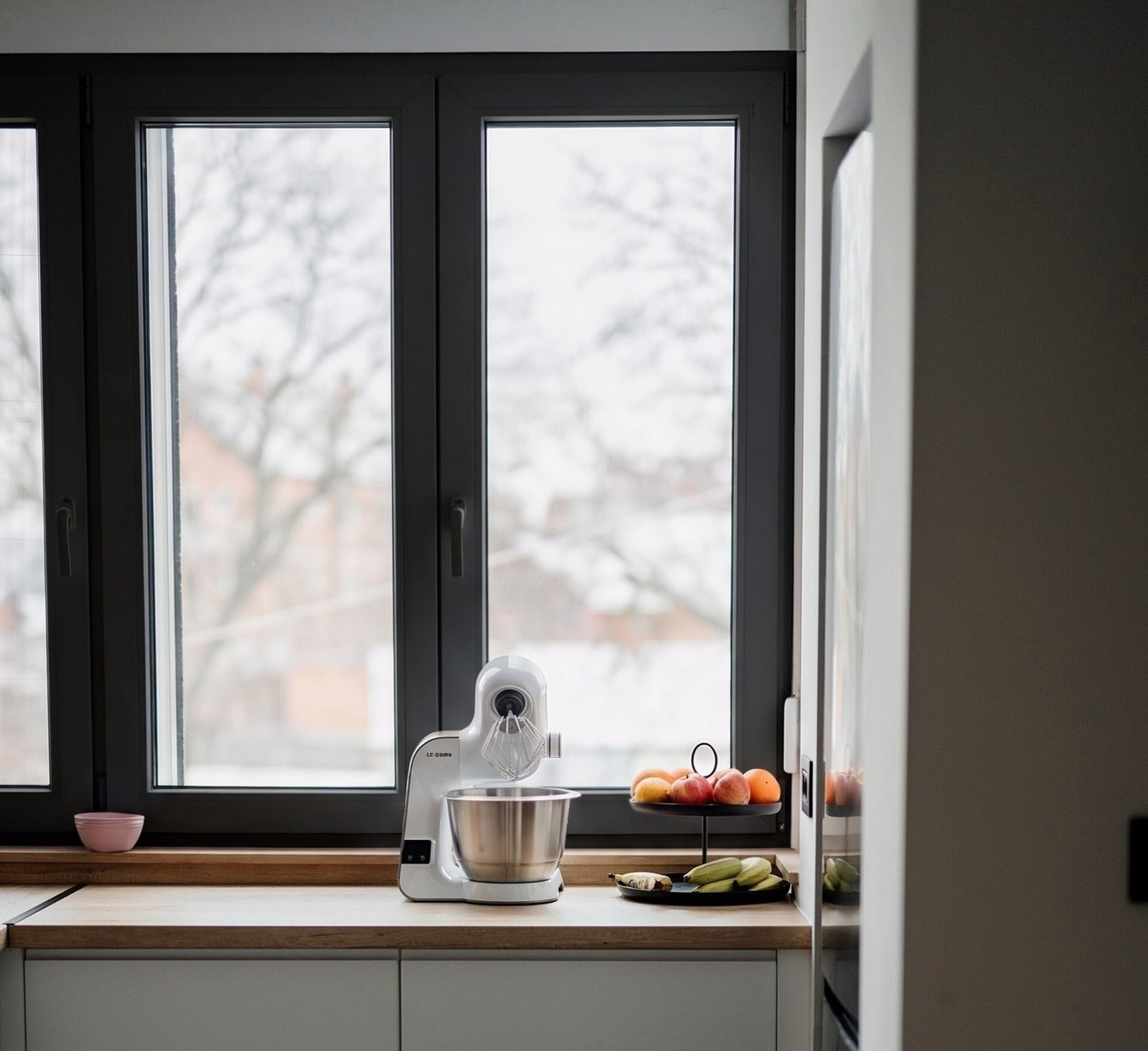
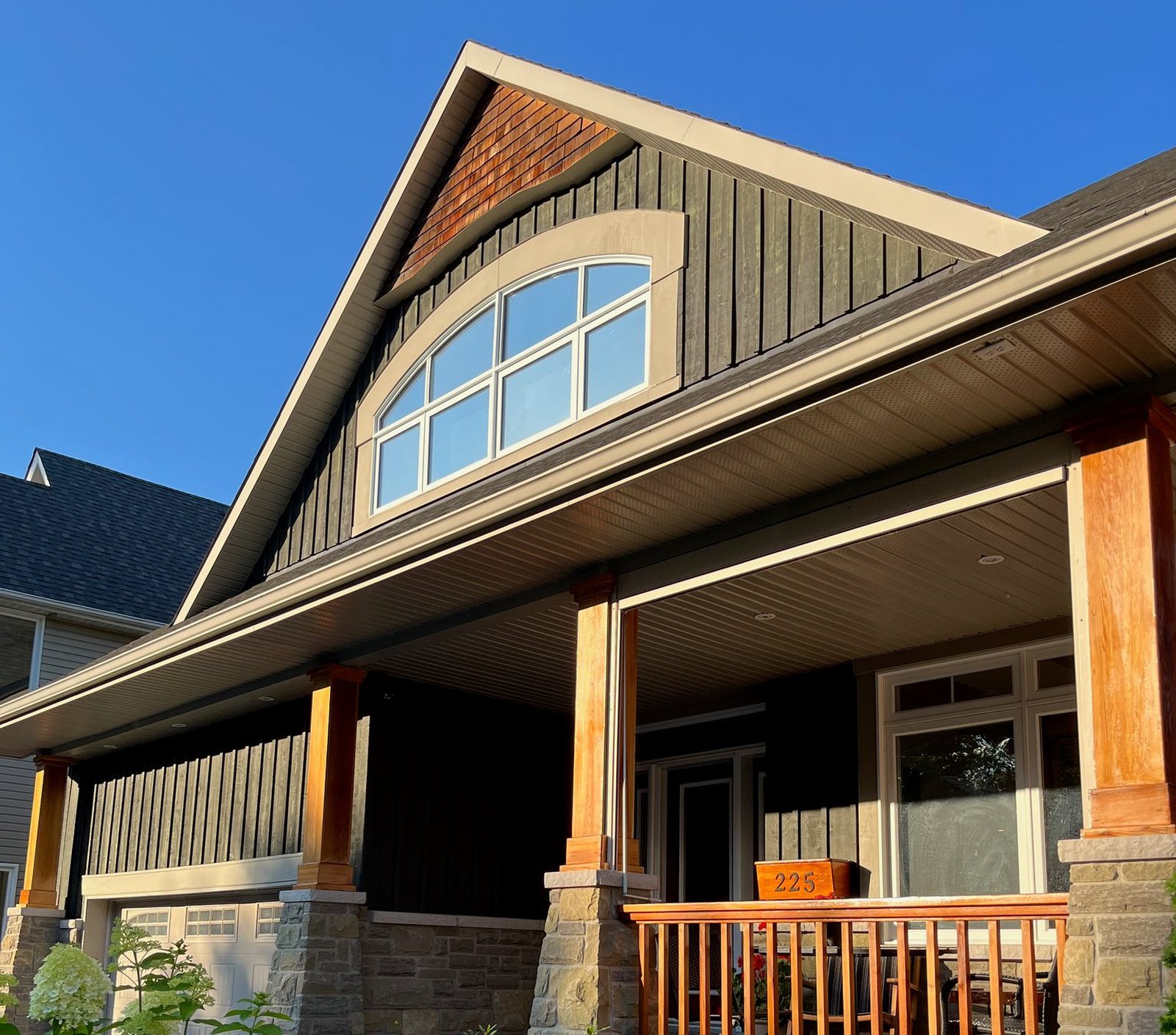
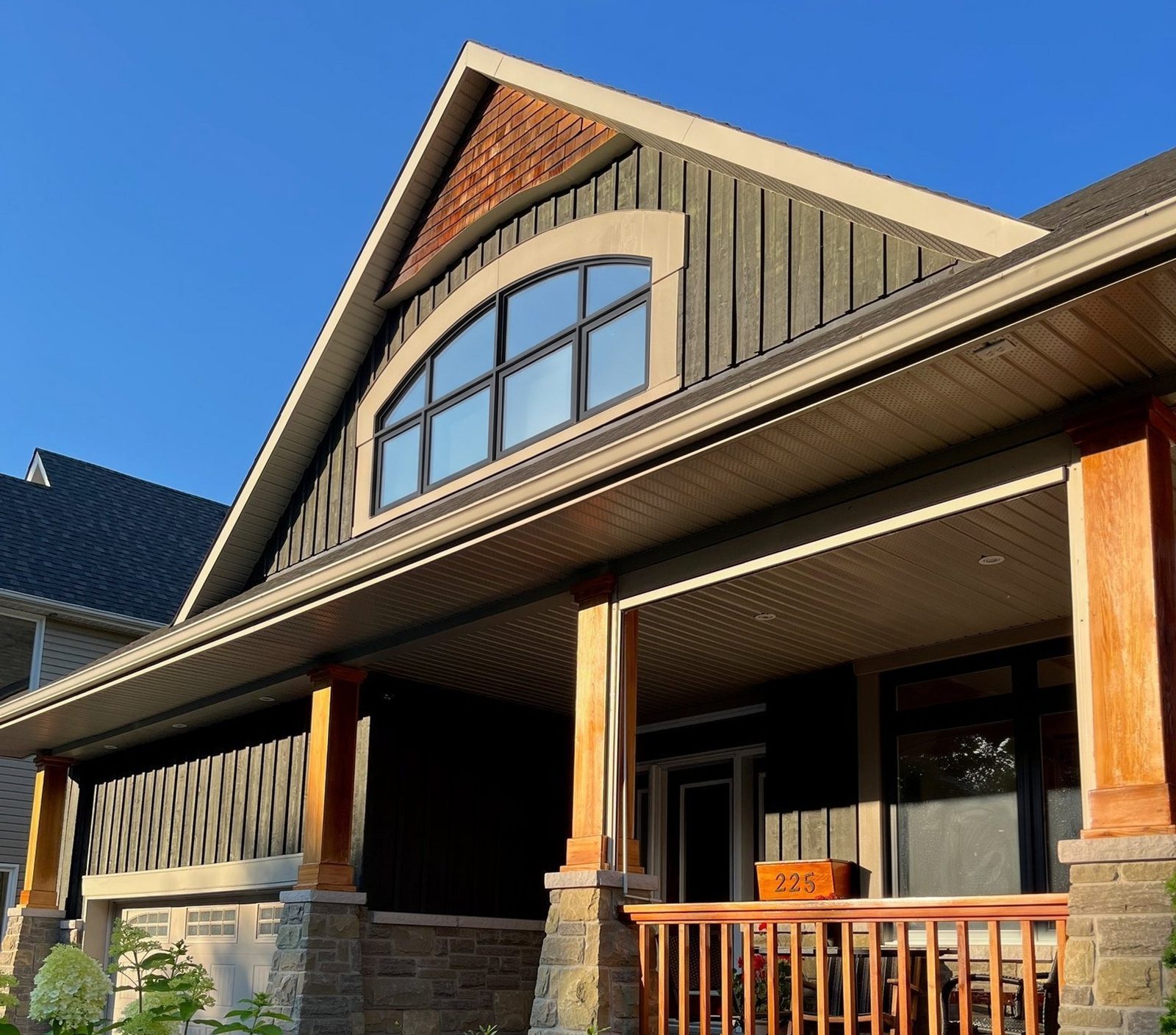
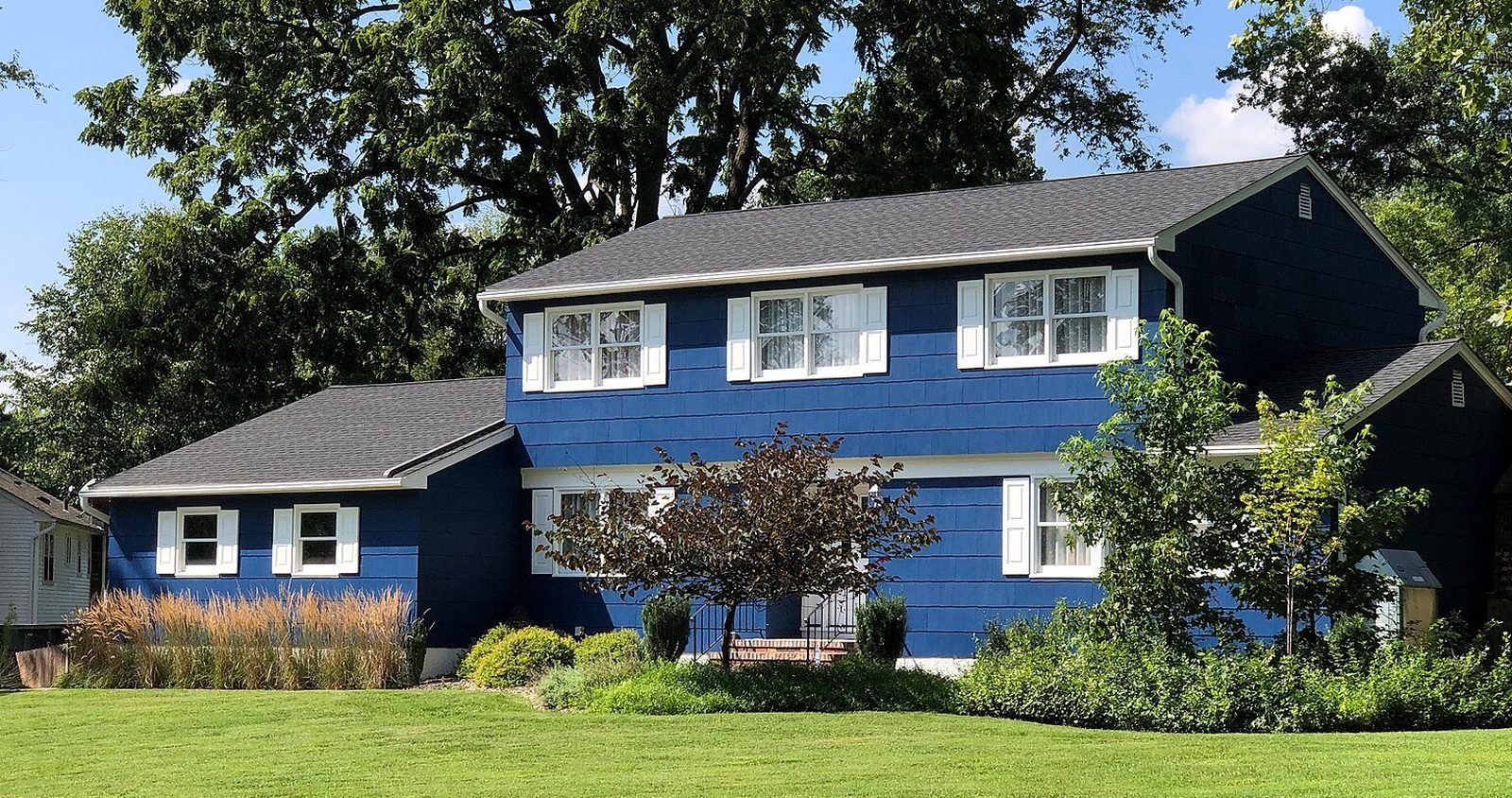
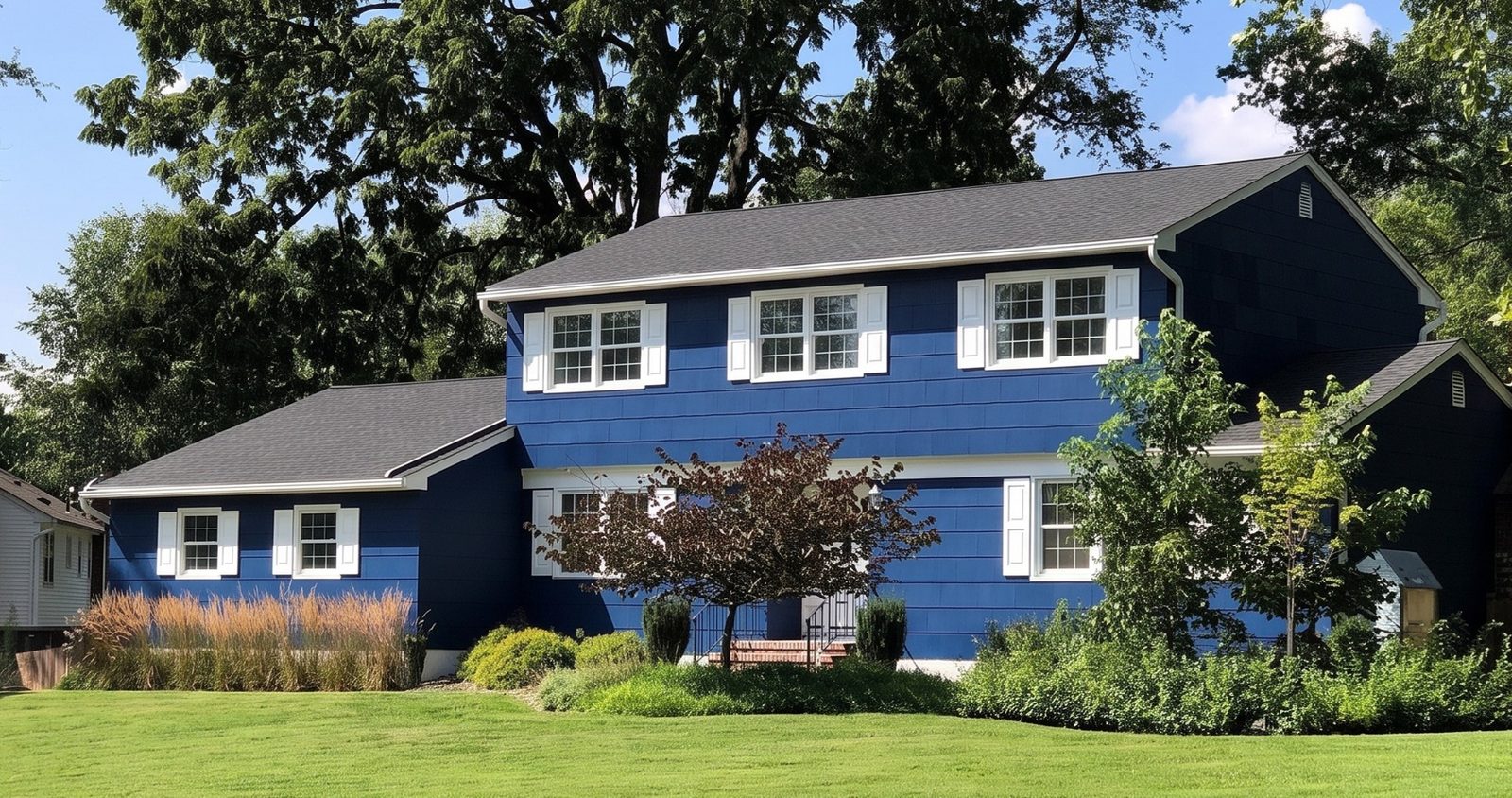
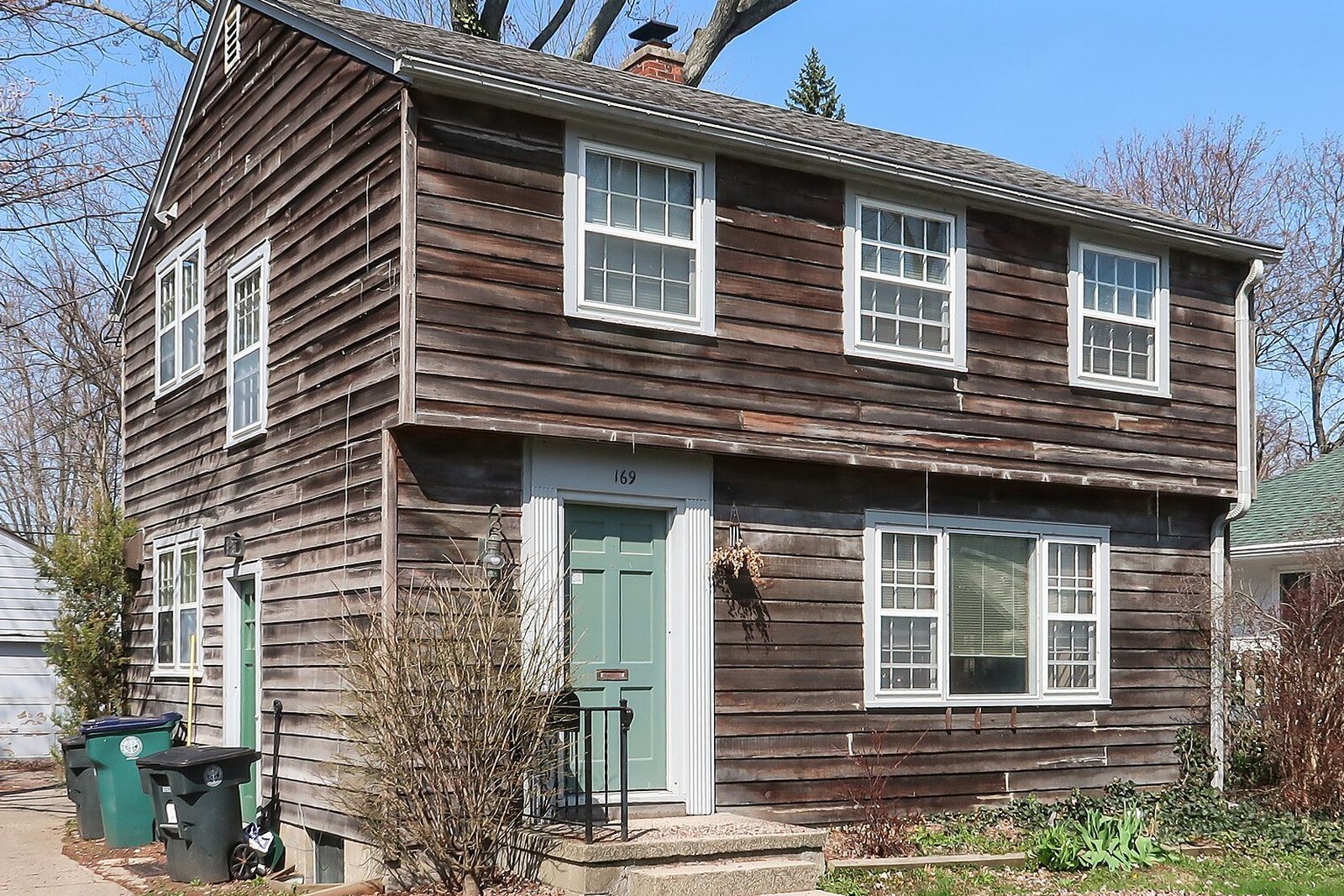
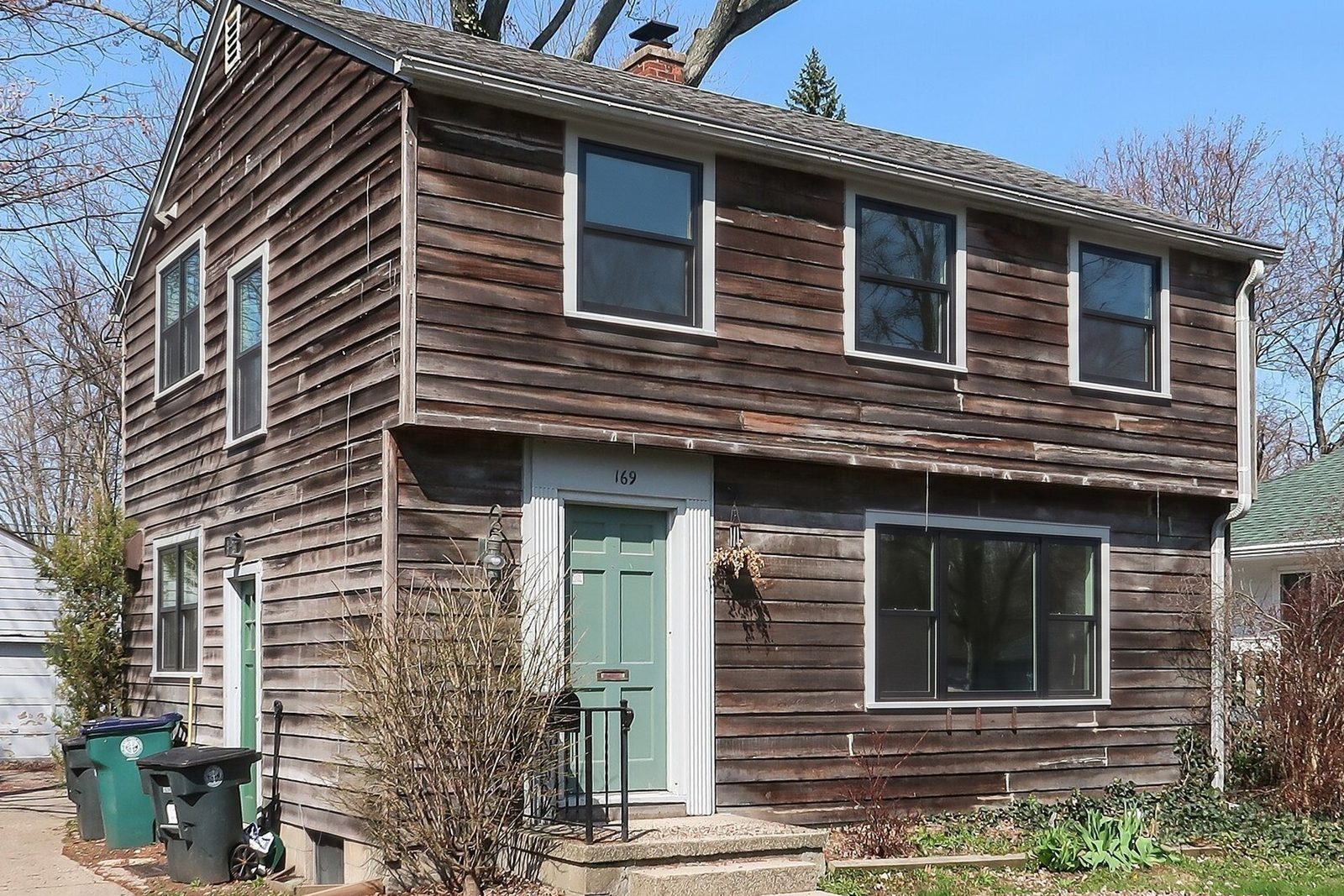
Six steps, all with your thumb. The slider at the top of this page is what the homeowner sees at step five: the real photo of a 1947 colonial and our render of it in black.
One render on a phone, start to finish
1. Open it
- What you do
- Tap the home screen icon, or go to windowrender.com and sign in.
- Good to know
- Your first render works without an account.
2. Add the photo
- What you do
- Take one with the camera, or pick one you shot when you pulled up.
- Good to know
- iPhone photos in Apple's HEIC format work. Big photos are shrunk on the phone before they upload.
3. Pick the look
- What you do
- Choose the frame material, the color and the grilles.
- Good to know
- Colors include standard finishes and colors named after popular manufacturer lines. Each window keeps its current style.
4. Render
- What you do
- Tap render and wait about 30 seconds.
- Good to know
- It needs a data signal. If the house has none, render from the truck.
5. Show it
- What you do
- Hand over the phone and let them drag the slider between their photo and the render.
- Good to know
- Render a second look on the same photo so they compare two options, not one.
6. Send it
- What you do
- In your account, tap Save / Share to text it, email it or save it to your photos.
- Good to know
- Send it that night with the quote, so the person who wasn't home sees it too.
| Step | What you do | Good to know |
|---|---|---|
| 1. Open it | Tap the home screen icon, or go to windowrender.com and sign in. | Your first render works without an account. |
| 2. Add the photo | Take one with the camera, or pick one you shot when you pulled up. | iPhone photos in Apple's HEIC format work. Big photos are shrunk on the phone before they upload. |
| 3. Pick the look | Choose the frame material, the color and the grilles. | Colors include standard finishes and colors named after popular manufacturer lines. Each window keeps its current style. |
| 4. Render | Tap render and wait about 30 seconds. | It needs a data signal. If the house has none, render from the truck. |
| 5. Show it | Hand over the phone and let them drag the slider between their photo and the render. | Render a second look on the same photo so they compare two options, not one. |
| 6. Send it | In your account, tap Save / Share to text it, email it or save it to your photos. | Send it that night with the quote, so the person who wasn't home sees it too. |
Does it work as a window visualizer app for iPad?
Yes, in Safari or Chrome on the iPad, the same way it works on a phone. The bigger screen helps at the table: the slider is large enough to pass across to two people at once. Add it to the iPad's home screen the same way as on an iPhone1.
Render with whatever is handy. Renders are saved in your account, so the one you made on your phone in the driveway is there on the iPad when you sit down. On a laptop, download the render and attach it to your proposal.
Is WindowRender an AR window visualizer?
No, and it's worth knowing the difference before you choose. An augmented reality window app keeps the camera live and lays a 3D product model over what it sees. Renewal by Andersen's tool works that way: it shows a customized window or door in your home in real time and asks for a tablet or phone with a compatible operating system3. Its consultants use the professional version, Real View, at the in-home consultation, where the homeowner can open and close the window and look at the hardware up close4.
WindowRender works on a still photo. You lose the live 3D model and the chance to work the sash. You gain the whole picture: every window on the front of the house, or the whole window wall in a room, in the new look at once, as a picture you can text to anyone. If you sell against a company that uses AR at the visit, see Renewal by Andersen visualizer alternative.
Augmented reality app or photo render
What the camera does
- AR app (Renewal by Andersen's, for example)
- Stays live and finds the wall in real time3
- WindowRender photo render
- Takes one still photo, or you pick one from the camera roll
What you see
- AR app (Renewal by Andersen's, for example)
- A 3D model of one product in the room5
- WindowRender photo render
- Your photo with every window in it rendered in the new look
Best for
- AR app (Renewal by Andersen's, for example)
- Size, and how the window opens and locks4
- WindowRender photo render
- How the whole house or room looks in a new frame, color and grilles
Outside the house
- AR app (Renewal by Andersen's, for example)
- The tool we cite is described for rooms4
- WindowRender photo render
- Yes, from the sidewalk or the driveway
Brands
- AR app (Renewal by Andersen's, for example)
- Renewal by Andersen windows and patio doors5
- WindowRender photo render
- Not tied to one brand: you pick the frame material, color and grilles
Something to send afterwards
- AR app (Renewal by Andersen's, for example)
- Varies by app; ask before you rely on it
- WindowRender photo render
- Yes: the render is a picture
| AR app (Renewal by Andersen's, for example) | WindowRender photo render | |
|---|---|---|
| What the camera does | Stays live and finds the wall in real time3 | Takes one still photo, or you pick one from the camera roll |
| What you see | A 3D model of one product in the room5 | Your photo with every window in it rendered in the new look |
| Best for | Size, and how the window opens and locks4 | How the whole house or room looks in a new frame, color and grilles |
| Outside the house | The tool we cite is described for rooms4 | Yes, from the sidewalk or the driveway |
| Brands | Renewal by Andersen windows and patio doors5 | Not tied to one brand: you pick the frame material, color and grilles |
| Something to send afterwards | Varies by app; ask before you rely on it | Yes: the render is a picture |
What other window apps do contractors use?
Mostly apps for other jobs in the sale, and they sit fine alongside a visualizer. Hover is a downloadable app built around measuring: its App Store listing says measurements can come from 8 smartphone photos or an uploaded blueprint plan6. How it compares with a design-first tool is in Hover vs Renoworks.
Window makers have their own visualizers, usually for their own brand; they're compared in manufacturer window visualizers. For the pipeline there is a CRM for window companies. WindowRender doesn't replace any of them. It is the picture step between the walk-around and the price.
What makes a good phone photo for a window render?
The full checklist, including which shots to take on the walk-around, is in how to photograph a house for a window quote.
- Use the phone's normal lens, not the ultra-wide. Wide lenses bend straight lines near the edges, and window frames are all straight lines.
- Hold the phone level and step back until every window you're quoting is in the shot, with a little wall around the outside ones.
- Shoot with the sun behind you or to the side, not into it, so the glass isn't one big reflection.
- Inside, open the blinds or curtains if they hide the frame.