What does a window and door company need from a CRM?
A window lead passes through more hands than most: the marketer who paid for it, the setter who booked it, the rep who ran it, the rehash rep who went back, the measure tech, the order desk and the install crew. A CRM's job is to keep one record that all of them read and write, so nothing falls between two people.
And window leads aren't cheap. LocaliQ's 2025 search-ad benchmarks put the cost per lead for Doors & Windows Sales at $200.348, so a lead that nobody called back, or a no-sale nobody followed up, is money already spent.
What a window company's CRM should track
Lead source and cost
- What to look for
- Every lead tagged with where it came from and what it cost, with reports by source
- Why it matters in window sales
- You see which source books visits that sit and close, not just which one sends the most names
Appointment setting
- What to look for
- A setter screen with the script, the calendar and a field for every decision maker
- Why it matters in window sales
- JLC's lead-sheet advice is to record the other decision maker's name, their relationship to the caller and whether they'll be at the first meeting9
Issued, sat, sold
- What to look for
- A status for each appointment: confirmed, sat, one-legged, sold, no-sale, cancelled
- Why it matters in window sales
- Close rate by rep and by lead source is the number you run the sales team by
Rehash and follow-up
- What to look for
- A queue of no-sales with dates and tasks, and the quote and photos attached
- Why it matters in window sales
- Most visits don't close on the night, so this list is where next month's sales are
Do-not-call and consent
- What to look for
- A company do-not-call flag that blocks calls and texts for everyone, plus a record of who agreed to texts
- Why it matters in window sales
- The FTC's Do Not Call FAQ says a company may not call a consumer who has asked to be put on its own do-not-call list10
Measure, order, install
- What to look for
- Sold jobs moving through measure, order, delivery and install, with dates
- Why it matters in window sales
- Windows are made to order, so the homeowner will ask when theirs arrive
Service and warranty
- What to look for
- Service tickets tied to the original job, with the product and order details
- Why it matters in window sales
- A warranty call two years later goes faster when the original order is one click away
| Job | What to look for | Why it matters in window sales |
|---|---|---|
| Lead source and cost | Every lead tagged with where it came from and what it cost, with reports by source | You see which source books visits that sit and close, not just which one sends the most names |
| Appointment setting | A setter screen with the script, the calendar and a field for every decision maker | JLC's lead-sheet advice is to record the other decision maker's name, their relationship to the caller and whether they'll be at the first meeting9 |
| Issued, sat, sold | A status for each appointment: confirmed, sat, one-legged, sold, no-sale, cancelled | Close rate by rep and by lead source is the number you run the sales team by |
| Rehash and follow-up | A queue of no-sales with dates and tasks, and the quote and photos attached | Most visits don't close on the night, so this list is where next month's sales are |
| Do-not-call and consent | A company do-not-call flag that blocks calls and texts for everyone, plus a record of who agreed to texts | The FTC's Do Not Call FAQ says a company may not call a consumer who has asked to be put on its own do-not-call list10 |
| Measure, order, install | Sold jobs moving through measure, order, delivery and install, with dates | Windows are made to order, so the homeowner will ask when theirs arrive |
| Service and warranty | Service tickets tied to the original job, with the product and order details | A warranty call two years later goes faster when the original order is one click away |
How do the 8 CRMs compare for a window company?
The table sums up what each vendor says on its own site, including any link it names to the systems window and door suppliers quote in. We haven't run a window company on any of them, and features change. Prices depend on your headcount and differ from page to page, so this page lists none: ask each vendor for a written yearly price for your team.
In-home selling apps that sit next to a CRM are compared in window sales software.
Eight CRMs for window and door companies, as their makers describe them
LeadPerfection
- What the vendor says it does
- LeadPerfection says it manages leads, appointments, sales and production for remodeling companies in one CRM1. LeadPerfection says its call center redials leads from calling queues you set, with built-in rules for federal Do Not Call compliance11
- Window and door supplier links
- None named in the sources cited here; ask in the demo
- Shortlist it if
- You run setters or a call center and want every appointment tracked from first call to install
improveit 360
- What the vendor says it does
- improveit 360 says it is a home improvement CRM built on Salesforce, covering lead capture and routing, scheduling, quotes, production and reporting2
- Window and door supplier links
- None named in the sources cited here; ask in the demo
- Shortlist it if
- You have 15 or more people who'll use it, or several locations: improveit 360's FAQ says that's who it suits12
MarketSharp
- What the vendor says it does
- MarketSharp says it is an all-in-one home improvement CRM where web leads flow straight in, with an app for reps to quote, take payments and manage appointments3
- Window and door supplier links
- None named in the sources cited here; ask in the demo
- Shortlist it if
- You sell several exterior trades and want lead sources, sales and reporting in one place
Builder Prime
- What the vendor says it does
- Builder Prime calls itself a contractor and home improvement CRM that builds quotes from a price book and sends proposals that collect e-signatures and deposits13
- Window and door supplier links
- Builder Prime says it imports FeneVision quotes by quote ID or URL4 and pulls ProVia entryLINK quote details into its estimates14
- Shortlist it if
- Your supplier quotes in FeneVision, or you sell ProVia, and you want the CRM and the proposal in one system
Leap
- What the vendor says it does
- Leap says its SalesPro app handles estimates, financing and signatures during the in-home appointment, and that a closed deal flows into Leap CRM15
- Window and door supplier links
- Leap says SalesPro reps can pull manufacturer pricing from FeneVision5
- Shortlist it if
- Your reps quote and sign at the kitchen table and you want that tied to the CRM
JobNimbus
- What the vendor says it does
- JobNimbus says it is built for residential roofing contractors first and also serves siding, gutter, fencing and exterior remodeling companies16
- Window and door supplier links
- None named in the sources cited here; ask in the demo
- Shortlist it if
- You're a roofing or exterior company adding windows to the jobs you already run
QuoteIQ
- What the vendor says it does
- QuoteIQ says it is a home service CRM that combines quoting, scheduling, invoicing and payments7
- Window and door supplier links
- QuoteIQ says its window replacement setup prices materials and glass per window; it says it serves window cleaners too, so ask for the replacement setup7
- Shortlist it if
- You're a small crew where the owner quotes and installs, with no sales team
Jobber
- What the vendor says it does
- Jobber says it is field service software with online quote approval, drag-and-drop scheduling, invoicing and payments, plus a client hub where customers approve quotes and pay6
- Window and door supplier links
- None named in the sources cited here; ask in the demo
- Shortlist it if
- You run an install or service business and want online quote approval and payment more than a sales pipeline
| CRM | What the vendor says it does | Window and door supplier links | Shortlist it if |
|---|---|---|---|
| LeadPerfection | LeadPerfection says it manages leads, appointments, sales and production for remodeling companies in one CRM1. LeadPerfection says its call center redials leads from calling queues you set, with built-in rules for federal Do Not Call compliance11 | None named in the sources cited here; ask in the demo | You run setters or a call center and want every appointment tracked from first call to install |
| improveit 360 | improveit 360 says it is a home improvement CRM built on Salesforce, covering lead capture and routing, scheduling, quotes, production and reporting2 | None named in the sources cited here; ask in the demo | You have 15 or more people who'll use it, or several locations: improveit 360's FAQ says that's who it suits12 |
| MarketSharp | MarketSharp says it is an all-in-one home improvement CRM where web leads flow straight in, with an app for reps to quote, take payments and manage appointments3 | None named in the sources cited here; ask in the demo | You sell several exterior trades and want lead sources, sales and reporting in one place |
| Builder Prime | Builder Prime calls itself a contractor and home improvement CRM that builds quotes from a price book and sends proposals that collect e-signatures and deposits13 | Builder Prime says it imports FeneVision quotes by quote ID or URL4 and pulls ProVia entryLINK quote details into its estimates14 | Your supplier quotes in FeneVision, or you sell ProVia, and you want the CRM and the proposal in one system |
| Leap | Leap says its SalesPro app handles estimates, financing and signatures during the in-home appointment, and that a closed deal flows into Leap CRM15 | Leap says SalesPro reps can pull manufacturer pricing from FeneVision5 | Your reps quote and sign at the kitchen table and you want that tied to the CRM |
| JobNimbus | JobNimbus says it is built for residential roofing contractors first and also serves siding, gutter, fencing and exterior remodeling companies16 | None named in the sources cited here; ask in the demo | You're a roofing or exterior company adding windows to the jobs you already run |
| QuoteIQ | QuoteIQ says it is a home service CRM that combines quoting, scheduling, invoicing and payments7 | QuoteIQ says its window replacement setup prices materials and glass per window; it says it serves window cleaners too, so ask for the replacement setup7 | You're a small crew where the owner quotes and installs, with no sales team |
| Jobber | Jobber says it is field service software with online quote approval, drag-and-drop scheduling, invoicing and payments, plus a client hub where customers approve quotes and pay6 | None named in the sources cited here; ask in the demo | You run an install or service business and want online quote approval and payment more than a sales pipeline |
Which CRM fits which kind of window company?
Start from how your company sells, not from a feature list. The shape of your sales process decides which CRMs are worth a demo at all.
Where to start your shortlist
Runs a call center or setters, canvassers and in-home closers
- Start with
- LeadPerfection, improveit 360, MarketSharp
- Because
- Setting, sales, rehash and production need to live in one record, and all three pitch themselves at home improvement companies that sell this way (see the table above)
Has 15 or more office and sales staff in the system, or several locations
- Start with
- improveit 360 first
- Because
- improveit 360's FAQ says that's the size it suits12
Buys from a supplier that quotes in FeneVision, or sells ProVia
- Start with
- Builder Prime, Leap
Has a few reps quoting at the table and wants the CRM and the proposal together
- Start with
- Builder Prime, Leap
- Because
- The signed proposal sits on the lead, so the rehash rep sees exactly what was quoted
Is a roofing or exterior company adding windows
- Start with
- JobNimbus, or whatever already runs your roofing jobs
- Because
- One system for every job beats two half-used ones
Is an owner-operator or install crew with no sales team
- Start with
- Jobber, QuoteIQ
- Because
- You need quotes, scheduling and payment more than appointment statuses and rehash queues
Sells one manufacturer's windows, and that manufacturer offers a selling app
- Start with
- Ask the manufacturer first
- Because
- Some give dealers a quoting app with their catalog loaded, such as Marvin's Infinity Designer for Infinity products17; pick a CRM that works next to it
| If your company | Start with | Because |
|---|---|---|
| Runs a call center or setters, canvassers and in-home closers | LeadPerfection, improveit 360, MarketSharp | Setting, sales, rehash and production need to live in one record, and all three pitch themselves at home improvement companies that sell this way (see the table above) |
| Has 15 or more office and sales staff in the system, or several locations | improveit 360 first | improveit 360's FAQ says that's the size it suits12 |
| Buys from a supplier that quotes in FeneVision, or sells ProVia | Builder Prime, Leap | Builder Prime says it imports FeneVision and ProVia entryLINK quotes4,14, and Leap says SalesPro reps pull FeneVision pricing5 |
| Has a few reps quoting at the table and wants the CRM and the proposal together | Builder Prime, Leap | The signed proposal sits on the lead, so the rehash rep sees exactly what was quoted |
| Is a roofing or exterior company adding windows | JobNimbus, or whatever already runs your roofing jobs | One system for every job beats two half-used ones |
| Is an owner-operator or install crew with no sales team | Jobber, QuoteIQ | You need quotes, scheduling and payment more than appointment statuses and rehash queues |
| Sells one manufacturer's windows, and that manufacturer offers a selling app | Ask the manufacturer first | Some give dealers a quoting app with their catalog loaded, such as Marvin's Infinity Designer for Infinity products17; pick a CRM that works next to it |
improveit 360 vs MarketSharp vs LeadPerfection: what's the difference?
All three say they're built for home improvement companies, so the differences are in emphasis and size. improveit 360 says it's built on Salesforce2, which matters if you want deep customizing or already use Salesforce tools, and its FAQ says it suits companies with at least 15 full-time employees using it12. LeadPerfection says its call center redials leads from queues you set and has built-in federal Do Not Call rules11, which matters if setters are the heart of your company. MarketSharp says web leads flow straight into it and reps can quote and take payments in its app3.
Run the same three tests in each: book an appointment with both decision makers from the setter screen, move a no-sale into the rehash queue with the quote attached, and pull last month's close rate by lead source. The one your setters and reps can do without help is usually the right one.
A Do Not Call feature helps, but it doesn't make your calling legal on its own. Federal and state rules both apply; check your state and ask your lawyer. This is general information, not legal advice.
If you searched for a MarketSharp alternative, these three are the closest like-for-like comparison. Builder Prime and Leap are worth a demo too if you want the proposal inside the CRM.
Builder Prime vs Leap: which fits a window dealer?
Both put the CRM and the signed proposal in one place, starting from different ends. Leap says SalesPro handles estimates with good, better and best options, financing and signatures during the appointment, works without a signal, and sends the closed deal into Leap CRM15. So it starts from the rep at the table. Builder Prime says it builds quotes from a price book and collects e-signatures and deposits on the spot13, then runs the job from the office.
For a window dealer the deciding question is usually where your product prices come from. Builder Prime says it imports a FeneVision quote by its quote ID or URL, with the product details, specs, images and pricing4, and pulls ProVia entryLINK quote details into its estimates14. Leap says SalesPro reps can pull manufacturer pricing from FeneVision5. Ask your supplier which system its quotes and price files come from, then make each vendor show that import working with one of your real quotes, not a sample catalog.
Leap also says SalesPro works with other CRMs, LeadPerfection and MarketSharp among them15, so you can keep the CRM you have and add the app. Quoting tools on their own are compared in window estimating software.
What should you ask in a CRM demo?
Use your data and your people. Send the vendor a lead export from last month ahead of time, and bring a setter and a rep to the demo. They're the ones who'll live in it every day.
Questions for every CRM demo
"Here are last month's real leads. Load them and show me close rate by lead source."
"Book an appointment the way my setter would, with both owners' names, and show me the confirmation text it sends."
"Mark this visit one-legged, then no-sale, and show me where it lands for the rehash rep."
"Here's a quote from my supplier's system. Import it and show me what comes across and what I'd still retype."
"Attach a photo of the house and a render to this lead, then open it from a rep's phone."
"Mark this homeowner do-not-call. Show me that nobody on the team can call or text them now."
"Move this sold job through measure, order and install. What does the homeowner see, and when?"
"How do I get all my data out if I leave, and in what format?"
"What's the full yearly cost for [number] users, with setup, training, texting and integrations?"
If a vendor won't load your data for the demo, ask for a trial and load it yourself.
How do you switch CRMs without losing leads?
- Export everything first: leads, appointments, quotes, jobs, notes and photos, plus the do-not-call list and texting consent records.
- Clean before you import. Merge duplicates, fix lead sources, and close out dead leads instead of carrying them over.
- Map your old statuses to the new system's on paper first, so "one-legged" and "rehash" mean the same thing after the move.
- Run both systems on new leads only for two weeks, then move everyone over on one date.
- Bring the consent records with you. FCC rules ban autodialed texts to a mobile phone without consent and let people withdraw it any reasonable way, such as replying STOP18, so the record of who agreed and who opted out has to survive the move. Check your setup with a lawyer. General information, not legal advice.
Where the render fits next to your CRM
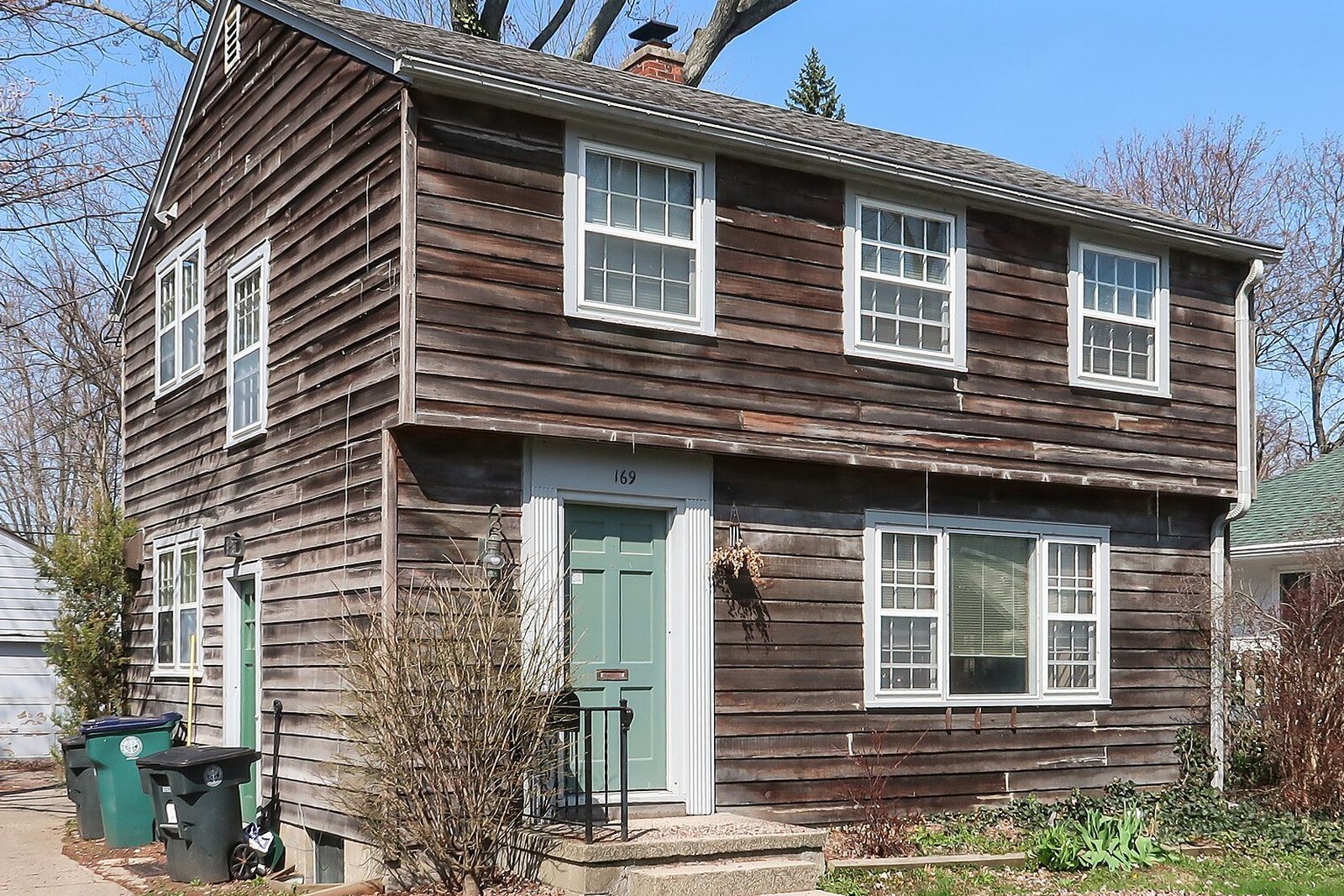
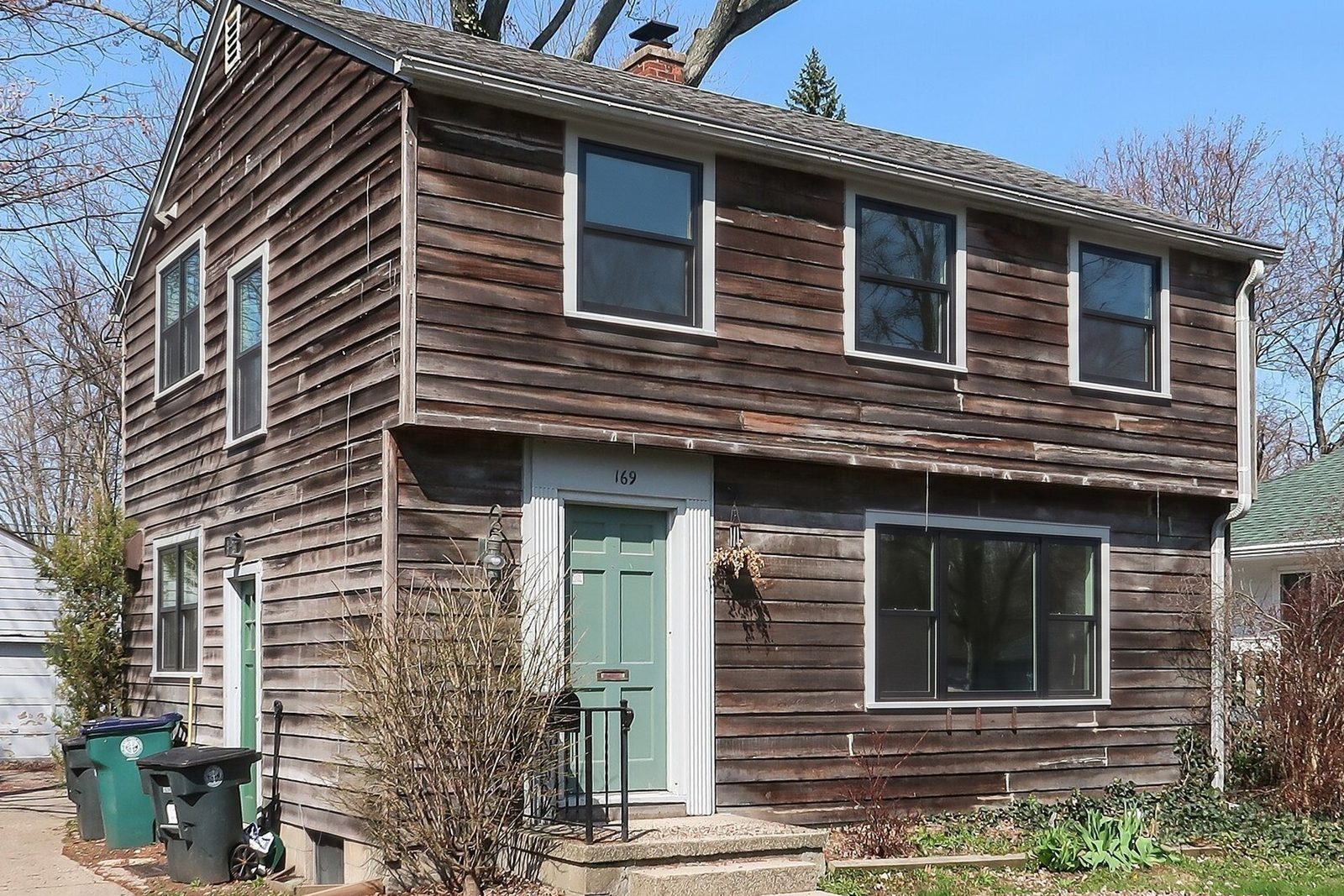
WindowRender isn't a CRM and doesn't replace one. It does one job a CRM can't: at the table, after the walk-through and before the price, it shows the homeowner their own house with the frame material, color and grilles you're quoting, in 30 seconds.
Then the CRM carries it. Save the render to the lead with the quote, set the follow-up task to send it the same evening, and have the rehash rep open it before calling back. A no-sale with a render of their own house attached gives the rehash rep something to talk about besides the price.