Inside photos Updated

Interior window visualizer: see the new windows from inside the room

The short answer

An interior window visualizer shows new windows from inside the room, where the homeowner sees them every day. With WindowRender you photograph the window wall, pick the frame material, color and grilles, and in 30 seconds you get the same room with the new windows. The walls, curtains, furniture and view outside are meant to stay as they were. Installers can use it at the kitchen table, and homeowners can try it free. Many lines sell a different color inside than outside, so render the inside photo in the interior finish the customer will actually get.

Choosing windows for your own rooms? Try it free

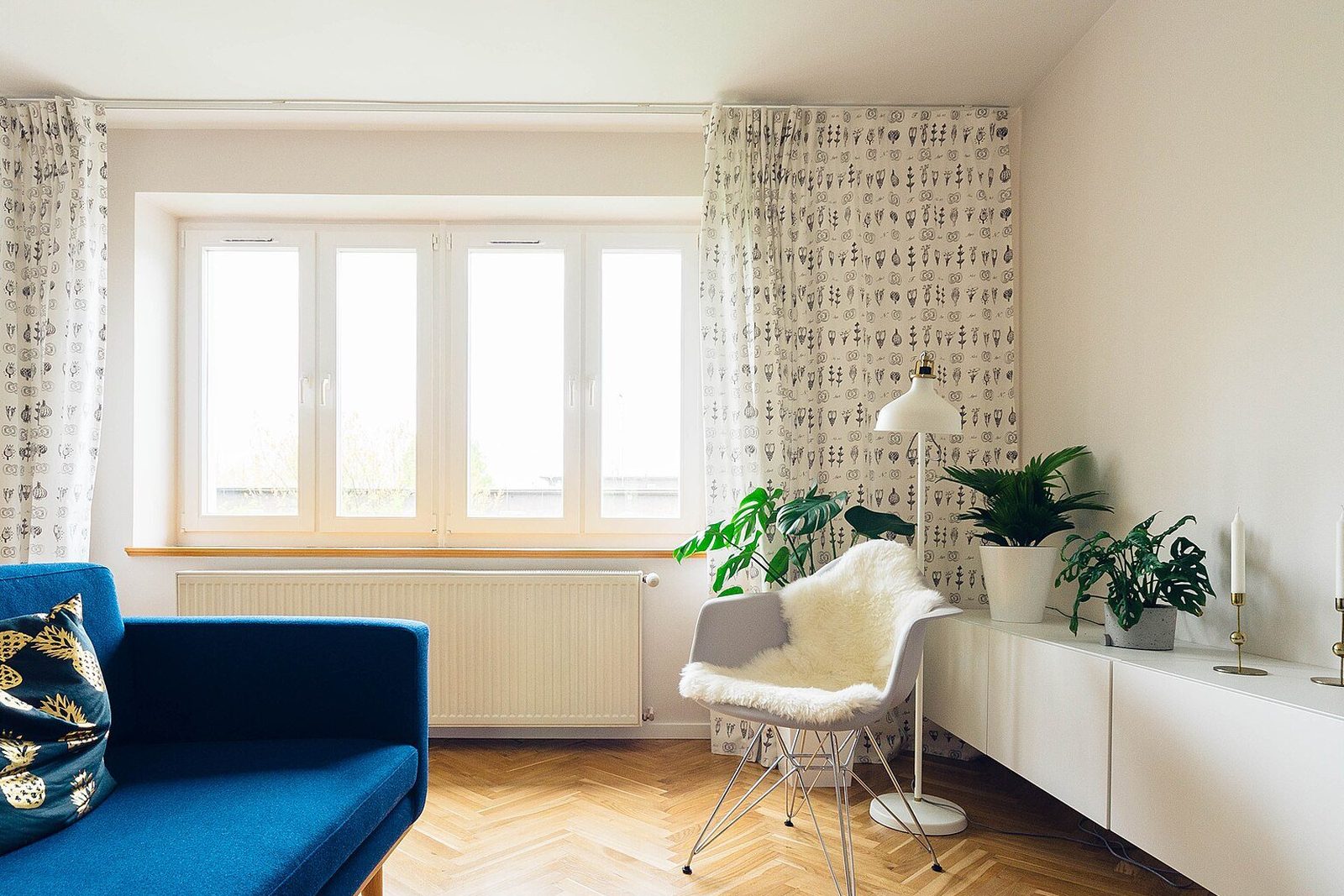
Photo of a living room with a wide white-framed casement window
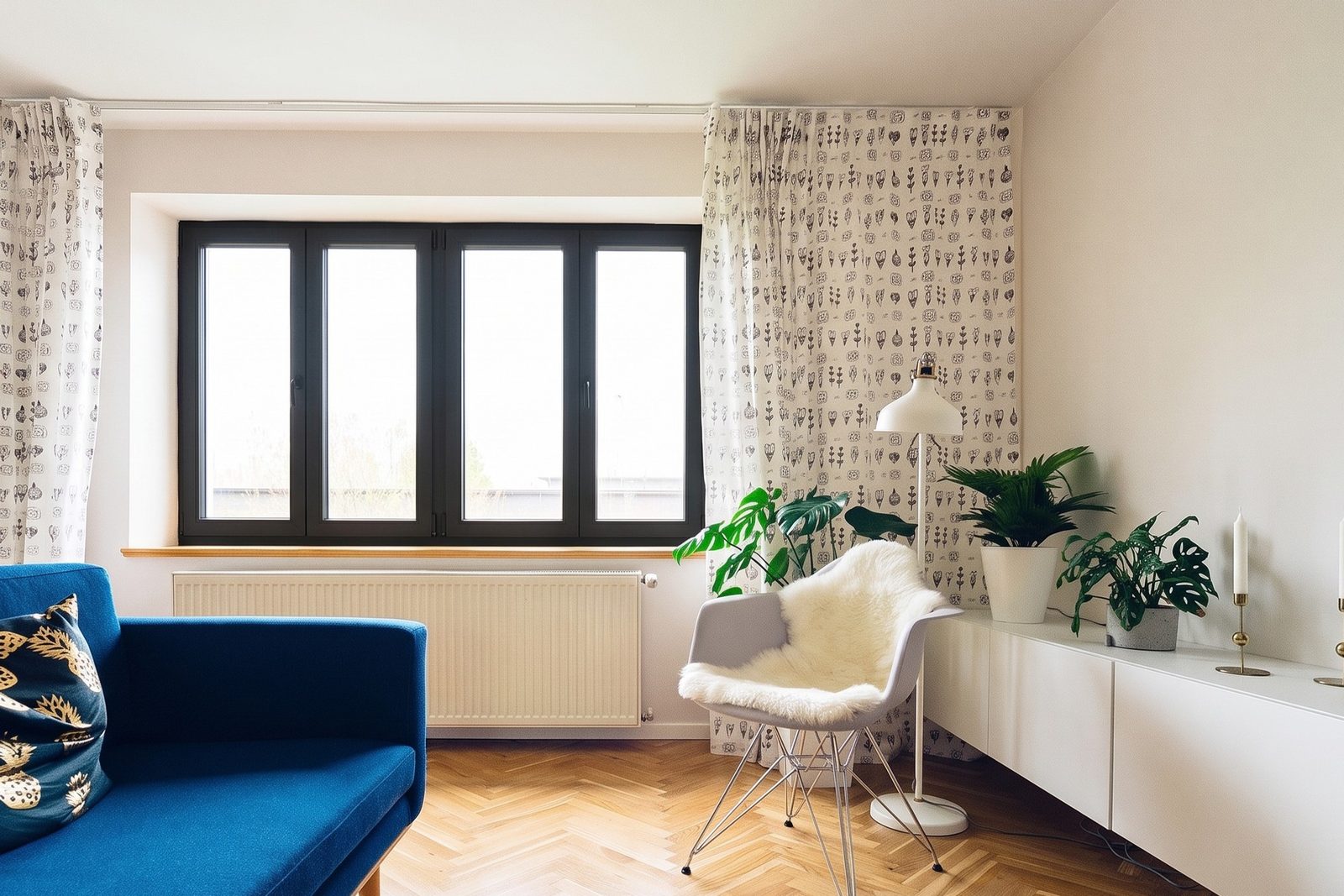
Render of the same living room with a black-framed window
Render: black frames on the four-panel casement window, same layout. Drag to compare. Photo: Jarosław Ceborski, CC0

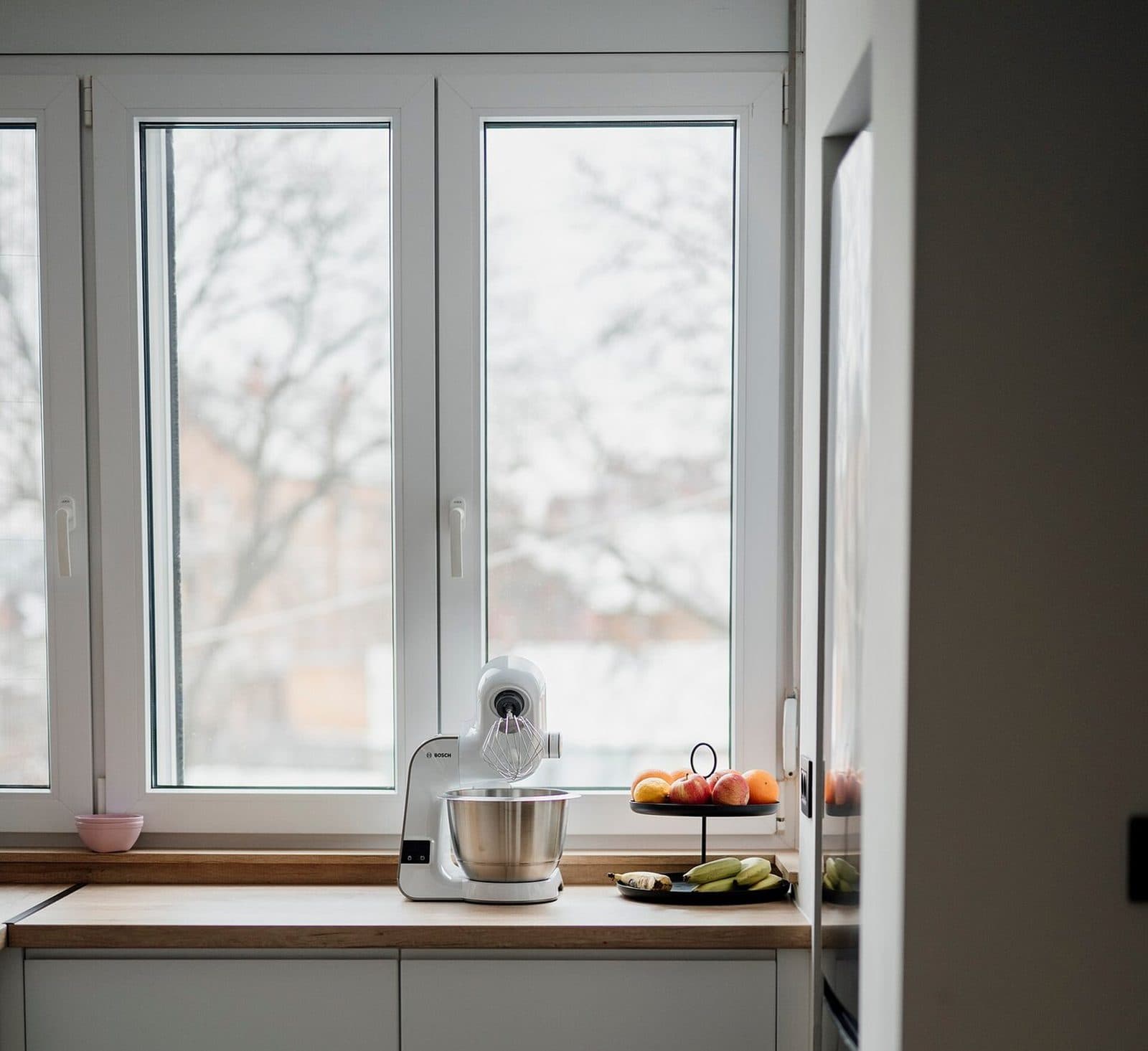
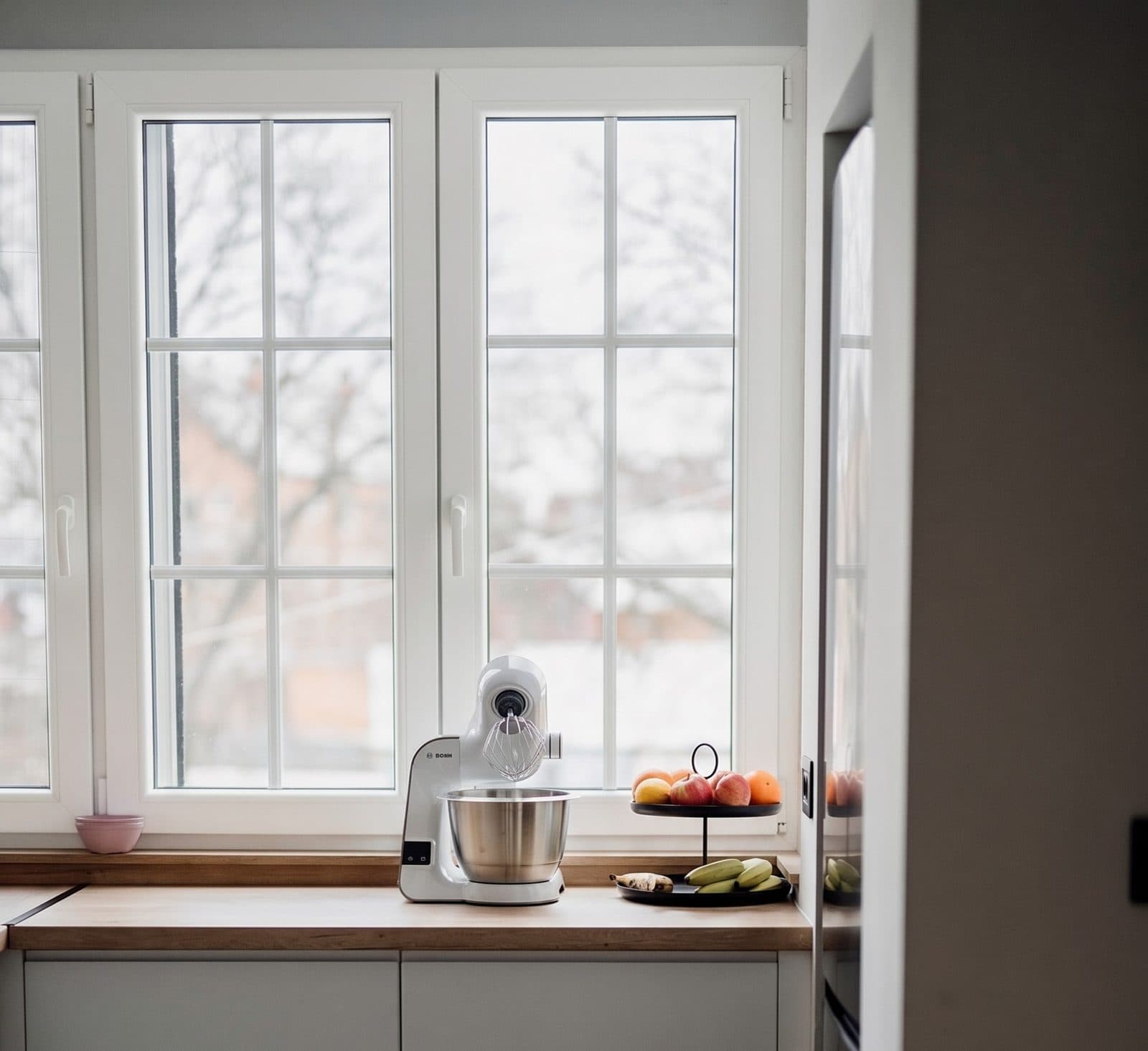
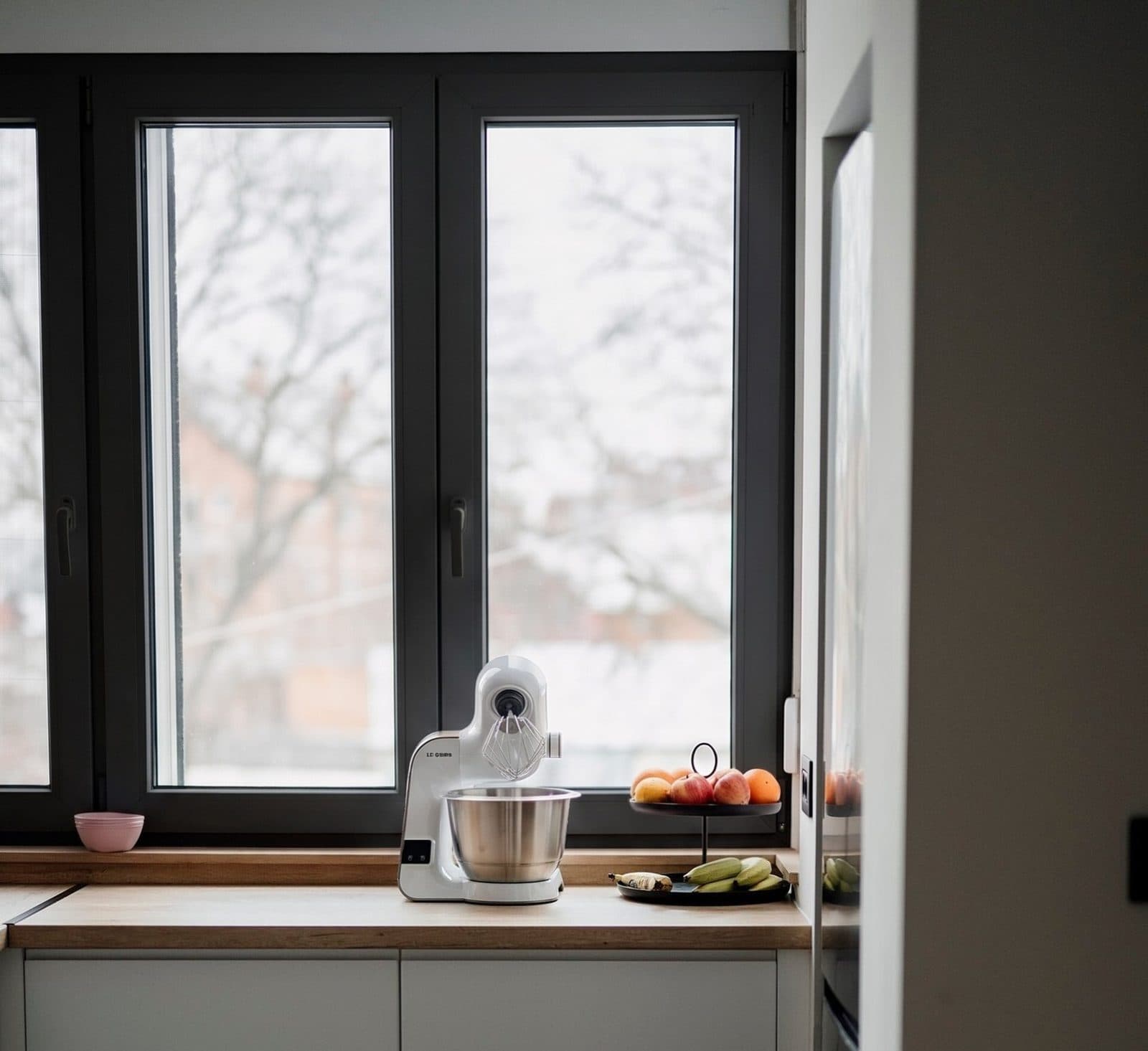
One kitchen window: today, with grids, in black

The kitchen as it is today, then white frames with colonial grids, then black frames. The mixer, the fruit stand and the snowy view outside stay where they are in both renders.Each look after the photo is a WindowRender render of that same photo. Photo: Shixart1985, CC BY 2.0 · render shared under the same license

Why show new windows from inside?

The street sees the outside of a window. The family sees the inside, from the sink, the couch and the bed, every day for years. That's where most of the hesitation lives: will black frames feel heavy in a white kitchen, will grids block the view of the yard, will the new frame look bulkier than the old one?

Those questions are hard to answer with a corner sample held up to the glass. A render of their own room answers them in the room itself. In the living room at the top, the white frames go black and the window suddenly reads as a feature of the wall rather than part of it. Some people love that and some don't, and both are good to know before the order goes in.

Can the inside color be different from the outside?

Often, yes, and it is one of the questions a render settles fastest. Many lines pair a colored exterior with a white or wood interior, so the outside and inside of the same window can look completely different. Check the line you are quoting before you promise a combination.

Inside finishes on a few common lines (check the current options with the maker or your dealer)

Pella 250 and 350 Series vinyl

Outside
Nine newer exterior colors, black among them1
Inside
White with those colors1

Marvin Elevate

Outside
Fiberglass2
Inside
Bare pine, clear coat, painted black or white2

Andersen 400 Series

Outside
Several exterior colors
Inside
Wood, or factory-painted white, dark bronze or black3

Pella wood windows

Outside
Pella says black outside costs no more within the same Pella line4
Inside
Pella says a black interior stain does cost more

How do you show black outside and white inside?

With two photos and two renders. Render the street photo in the exterior color and the room photo in the interior finish, then show them one after the other. A single render shows one color on the side of the window the camera sees, so a black-outside, white-inside window is a white window in the kitchen photo.

This matters more than it sounds. A homeowner who only saw the black street render may expect black frames in the kitchen too. Show both sides and there is no surprise on install day.

What changes in an interior render, and what stays?

  • Changes: the frames, the sashes, the frame color and the grilles. The style stays: a casement is still a casement, and a double-hung is still a double-hung.
  • Meant to stay: the opening, the sill and the trim around it, the walls, the radiator, the curtains, the furniture and whatever sits on the sill.
  • Meant to stay: the view through the glass. The trees and rooftops outside the living room window, and the trees, snow and buildings outside the kitchen window, are the same in every render here.
  • It is a preview of the look, not a product drawing. Handles and locks won't match a particular line's hardware, so confirm hardware with a sample.

How do you take a good inside photo?

  • Stand back far enough to get the whole window and some wall on each side of it.
  • Shoot in daylight with the room lights on, so the frame isn't a dark outline against a bright sky.
  • Open curtains and blinds that cover the frame. You don't need to clear the sill.
  • Hold the phone level and straight on. A steep angle makes the frame hard to read in any render.

Can you show the outside of the house too?

Yes, from the same account and the same picker. Most window jobs need both: the room the family cares about and the front the neighbors see. Here is an outside example: a board-and-batten house with white colonial grids added to its arched window and its porch window. For more on outside photos, see the replacement window visualizer.
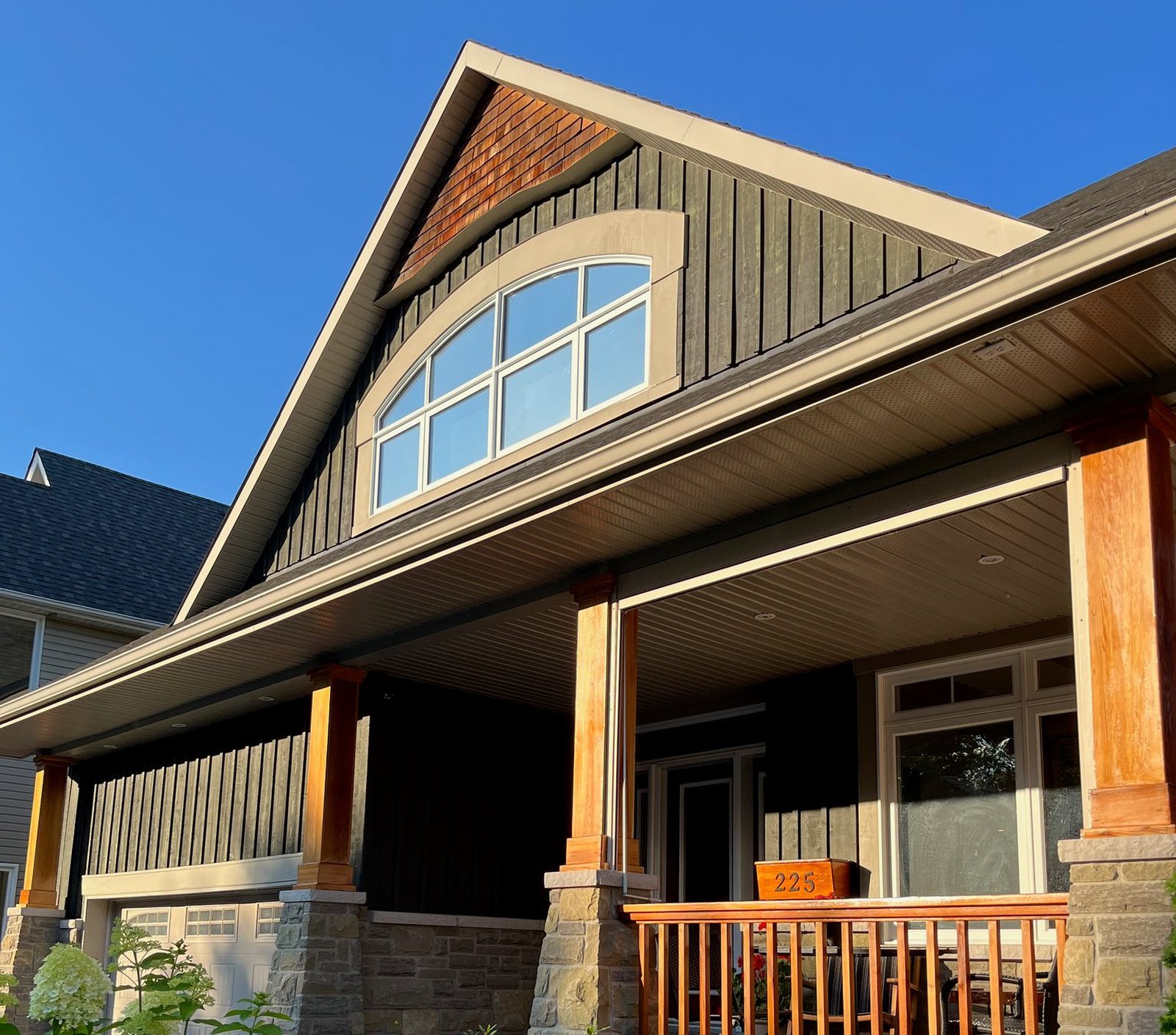
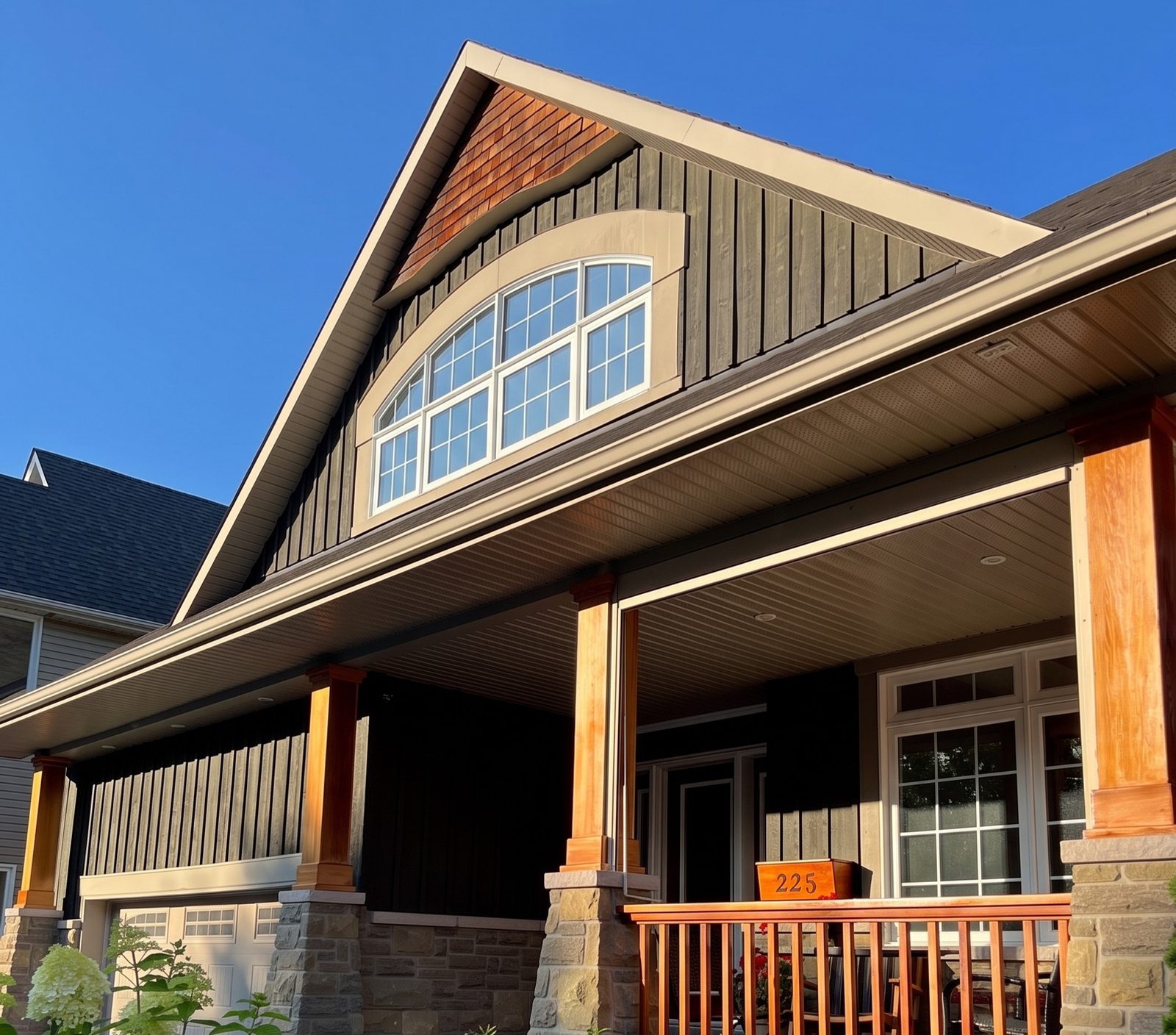
Photo of a board-and-batten Craftsman-style house with an arched gable window and a covered porch
Render of the same house with white colonial grids on the arched window and the porch window
Render: white colonial grids on the arched gable window and the porch window. Photo: Robert Neustadter, CC BY-SA 4.0 · render shared under the same license

What other ways are there to see new windows inside a room?

Samples are still the first one: a corner sample and a color chip held at the window. Some makers also use augmented reality. Renewal by Andersen's AR tool places 3D models of its windows and patio doors in your room on a compatible phone or tablet5, and its consultants bring a professional version, Real View, to the in-home visit6. Those show one maker's products. A render shows whatever line you sell, on a photo of the actual room.

Whatever you use, finish with a real sample. Marvin notes that finish colors on a screen are approximate and vary by screen7, and that is true of every visualizer, ours included.

What you can change

Pick the frame material, the color and the grilles. Each window keeps its current style: changing the style itself, to casement for example, isn't offered yet. Windows only for now: doors stay as they are.

Window style
Each window keeps the style it has now
Frame material
Vinyl, Fiberglass, Composite, Aluminum, Clad wood, Painted wood
Frame color
  • White
  • Almond
  • Tan
  • Clay
  • Silver
  • Gray
  • Charcoal
  • Brown
  • Bronze
  • Dark Bronze
  • Black
  • Forest Green
  • Brick Red

The picker also has the colors of 34 product lines from several big makers, named after each maker's colors: close matches, not the maker's exact finish. Swatches are screen approximations. Check a real sample with your dealer.

Grilles
Keep what is there, or none, colonial, prairie

What it costs

Your first render is free with no account, then 3 free renders with a free account. No credit card.

  • Starter

    $97 a month

    50 renders a month

    $1 for your first month.

  • Growth

    $297 a month

    500 renders a month, Ultra HD

  • Professional

    $497 a month

    1,000 renders a month, Ultra HD

See full pricing · Cancel anytime, no contract.

Questions

Does an interior render change my walls or furniture?
It shouldn't. Only the windows are meant to change. In the living room on this page, the walls, radiator and furniture are as they were in the photo, and both curtains are still in place.
Does it work with curtains and blinds?
Yes. Curtains that sit beside the window stay where they are. If curtains or blinds cover the frame, open them before you take the photo so the new frame has somewhere to show.
Can I change the window style from inside?
No. Each window keeps its current style, inside or out, and you change the frame material, color and grilles. Changing the style itself, such as turning a double-hung into a casement, isn't offered.
Is it free to try?
Your first render is free with no account. After that a free account gives you 3 more, no credit card.

Render a customer's house free

Upload a photo, pick the frame, color and grilles, and see the result in 30 seconds.

First render free with no account, then 3 free renders. No credit card. Then $1 for your first month of Starter.

Sources

  1. 1. Pella: pressroom.pella.com/new-bold-color-options-for-pellas-vinyl-windo... · seen October 22, 2026
  2. 2. Marvin: marvin.com/products/collections/elevate/awning · seen October 22, 2026
  3. 3. Andersen: prodcd2.andersenwindows.com/-/media/aw/files/brochures/2020-to-current-li... · seen October 22, 2026
  4. 4. Pella: pella.com/ideas/windows/black/what-to-know-about-choosi... · the company's own claim · seen October 22, 2026
  5. 5. Renewal by Andersen: enewsletter.renewalbyandersen.com/2020/july/augmented-reality-is-here · seen October 22, 2026
  6. 6. Renewal by Andersen: enewsletter.renewalbyandersen.com/2025/June/Window-Replacement-FAQs · seen October 22, 2026
  7. 7. Marvin: marvin.com/products/design-options/interior-finish · seen October 22, 2026

WindowRender is not affiliated with Pella, Marvin, Andersen or Renewal by Andersen. Details about other companies and studies come from the pages above as of the date shown and can change, so check with the source before you rely on them.