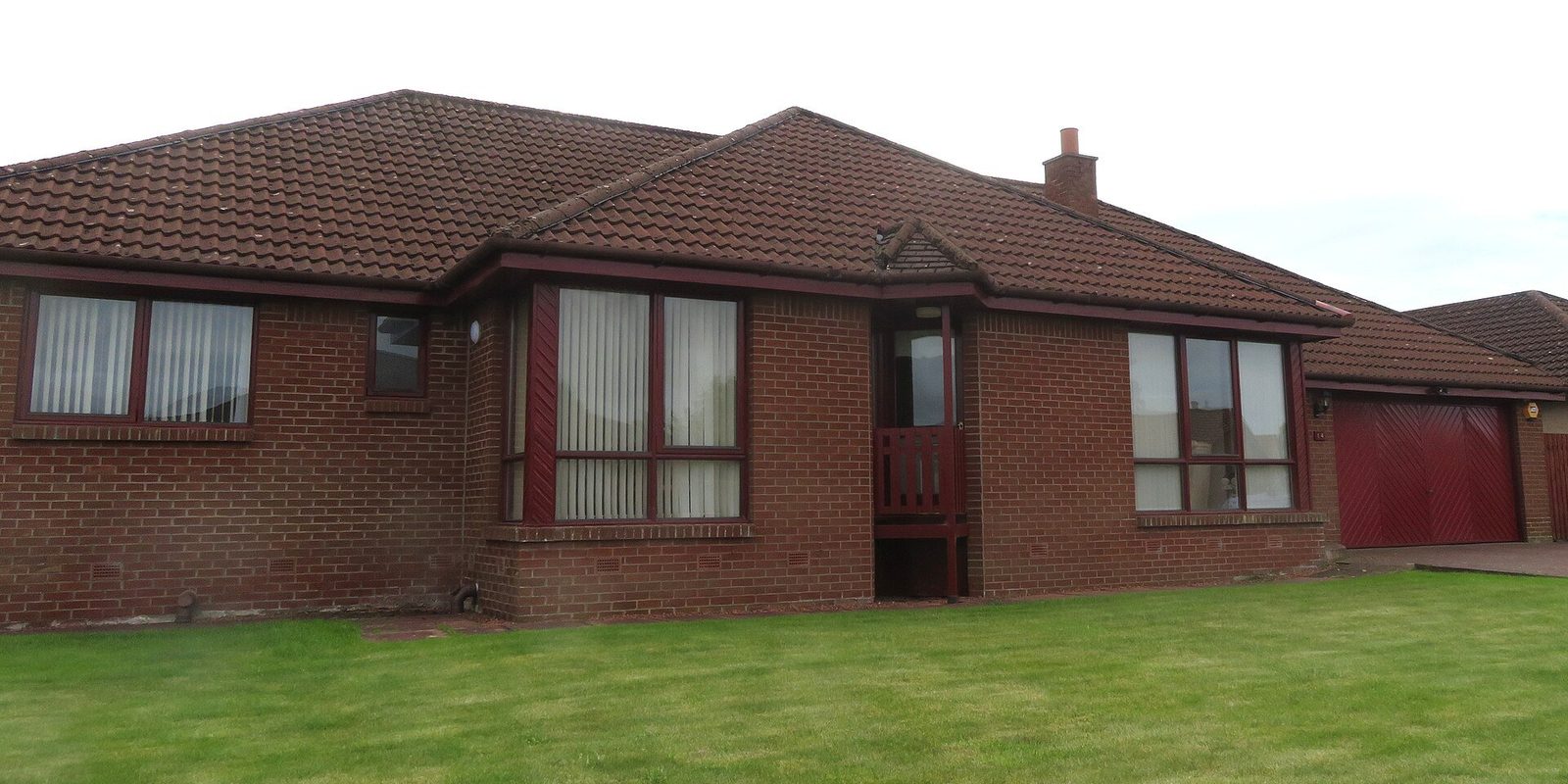
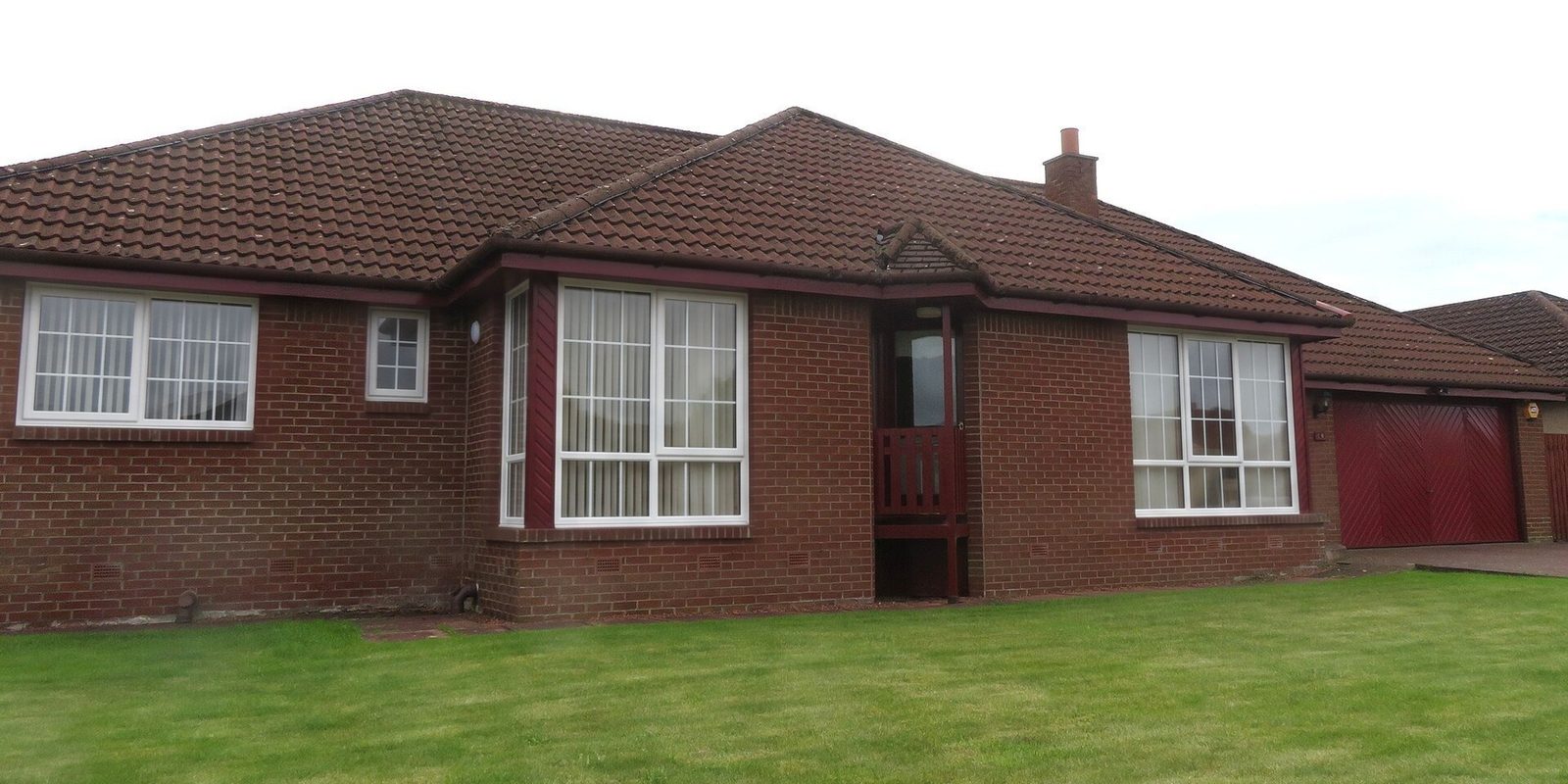
Why use WindowRender instead of each maker's tool?
- One tool for every line you carry. You don't switch between three makers' websites in front of the customer.
- Two brands on one house. Render the fiberglass option and the vinyl option on the same photo and let the homeowner compare.
- No appointment, designer or mapping step. You take the photo and render it on the spot.
- Inside photos as well as the street view.
- The rep stays in charge of the visit, rather than handing the homeowner to a maker's website to browse.
Which window visualizers use a photo of your own house?
Several do, in different ways. Pella's design service shows new windows or doors on a photo of your own house, working with a Pella expert1. Ply Gem MyHome uses your photo too, but a professional designer maps it before you can try products, and its free studio offers nearly two dozen pre-mapped sample homes instead3. The Alside Visualizer starts from an uploaded photo that you straighten, crop and scale yourself4. ProVia's free visualizer takes an uploaded photo or a stock home5.
Andersen's Design Tool is described as a way to see how a window or door looks with different colors and options7. Renewal by Andersen's AR tool places 3D models of its windows and patio doors in your room6.
Which ones need a person or an appointment?
Pella's service runs through a Pella expert1. Renewal by Andersen's consultant brings Real View and physical samples to the in-home consultation2. Ply Gem MyHome waits on a designer to map your photo3. Home Depot's free virtual window consultation sets aside up to 90 minutes, with a project specialist using a 3D design tool11.
None of that is a bad way to sell windows. It does mean the picture arrives on someone else's schedule. A dealer who wants the picture during the first visit needs a tool the rep runs alone.
Which window brands' visualizers are built on Renoworks?
Alside's visualizer is powered by Renoworks4, and Infinity from Marvin added Renoworks auto-recognition in October 20198. Renoworks also sells its own contractor product, Renoworks Pro, which covers the roof, siding, windows and doors12. How that compares with WindowRender is in WindowRender vs Renoworks.
Does WindowRender have my brand's exact colors?
No. It has the standard frame colors most makers sell under their own names, from white and almond to bronze and black. The picker also lists colors named after the exterior colors of popular lines from several big makers, but treat those as close matches named after the maker's colors, not the maker's own finish. The names come from public sources and we haven't checked every one against each maker's current list.
Makers don't publish screen color values, every screen shows color a little differently, and a render is a preview of the look. Show the customer the real chip or a corner sample before they order. Styles are a different matter: each window keeps the style it has, and switching one, such as double-hung to casement, isn't offered yet. WindowRender is not affiliated with any window manufacturer.
When is the maker's own tool the right call?
If you sell one brand and the homeowner is happy browsing that brand's site, its own visualizer may be all you need, and some cost nothing: ProVia's, for one, is free5.
When you carry more than one line, when you want the picture at the kitchen table instead of after an appointment, or when the customer wants to see the inside of the room, use one tool you control. That's the job WindowRender does. Start with the replacement window visualizer.