What videos should a window company make?
Start with videos you can shoot during work you're already doing. These are the types worth making, what each one shows and where it goes. The lengths are our suggestions, not platform limits.
- If you make only one video this month, make the rep intro. It goes to people who already booked, so it works without an audience.
- Make the render reveal next. It's the one video that shows a homeowner what your visit is like before you get there.
- Film install time-lapses on every job you can. They cost nothing but a tripod spot and a charged battery.
Window company video ideas
Install time-lapse
- What it shows
- A whole side of the house going from old windows to new in one steady shot, sped up
- Length
- 1 minute or less
- Where it goes
- Facebook, Instagram, YouTube Shorts, the install page on your website
Rep intro
- What it shows
- The rep who's coming, saying who they are and what the visit involves
- Length
- 1 minute or less
- Where it goes
- The confirmation text before the appointment; your team page
Render reveal
- What it shows
- A screen recording: a house photo, the frame and color being picked, the render, the slider
- Length
- 1 minute or less
- Where it goes
- Social posts, your website next to the quote form, the confirmation text
Finished job walk-around
- What it shows
- The house after install, outside then inside, with a few words on what changed
- Length
- 1 to 3 minutes
- Where it goes
- Facebook, YouTube, Google Business Profile
Problem window
- What it shows
- Fogged glass, rot or a painted-shut sash, and what it means for the homeowner
- Length
- 1 to 2 minutes
- Where it goes
- YouTube, Facebook
Question answered
- What it shows
- One homeowner question per video: how long install takes, the mess, what happens to the old windows
- Length
- 2 to 5 minutes
- Where it goes
- YouTube, the FAQ on your website
How we install
- What it shows
- Your process from measure day to cleanup
- Length
- 3 to 8 minutes
- Where it goes
- YouTube, a link in the email or text after they sign
| Video | What it shows | Length | Where it goes |
|---|---|---|---|
| Install time-lapse | A whole side of the house going from old windows to new in one steady shot, sped up | 1 minute or less | Facebook, Instagram, YouTube Shorts, the install page on your website |
| Rep intro | The rep who's coming, saying who they are and what the visit involves | 1 minute or less | The confirmation text before the appointment; your team page |
| Render reveal | A screen recording: a house photo, the frame and color being picked, the render, the slider | 1 minute or less | Social posts, your website next to the quote form, the confirmation text |
| Finished job walk-around | The house after install, outside then inside, with a few words on what changed | 1 to 3 minutes | Facebook, YouTube, Google Business Profile |
| Problem window | Fogged glass, rot or a painted-shut sash, and what it means for the homeowner | 1 to 2 minutes | YouTube, Facebook |
| Question answered | One homeowner question per video: how long install takes, the mess, what happens to the old windows | 2 to 5 minutes | YouTube, the FAQ on your website |
| How we install | Your process from measure day to cleanup | 3 to 8 minutes | YouTube, a link in the email or text after they sign |
How do you film window installs on a phone?
You don't need a camera crew. You need a steady phone, clear sound and a few habits. Use this checklist on every job you film.
- Get the homeowner's OK in writing before you film at their house, and again before anything goes up. Note whether they're happy to be on camera or want only the house shown.
- Mount the phone on a tripod or a clamp. A steady shot beats any handheld one, and for a time-lapse it's the only way.
- Frame the whole side of the house from where you took the before picture, with room to spare at the top and sides.
- Plug into a battery pack and turn on Do Not Disturb, so a phone call doesn't end a two-hour time-lapse.
- Use the phone's time-lapse mode for installs; it speeds the footage up for you.
- Shoot horizontal for YouTube and your website, vertical for Reels, Shorts and Stories. If you can only do one, shoot vertical and keep the action in the middle of the frame.
- Clip a mic on whoever is talking. Wind and saws wreck phone audio.
- Show safe work only: ladders set up right, harnesses where you need them, eye protection on. A shortcut on camera stays on camera.
- Keep the house number, license plates and family photos inside the house out of the shot.
- End on the cleanup. A clear lawn and a swept floor answer the question homeowners ask most about the mess.
- Copy the footage to the job file the same day, labelled with the address and date.
How do you record a render reveal video?
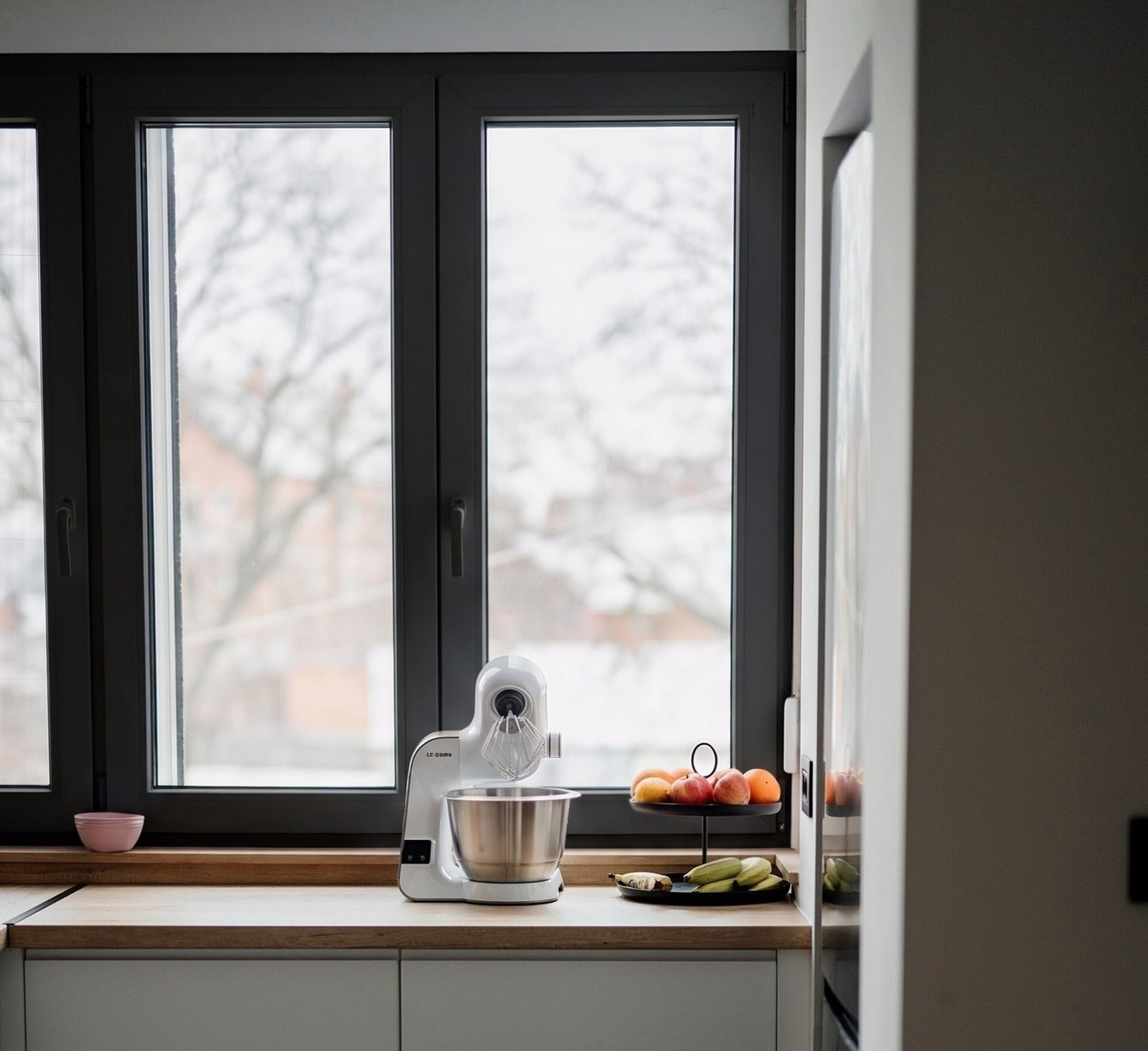
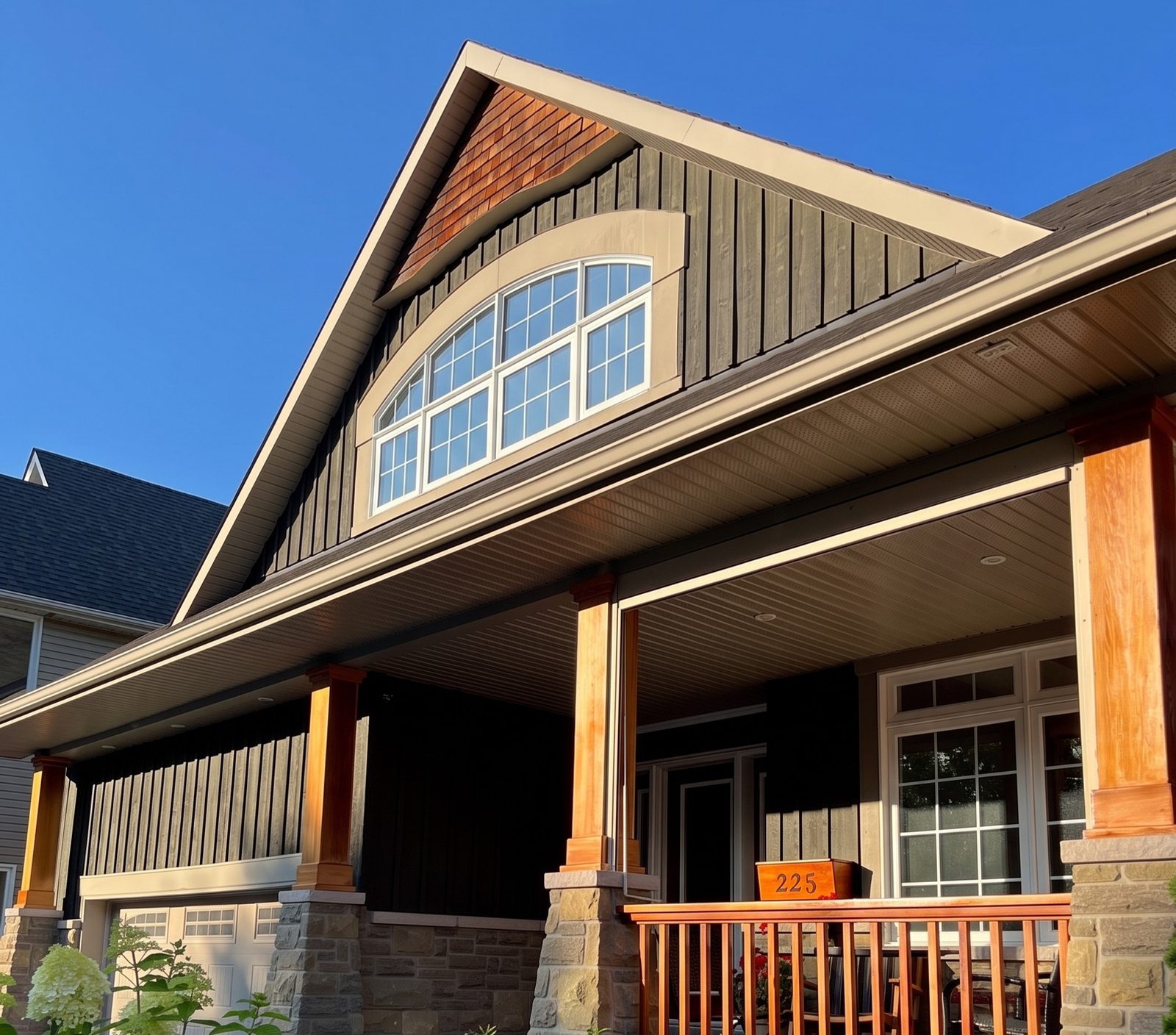
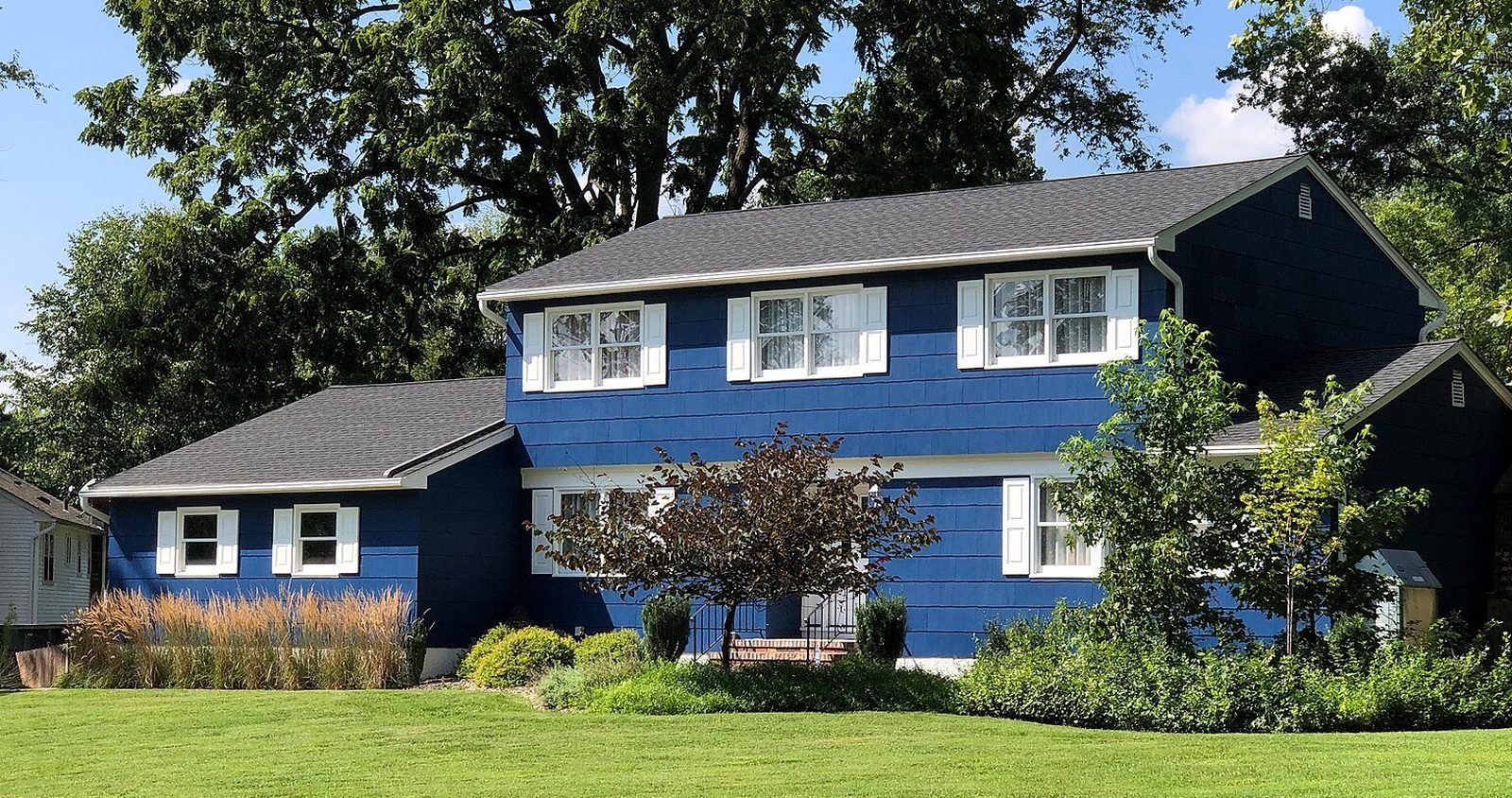
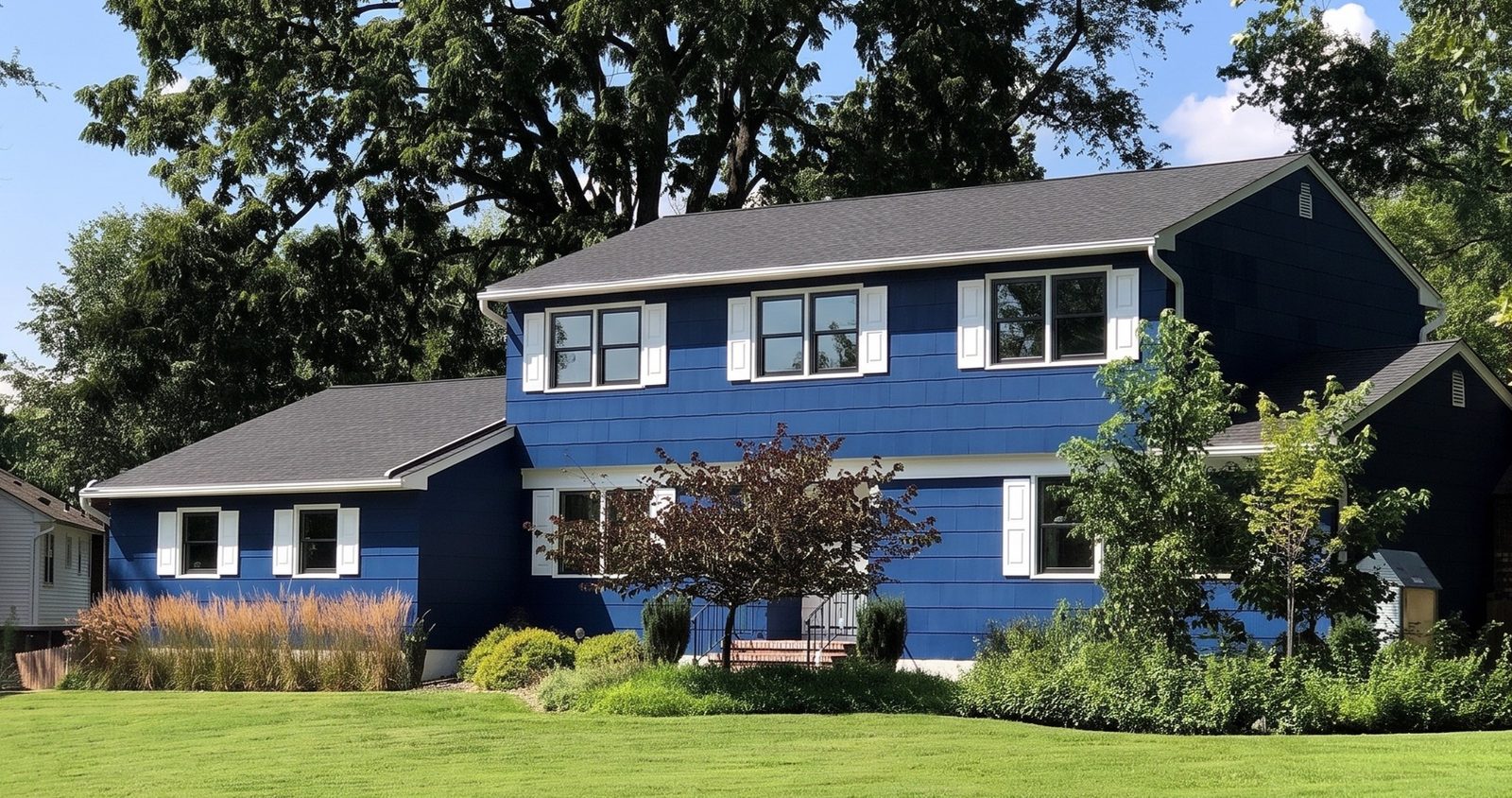
A render reveal shows homeowners what happens at the kitchen table before you ever get there: a photo of a house, the frame material, color and grilles being picked, and the same house with new windows. You can record one with your phone's built-in screen recorder in a few minutes.
Use a house you have the right to show: your own, someone on your team's, or a customer who said yes in writing. Each window keeps its current style in the render, so talk about frame color, material and grilles, not about changing a window's style.
- Open on the real photo, full screen, long enough to take in. Say what it is: "This is a brick house in [town], photographed from the street."
- Pick on camera: the frame material, the color, the grilles. Tap slowly so viewers can follow.
- Wait: the render takes 30 seconds. Cut the wait, or talk over it.
- Reveal: the render full screen, then drag the slider across the house slowly, once each way.
- Label: end on a card that says "Render: a preview of new windows, not a finished job." Put the same words in the caption.
- Close with one line on what to do next: "Want to see your own house? Send us a photo."
Voiceover for a one-minute render reveal
This is a house in [town], photographed from the street this morning. It has its original white windows.
We're picking black frames, no grids. Same windows, same openings, new color.
Here it is. This is a render, a preview made from the photo, not a finished job. Drag across and you can see both.
Want to see your own house? Send us a photo of the front and we'll show you, before your appointment or at it.
Read it slowly. Leave out prices and savings figures; both go out of date, and savings claims need proof.
What should a window sales rep's intro video say?
Who's coming, what they'll do, how long it takes, and who should be home. Send it with the confirmation the day before. A homeowner who has seen the rep's face and heard their voice opens the door to someone they've already met.
Film it in good light with the phone at eye level, held steady and straight. No sunglasses, no truck engine running. One clear take is enough; if it runs past a minute, cut it. Confirming and setting the appointment itself is covered in window appointment setting.
Rep intro video, word for word
Hi, I'm [name] from [company]. I'll be at your house on [day] at [time].
I'll look at every window with you, measure, and show you your own house with the new windows on my tablet, so you can see the color before you decide anything.
The visit takes about [an hour and a half]. If more than one person owns the house, it helps if everyone can be there for the last part, when we go over the options and the price.
If anything changes, text me at this number. See you [day].
Hi, this is the window rep you booked for tomorrow at 6. Here's a short video so you know who's knocking.
Thanks! See you at 6.
Where should a window company post videos?
Put each video where people are at the moment they need it: before the appointment, while they're comparing companies, after the job. That matters more than which app is popular this year.
- YouTube for contractors works more like search than social. People find a video when they type the question, sometimes long after you posted it, so a plain title that matches the question beats a clever one.
- One question per video, your town in the description, your phone number in its first line, and playlists by topic: installs, colors, problem windows.
- Send the rep intro by text. Pew Research Center's 2025 survey found that 91% of US adults own a smartphone1, so a video link in the confirmation text will play for most of the people you've booked. Keep a phone call for the rest.
- Add captions. A lot of people scroll with the sound off, and an install clip with no words on screen is just a ladder and a truck. Most phone editing apps and the platforms themselves can make captions from the voiceover; read them over before you post.
- Posting the same clips as photos and stories is covered in social media for window companies.
Where window company videos go
YouTube
- Shape
- Horizontal for full videos, vertical for Shorts
- What to put there
- Question-answered and how-we-install videos, titled the way homeowners ask: "How long does window replacement take?"
Facebook and Instagram
- Shape
- Vertical
- What to put there
- Time-lapses, render reveals, finished-job walk-arounds
Your website
- Shape
- Either
- What to put there
- How you install on the install page, the render reveal next to the quote form, rep intros on the team page
Google Business Profile
- Shape
- Either
- What to put there
- Finished jobs and short install clips
Text and email
- Shape
- Vertical, as a link
- What to put there
- The rep intro before the visit, the how-we-install video after they sign
| Place | Shape | What to put there |
|---|---|---|
| YouTube | Horizontal for full videos, vertical for Shorts | Question-answered and how-we-install videos, titled the way homeowners ask: "How long does window replacement take?" |
| Facebook and Instagram | Vertical | Time-lapses, render reveals, finished-job walk-arounds |
| Your website | Either | How you install on the install page, the render reveal next to the quote form, rep intros on the team page |
| Google Business Profile | Either | Finished jobs and short install clips |
| Text and email | Vertical, as a link | The rep intro before the visit, the how-we-install video after they sign |
What mistakes do window companies make with video?
- Filming people without asking. Get a written OK from the homeowner, and from any crew member who'd rather not be on camera, before anything goes up.
- Recording conversations without consent. The Reporters Committee for Freedom of the Press notes that some states require the consent of everyone in a conversation before it's recorded, and that the rules vary from state to state2. If you record a homeowner talking, at the table or on the phone, ask on camera first and check your state's rules with a lawyer. This is general information, not legal advice.
- Using music you don't have the rights to. A popular song can get a video muted or taken down. Use a platform's own music library or music you've licensed.
- Passing a render off as a finished job. Label it on screen and in the caption, every time.
- Promising savings. In 2012, five replacement window sellers settled FTC charges over deceptive energy savings claims, some of which said new windows could cut energy bills in half3. Keep lines like that out of your voiceovers; window energy savings claims explains what proof a savings claim needs.
- Showing a price. Prices change and videos stay up for years. Talk about options, not numbers.
- Making three videos and stopping. A channel whose newest video is two years old looks like a company that closed.
Where the render fits in your videos
In the render reveal it's the whole video: a preview of your visit, posted where homeowners compare companies and sent with the appointment confirmation.
At the table it can be a video too. After you show a homeowner their render, screen-record yourself dragging the slider across their house and text the clip that night. It's their own house going from old windows to new, and it plays the same on the phone of whoever wasn't at the table.
After the install, film the finished house from the spot where you took the photo for the render. With the owner's OK, post the render and the real thing together, each labelled.