What is a virtual window consultation, and when does it work?
It's the in-home appointment run over video: the walk-through, the options and usually a price, with the final measure done later in person. Home Depot's version has a project specialist show window options in a 3D digital design tool1. Manufacturers use video too: on its contractor site, Pella says every package in DesignWorks, its design service, includes a virtual consultation with a Pella DesignPro2.
Almost any homeowner can join one. Pew Research Center's 2025 survey found that 91% of US adults own a smartphone3.
It doesn't replace the visit for every lead. Use it where the drive is long, where getting every decision maker home on the same evening is hard, or as a first look for a homeowner who isn't ready to give up an evening.
In-home, video or both: which fits the lead
In-home visit
- Works well for
- A full walk-through, exact measurements, samples in hand, every owner at one table.
- Weak spots
- Drive time, and an evening that has to suit everyone.
Video call only
- Works well for
- Small jobs, far-away leads, repeat customers, and homeowners who want a first look before a visit.
- Weak spots
- No exact measurements, no samples to touch, and a call is easy to end early.
Video first, then a measure visit
- Works well for
- Replacement jobs sold remotely: you sell on the call and confirm sizes before you order.
- Weak spots
- Two appointments to book, and your price has to hold between them.
| Format | Works well for | Weak spots |
|---|---|---|
| In-home visit | A full walk-through, exact measurements, samples in hand, every owner at one table. | Drive time, and an evening that has to suit everyone. |
| Video call only | Small jobs, far-away leads, repeat customers, and homeowners who want a first look before a visit. | No exact measurements, no samples to touch, and a call is easy to end early. |
| Video first, then a measure visit | Replacement jobs sold remotely: you sell on the call and confirm sizes before you order. | Two appointments to book, and your price has to hold between them. |
What should the homeowner send before the video call?
Photos, texted the day before, so you've studied the house before you see it on camera. A frame grabbed from a video call is smaller, softer and usually tilted, so it's a poor stand-in for a real photo. If they send only one, make it the first on this list; how to photograph a house for a window quote has the details.
- Must have: the front of the house from the street, in daylight, with every window on the job in the frame.
- Each side and the back, if those windows are part of the job.
- Inside: the window they care about most, shot straight on from across the room.
- Close-ups of any problem: a soft sill, fog between the panes, a cracked sash.
- A rough width and height for each window, if they're happy to use a tape measure. It's for your ballpark, not the order.
- The names of everyone who'll be on the call. Every decision maker should be, just as for a home visit.
The booking text
Thanks for booking your video consultation for [day] at [time]. Could you text me a few photos before then? It makes the call faster.
One of the front of the house from the street in daylight, one of each side with windows we're replacing, and one from inside of the window that bothers you most. Straight on is best.
Please have everyone who'll help decide on the call. Plan on about [length].
Send it from the number you'll text the render from, so the whole job lives in one thread.
How do you run a video call window quote?
In the same order as a home visit, only tighter. The difference is that you're directing the camera, so ask for exactly what you need to see, one window at a time.
A virtual window consultation, step by step
Open
- What you say or do
- Agenda, length, and who's on the call.
- Why
- Everyone knows when the price comes and when the call ends.
Why now
- What you say or do
- Which windows bother them, what they've seen that they like, what they plan to spend.
- Why
- You build options around their reasons.
Camera walk
- What you say or do
- Room by room. Have them open each sash, show the sill and the corners, and bring the phone close to any fogged glass.
- Why
- You catch what a photo hides: sashes painted shut, soft wood, the draft they feel when they get close.
Their house
- What you say or do
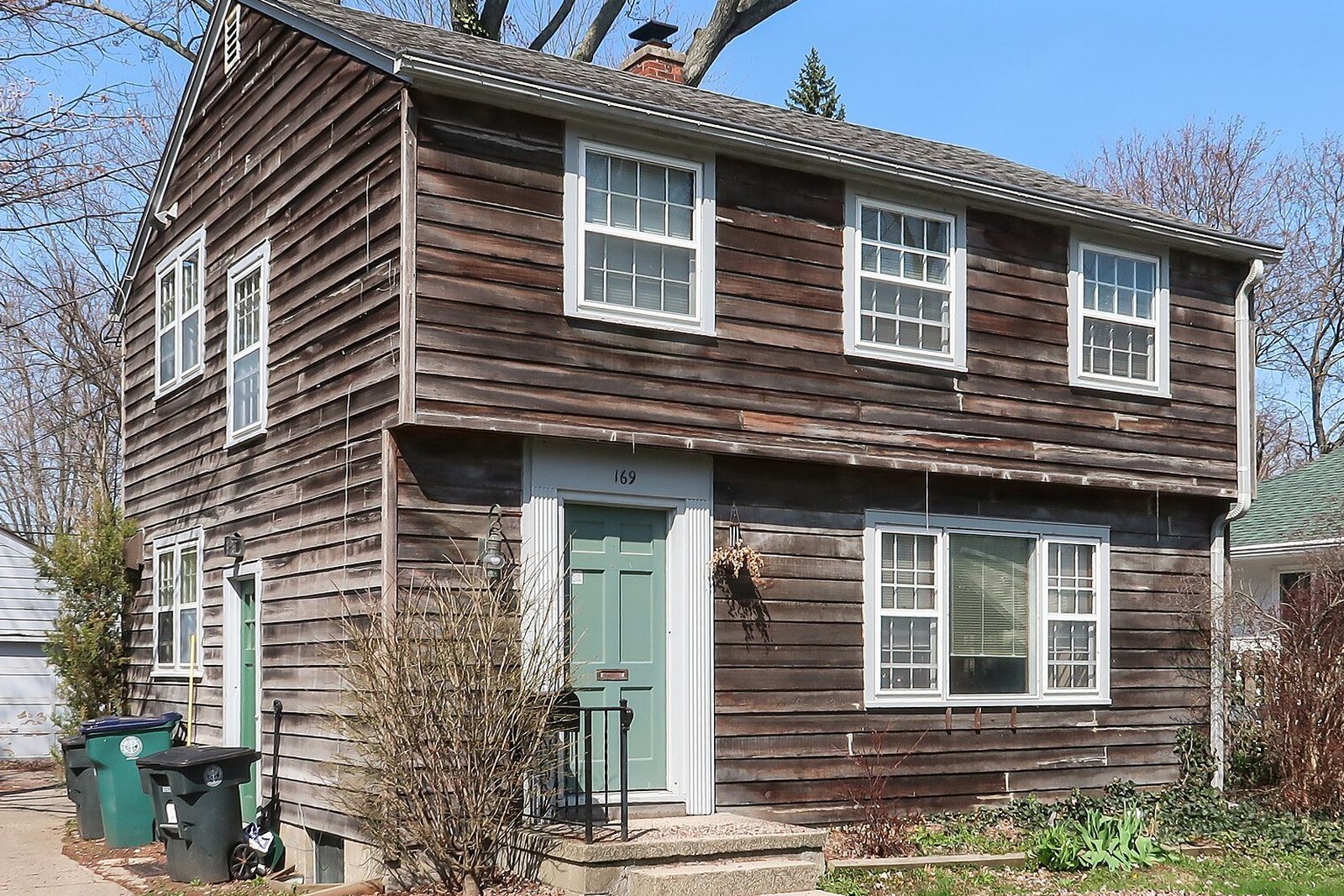
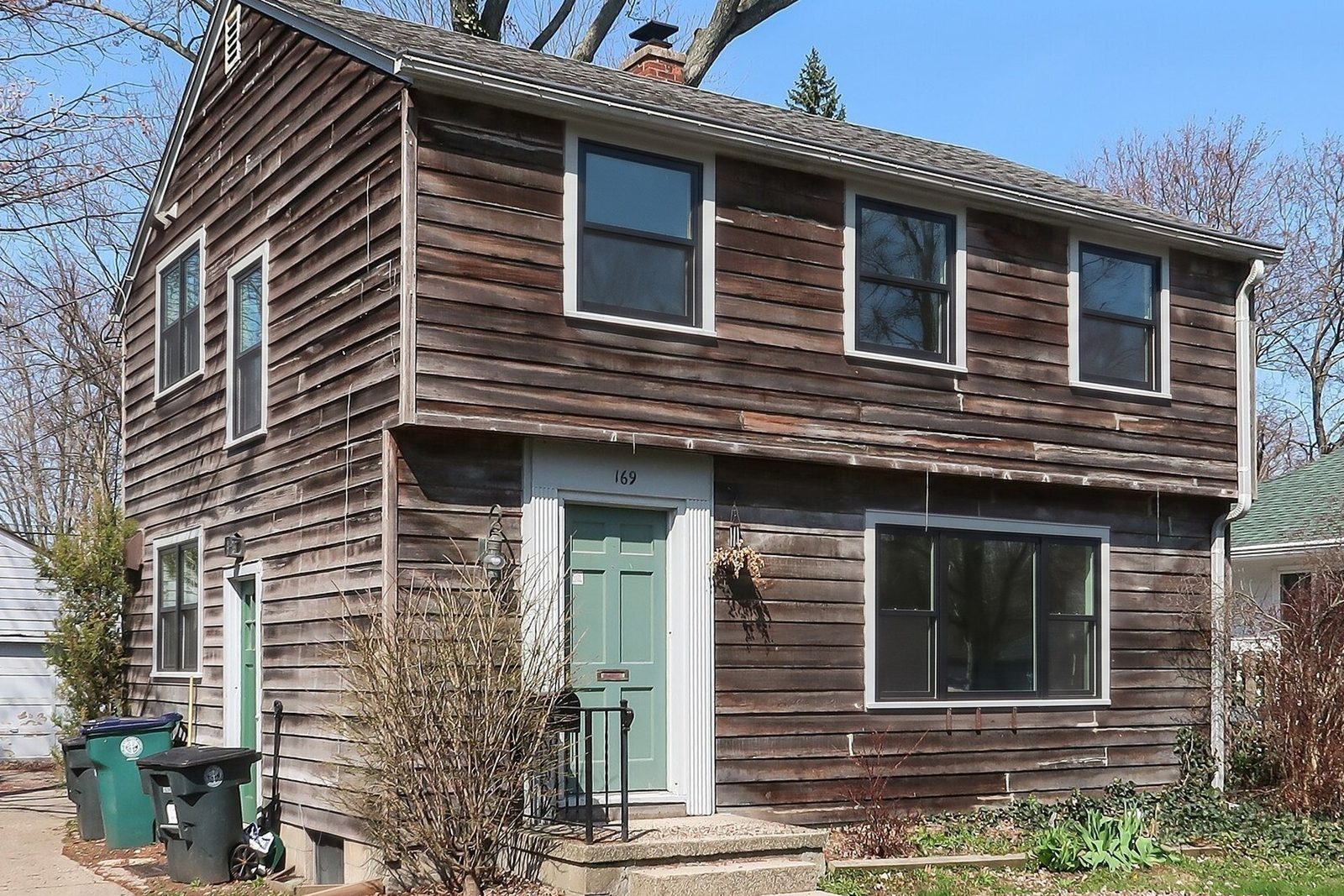
- Render their first choice from the front photo they sent, then the alternative. Share your screen or text the image while you're still talking.
- Why
- They see their own house with new windows, not a catalog page.
Price
- What you say or do
- A written proposal for each option, marked as subject to the final measure.
- Why
- No surprises when the sizes are confirmed.
Next step
- What you say or do
- Book the measure visit and explain how signing works.
- Why
- The call ends with a date, not a maybe.
| Step | What you say or do | Why |
|---|---|---|
| Open | Agenda, length, and who's on the call. | Everyone knows when the price comes and when the call ends. |
| Why now | Which windows bother them, what they've seen that they like, what they plan to spend. | You build options around their reasons. |
| Camera walk | Room by room. Have them open each sash, show the sill and the corners, and bring the phone close to any fogged glass. | You catch what a photo hides: sashes painted shut, soft wood, the draft they feel when they get close. |
| Their house | Render their first choice from the front photo they sent, then the alternative. Share your screen or text the image while you're still talking. | They see their own house with new windows, not a catalog page. |
| Price | A written proposal for each option, marked as subject to the final measure. | No surprises when the sizes are confirmed. |
| Next step | Book the measure visit and explain how signing works. | The call ends with a date, not a maybe. |
Directing the camera
Can you take me to the kitchen window you mentioned? Hold the phone about an arm's length back so I can see the whole window.
Now open the bottom sash as far as it goes. Does it stick anywhere on the way up?
Bring the phone right up to that corner of the glass for me. I want to see if that fog is between the panes or just on the surface.
If they wander with the camera pointed at the floor, ask them to set the phone on a counter facing the window.
What software do you need for virtual window sales?
A phone and a video app the homeowner already has will run the call. Everything else depends on what you need to do without a visit: measure, design, price or sign. Here's what each kind of tool does on a remote sale, and what to know before you lean on it. For a wider look at sales apps, see window sales software.
Tools for virtual window consultations
A video app such as FaceTime, Google Meet or Zoom
- What it does on a remote sale
- The live walk-through and the conversation.
- Keep in mind
- Measuring, design, pricing and signing all happen somewhere else.
Paradigm Vendo
- What it does on a remote sale
- Paradigm describes it as a selling app for contractors, used in the home or virtually, that covers appointments, product configuration, quotes, contracts and e-signature4.
- Keep in mind
- It's a full sales system that configures products from manufacturers' catalogs, so plan the setup well before the first call.
Hover
ProVia Pro Visualizer
Renoworks Pro with EagleView
- What it does on a remote sale
- Renoworks and EagleView announced in 2024 that contractors could pair Renoworks visualization with EagleView measurements from aerial imagery and design a project without visiting the site8.
- Keep in mind
- It doesn't run the video call.
Infinity Designer
- What it does on a remote sale
- Its App Store listing says it builds proposals and contracts the customer can sign on the rep's iPad or on their own device9.
- Keep in mind
- It's an iPad app for Infinity by Marvin products.
WindowRender
- What it does on a remote sale
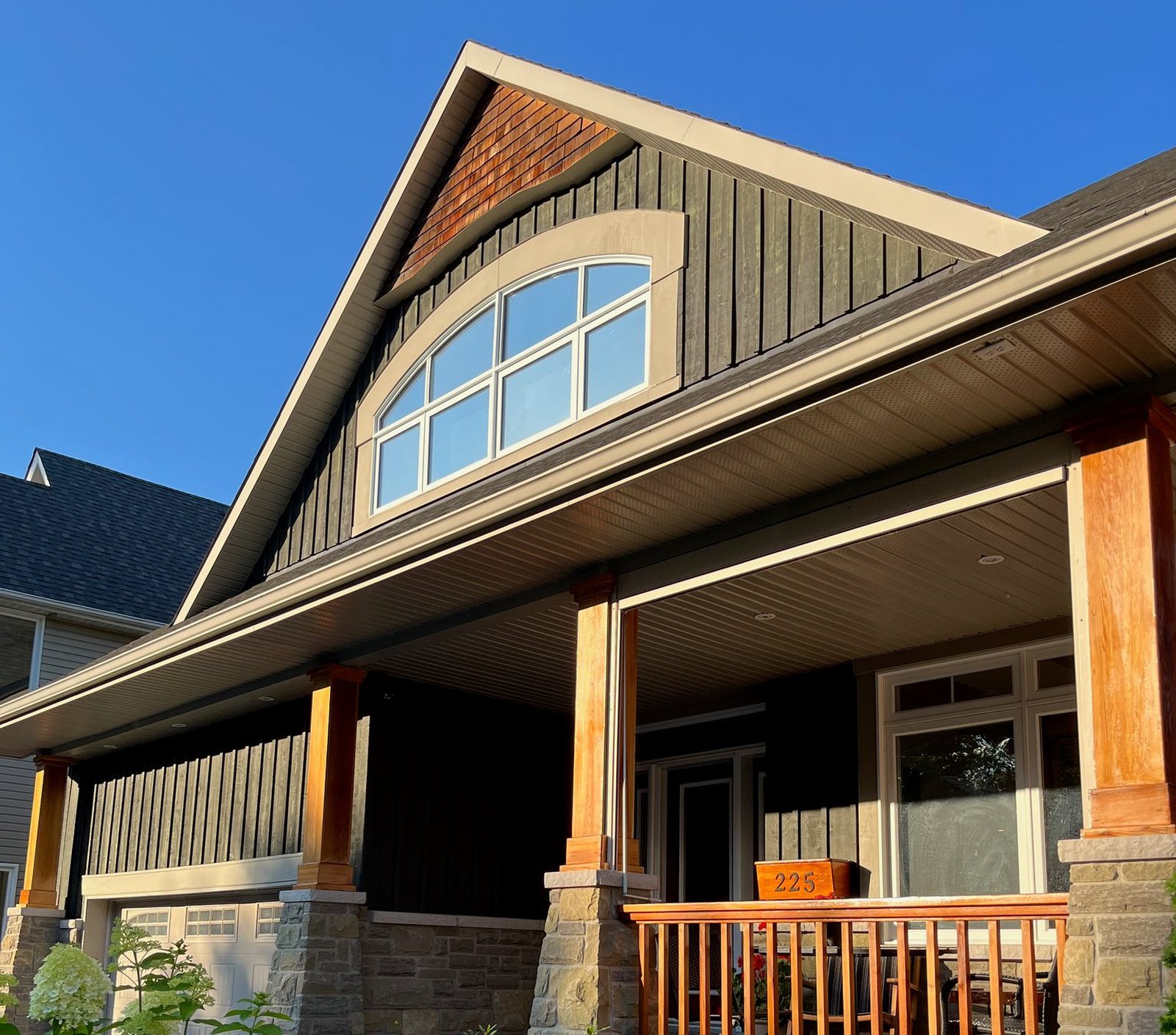
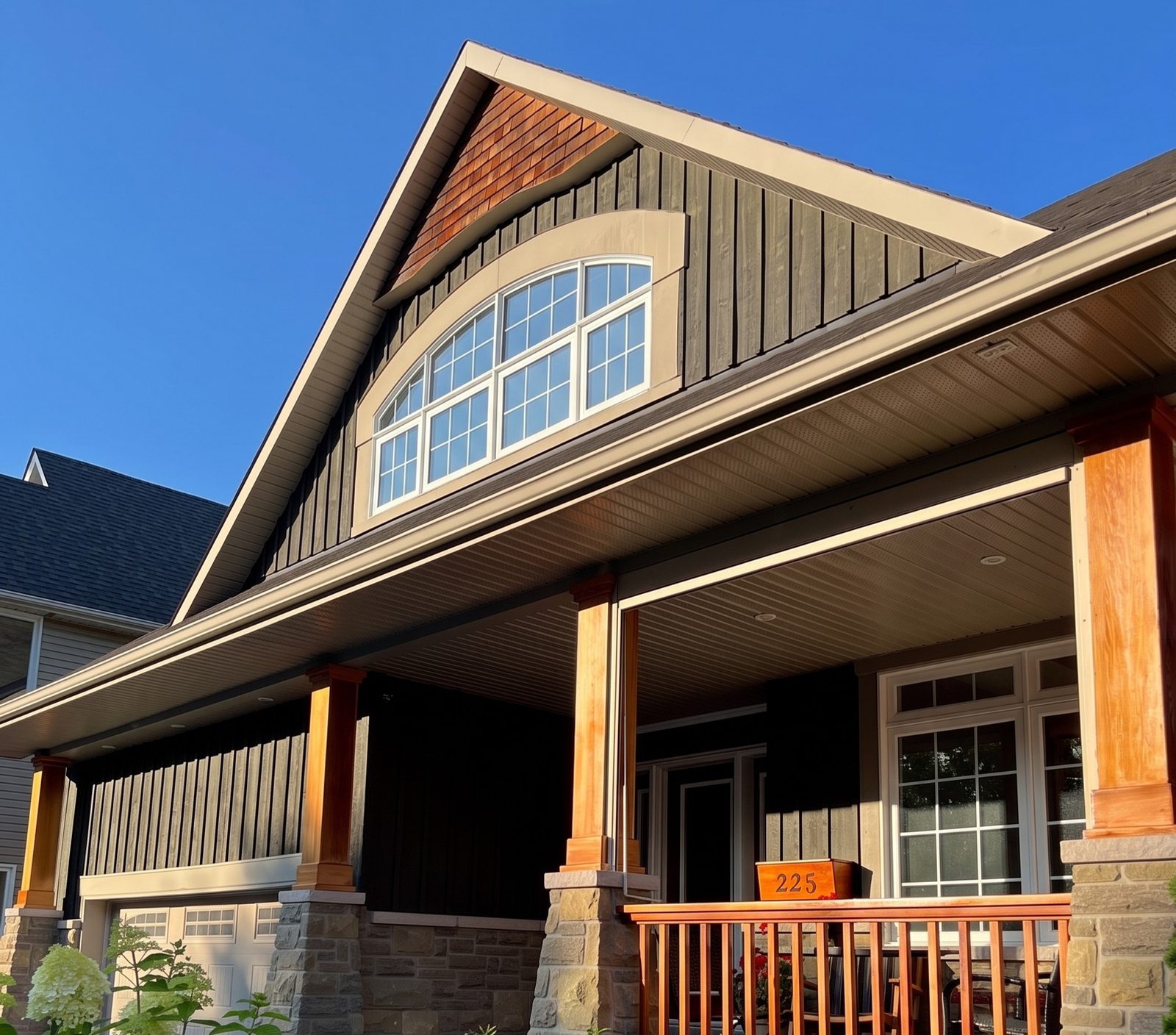
- Shows the homeowner their own house with new windows: the photo they texted you, the frame material, color and grilles you're quoting, and a render in 30 seconds that you can text back during the call. Each window keeps its current style.
- Keep in mind
- It doesn't measure, quote, run the video call or collect signatures. Keep your measuring and proposal tools for those.
| Tool | What it does on a remote sale | Keep in mind |
|---|---|---|
| A video app such as FaceTime, Google Meet or Zoom | The live walk-through and the conversation. | Measuring, design, pricing and signing all happen somewhere else. |
| Paradigm Vendo | Paradigm describes it as a selling app for contractors, used in the home or virtually, that covers appointments, product configuration, quotes, contracts and e-signature4. | It's a full sales system that configures products from manufacturers' catalogs, so plan the setup well before the first call. |
| Hover | Builds a measured 3D model from photos the homeowner takes in the Hover app5. Hover says its platform also produces estimates and proposals with e-signature6. | It doesn't run the video call, and the homeowner has to install the app and take the photos. |
| ProVia Pro Visualizer | ProVia says it starts from the property address, measures walls and openings without a visit, and lets dealers change designs with the homeowner in person or remotely7. | It's built for ProVia dealers and shows ProVia products7. |
| Renoworks Pro with EagleView | Renoworks and EagleView announced in 2024 that contractors could pair Renoworks visualization with EagleView measurements from aerial imagery and design a project without visiting the site8. | It doesn't run the video call. |
| Infinity Designer | Its App Store listing says it builds proposals and contracts the customer can sign on the rep's iPad or on their own device9. | It's an iPad app for Infinity by Marvin products. |
| WindowRender | Shows the homeowner their own house with new windows: the photo they texted you, the frame material, color and grilles you're quoting, and a render in 30 seconds that you can text back during the call. Each window keeps its current style. | It doesn't measure, quote, run the video call or collect signatures. Keep your measuring and proposal tools for those. |
How do you close a window sale without a home visit?
Send the proposal while they're still on the call, or within the hour, with the render of the option they picked attached. Then book the measure visit and say plainly that the price is confirmed once the sizes are. Angi tells homeowners that many contractors won't quote over the phone because a reasonable quote needs a full look at the project10, so a proposal that says what's confirmed and what isn't reads as careful, not evasive.
If a homeowner asks about an upgrade on the call, show it from the same photo, with its price difference; how to upsell replacement windows covers which upgrades to raise and how.
Don't assume a sale closed over video has no cancellation period. The FTC's Cooling-Off Rule lets a buyer cancel a sale of $25 or more made at their home until midnight of the third business day11, and your state may add rules of its own. How those apply when the contract is signed online, or when you visit to measure before it's final, is a question for your lawyer. This is general information, not legal advice; window sale cancellations covers handling a cancel.
If you record calls for coaching, in your sales app or the video app, tell everyone on the call and get their consent first. Some states require every party's consent to record a conversation; the Reporters Committee for Freedom of the Press lists California and Florida among them, and notes that the rules vary by state and by the kind of conversation12. Check your state's rules and ask your lawyer.
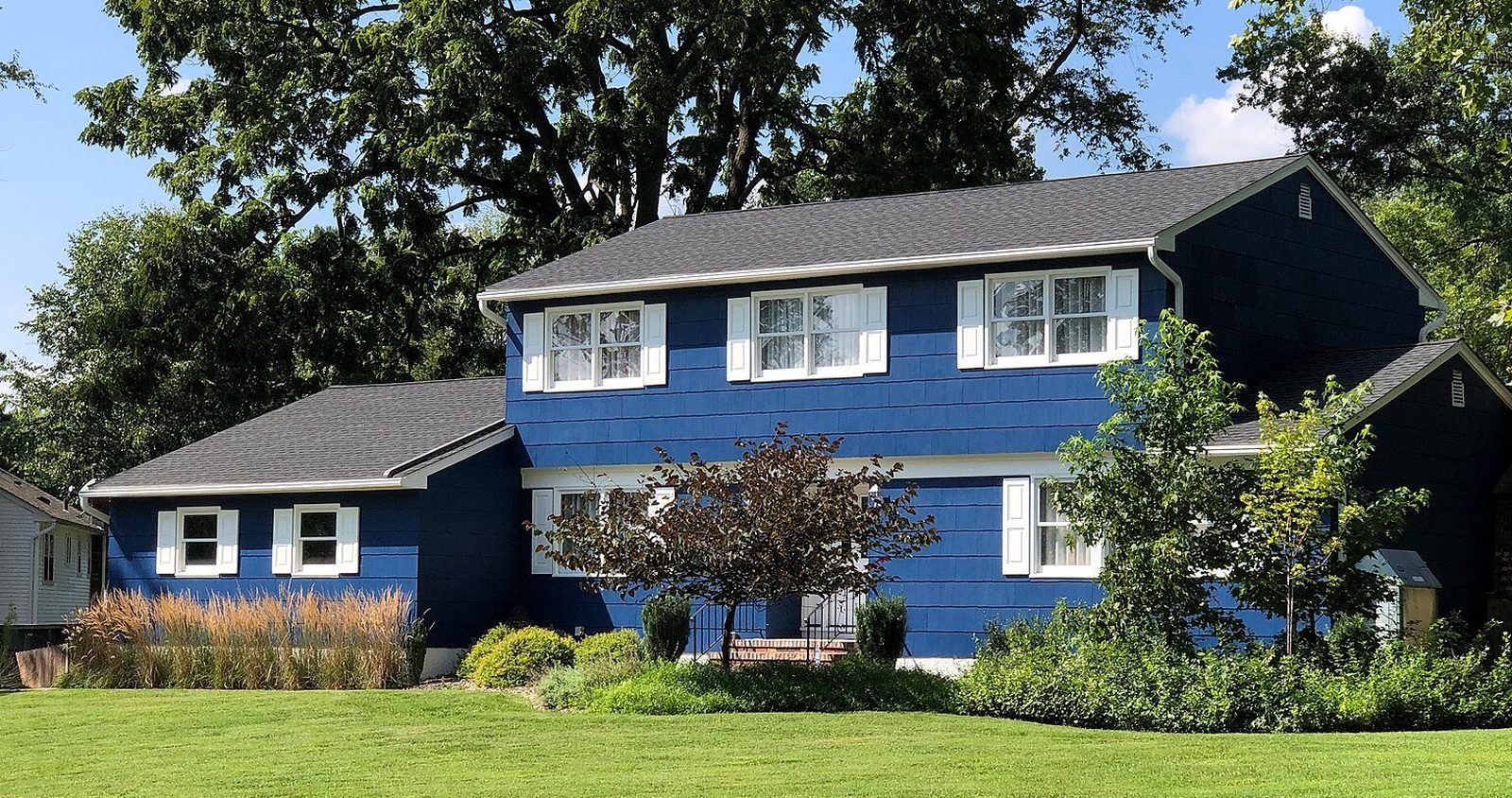
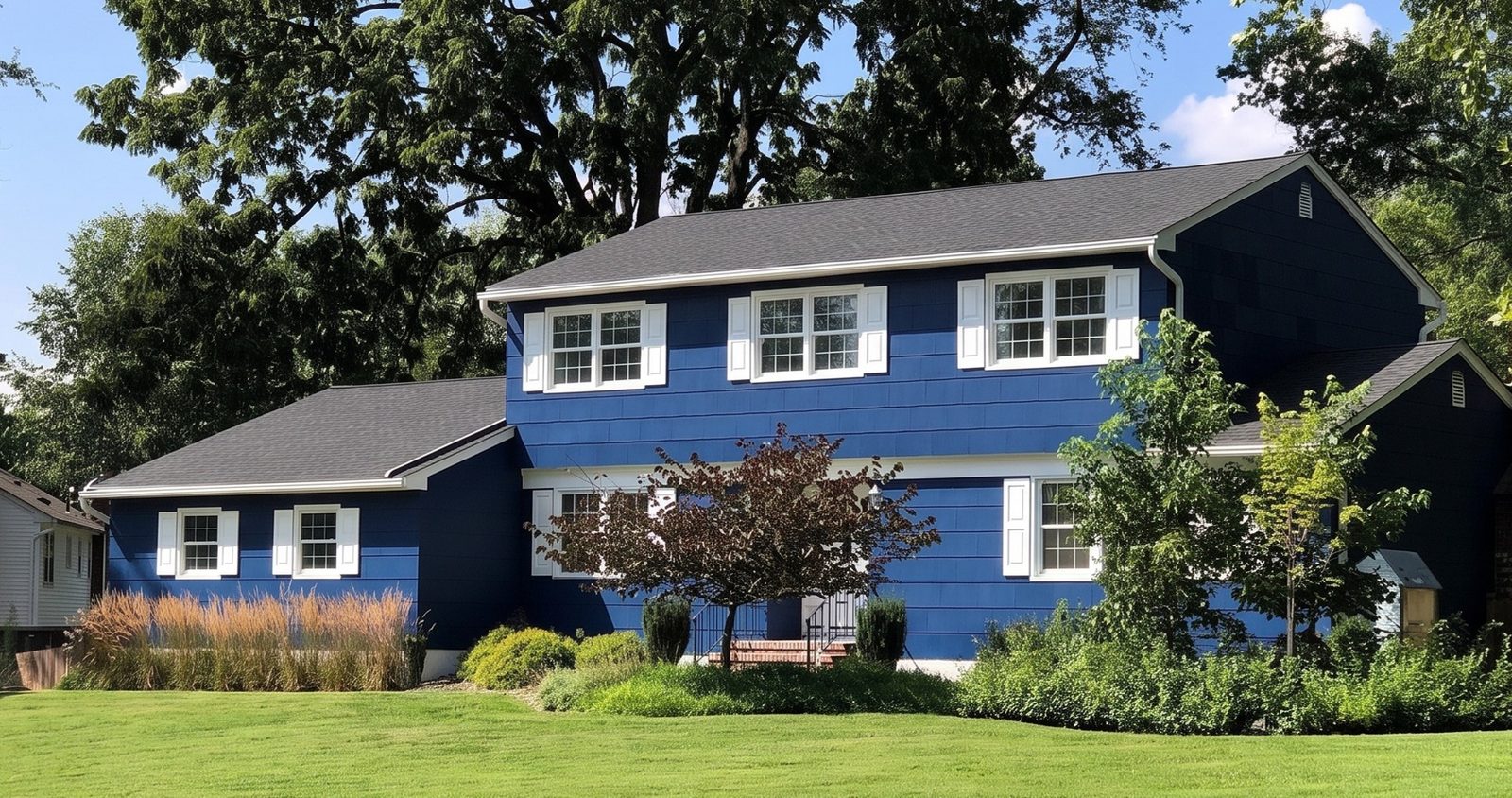
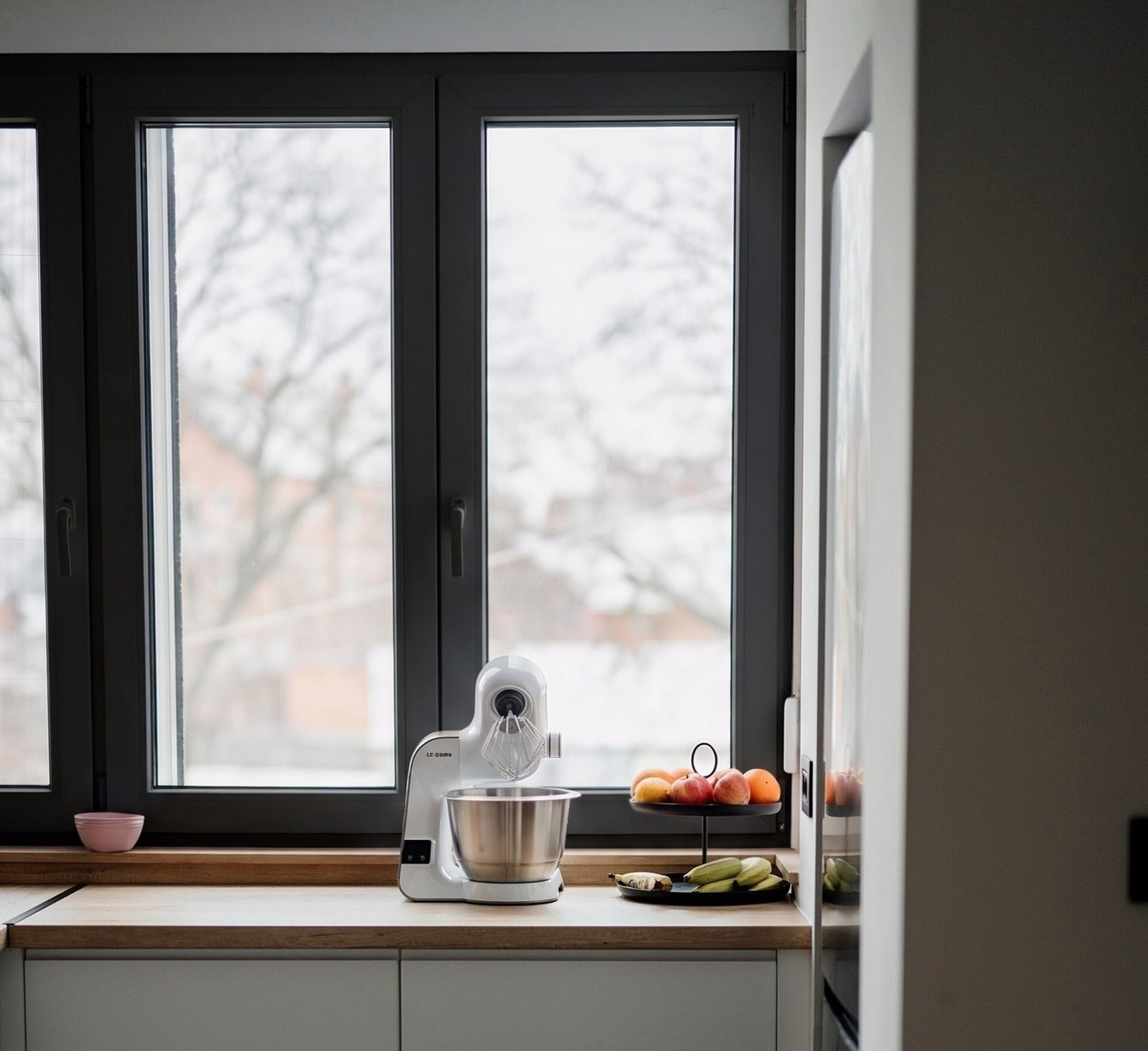
Thanks for walking me through the house tonight. Here's your place with the black frames we talked about, from the front photo you sent.
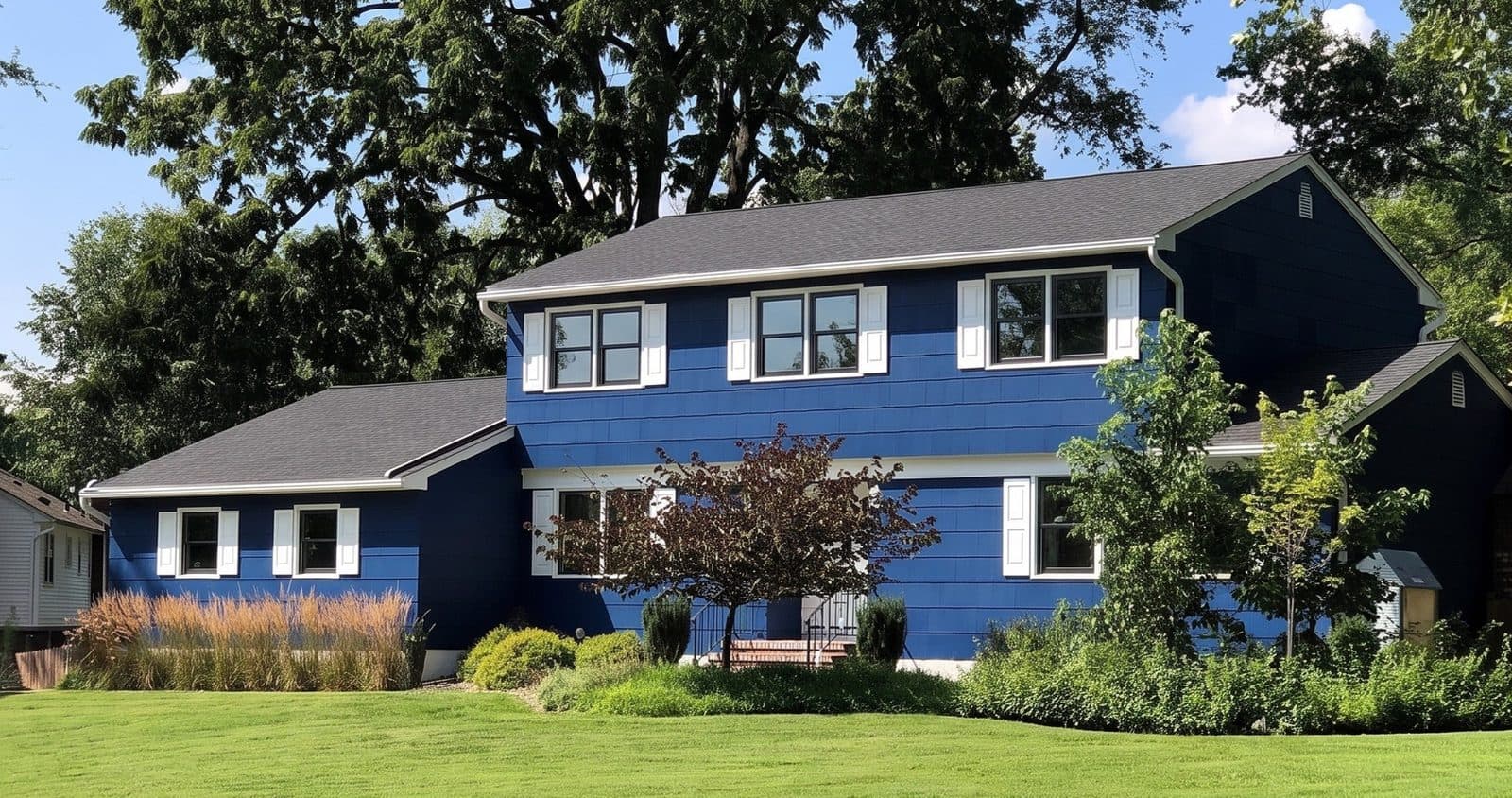 Render
Your proposal is in your email. The price is confirmed once I check the sizes at the measure visit. Does Thursday evening or Saturday morning work?
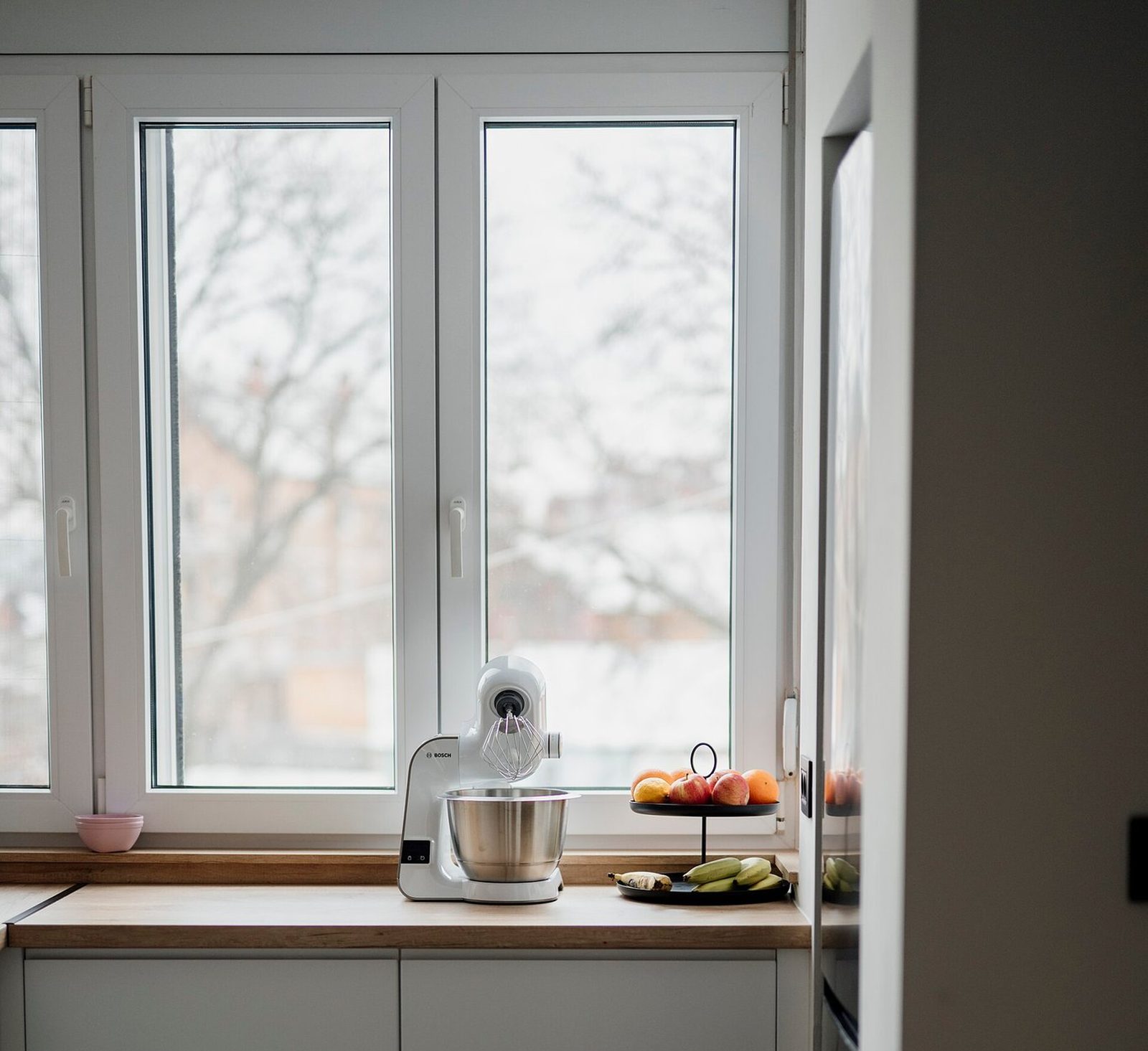
Saturday works. Can you send the white one too? My husband wants to see both.
Sending it now. Saturday at 9 is booked.
What goes wrong on virtual window appointments?
- Only one decision maker on the call. Book a time when everyone can join, even from two phones in two places.
- A firm price off a guess. A number from a video frame that changes at the measure visit costs you more trust than a range would have.
- Rendering a screenshot. Ask for a real photo of the front in daylight. A frame grabbed from the call makes a soft, small render.
- Losing the camera. Stop the walk and ask them to steady the phone before you look at anything that matters.
- Testing on a homeowner. Run the whole call once with a coworker first: screen share, texting the render, sending the proposal. Have their photos open before you dial, and keep a charger and a backup hotspot within reach.
- No follow-up. A video call is easier to forget than a stranger at the kitchen table. Text the render that night and work the plan in how to follow up window sales.
- Automating texts without checking the rules. FCC rules require consent before autodialed texts, and written consent for autodialed marketing texts13.
Where the render fits in a virtual consultation
Twice: on the call and right after it. On the call, once you've walked the windows on camera and heard what they like, render their first choice from the front photo they texted you, then the alternative from the same photo. Share your screen or text the image so it lands on their phone while you're still talking.
After the call, it goes out with the proposal. A proposal is numbers; the render is the reason to open it again. Bring the same render to the measure visit so everyone agrees on what's being ordered.
Ask for that photo before the call, in daylight and straight on. One good photo does more for the render than anything you can do with a video frame.